


HP
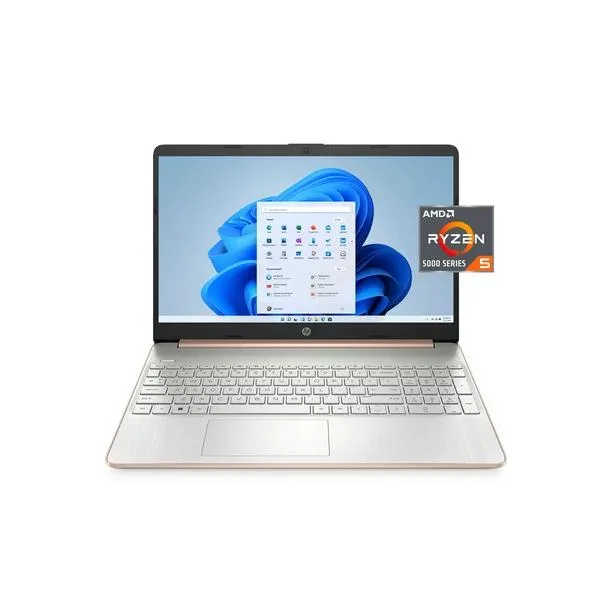
HP 15-ef2130wm laptop, Ryzen 5 5500U, 8GB RAM, 256GB SSD
A 15.6-inch Full HD laptop with an AMD Ryzen 5 5500U processor, 8 GB RAM, 256 GB NVMe storage, Wi-Fi 5 and Windows 11 Home
- Screen Size15.6"
- TypeEveryday Value
- AMD Ryzen 5 5500U processor handles everyday multitasking smoothly
- 6 inch anti-glare Full HD micro-edge display gives clear viewing space
- 256 GB PCIe NVMe M.2 solid-state drive provides fast storage access
- Up to 9 hours 30 minutes mixed usage battery keeps you working longer
- HP True Vision camera with noise reduction improves video call clarity
HP 15.6-inch FHD laptop
The HP 15-ef2130wm is a 15.6-inch Full HD laptop with an AMD Ryzen 5 5500U processor, 8 GB of RAM and a 256 GB PCIe NVMe M.2 solid-state drive. It runs Windows 11 Home and includes a micro-edge anti-glare display, integrated numeric keypad and HP True Vision camera with noise reduction.
Everyday productivity and media use
This laptop suits students, office workers and home users who want a portable screen for documents, web browsing and video streaming. Buyers who need more than 8 GB of memory for heavy multitasking or a larger drive for local media libraries should look at a different configuration.
256 GB PCIe NVMe M.2 storage
The single specification that decides fit is the 256 GB PCIe NVMe M.2 solid-state drive. It sets the total space available for the operating system, applications and personal files before external or cloud storage is required.
Prednosti
- AMD Ryzen 5 5500U processor handles everyday multitasking smoothly
- 6 inch anti-glare Full HD micro-edge display gives clear viewing space
- 256 GB PCIe NVMe M.2 solid-state drive provides fast storage access
- Up to 9 hours 30 minutes mixed usage battery keeps you working longer
- HP True Vision camera with noise reduction improves video call clarity
Špecifikácie
| Screen Size | 15.6" |
|---|---|
| Type | Everyday Value |
Otázky k tomuto produktu
What size M.2 slot does the 256 GB NVMe drive use?
The 256 GB drive fits a standard M.2 2280 slot inside the 15-ef2130wm chassis.
Which screw must be removed first when adding a second drive?
Remove the single captive screw on the bottom cover before prying the panel open.
When should the 5500U fan be cleaned to keep thermals steady?
Blow dust from the fan intake every six months or when the laptop runs louder than usual.
Aj v tomto oddelení
Zákazníci tiež porovnávali
Rovnaké oddelenie, rovnaká pokladňa — osem mien a kurz zablokovaný na 30 minút.


Microsoft
Microsoft Surface 3 1657 128GB CRB 2-in-1 laptop
- Silver
- Windows 10 Pro
244,99 USD
0.00314287BTC
Skladom
Microsoft
Microsoft Surface Pro FGG-2D-00001-RFB 2-in-1 laptop 16 GB 512 GB 12.0" touchscreen 2736 x 1824 refurbished
- 12.0"
- Touch Screen
687,99 USD
0.00882593BTC
Skladom
Lenovo
Lenovo Chromebook 500e Gen 5 M89 83TA0004US 12.2" MediaTek 8GB 64GB
- 12.2"
392,99 USD420,99 USD−7%
0.0050415BTC
Skladom