


Zyvpee
Zyvpee RF-FZ120-U1 120x25mm 12V .3A 3-pin blue LED case fan
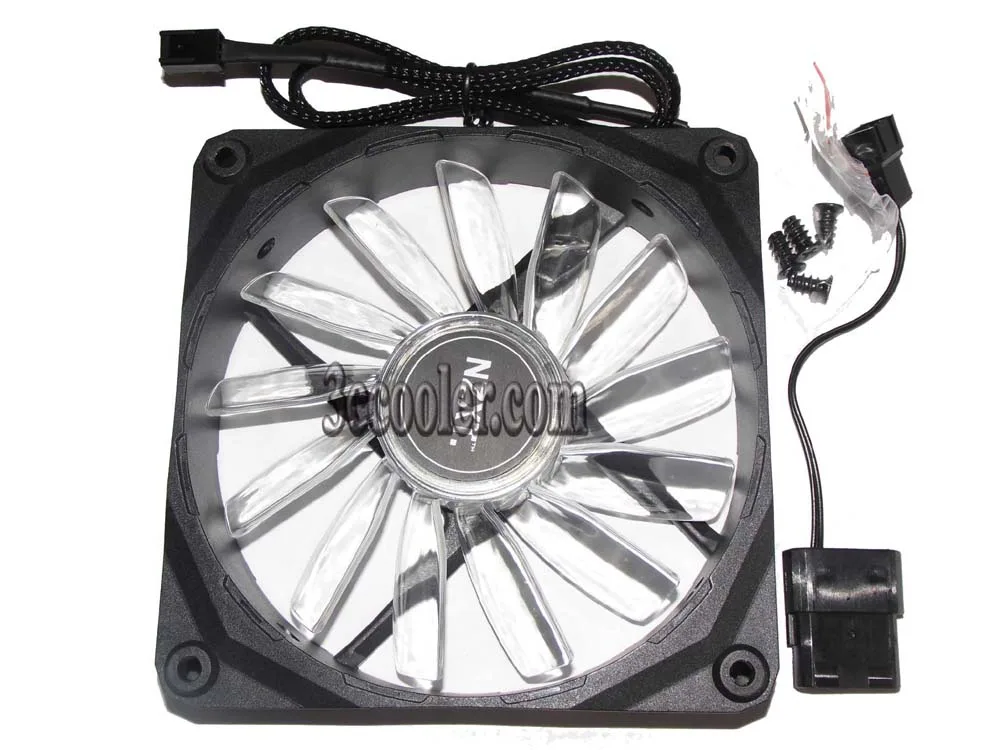
A 120 mm case fan with blue LED lighting, 2 ball bearing and a 3-pin 12 V connector
- TypeCase Fan
- CompatibilityCase
- Bearing Type2 Ball
- LEDBlue
- FeaturesDC Case Fan
- Dimensions120*25mm
- Blue LED glow adds visual style to your build
- 2-ball bearing design extends operational lifespan
- 120 mm square frame fits standard case mounts
- 12 V DC power draws only .3 A current
- 3-pin connector enables direct motherboard control
What this fan does
The Zyvpee RF-FZ120-U1 is a 120mm case fan designed to move air through a computer chassis. It runs on 12V DC power and draws 0.3A. The unit includes blue LED illumination for visual effect inside a build.
Build and connection
A two-ball bearing supports the rotor for durable operation. The frame measures 120 by 120 by 25mm, matching standard mounting holes. A three-pin connector plugs directly into a motherboard header or fan controller for speed reporting.
The deciding spec
The three-pin DC interface means speed varies with voltage rather than a PWM signal. Builders whose boards only offer four-pin headers will still run the fan, but lose automatic low-speed control. Buyers needing PWM regulation should look elsewhere.
Prednosti
- Blue LED glow adds visual style to your build
- 2-ball bearing design extends operational lifespan
- 120 mm square frame fits standard case mounts
- 12 V DC power draws only .3 A current
- 3-pin connector enables direct motherboard control
Špecifikácie
| Brand | zyvpee |
|---|---|
| Series | RF-FZ120-U1 |
| Model | RF-FZ120-U1 |
| Type | Case Fan |
| Compatibility | Case |
| Bearing Type | 2 Ball |
| LED | Blue |
| Features | DC Case Fan |
| Dimensions | 120*25mm |
Otázky k tomuto produktu
What does the 3-pin connector limit for this 12 V .3 A fan?
The 3-pin connector supplies 12 V power and a tachometer signal but lacks PWM, so speed is controlled by varying voltage instead of a duty cycle.
Will the 120 mm by 25 mm frame fit my case's 120 mm mount?
Yes, the fan measures 120 mm square and 25 mm thick, matching the standard 120 mm mounting holes used on most cases and radiators.
How do I connect the three wires, and what mistake should I avoid?
Plug the 3-pin header onto the motherboard's 4-pin fan header aligning the tab; do not force it backwards or the sense wire will miss its pin.
Aj v tomto oddelení
Zákazníci tiež porovnávali
Rovnaké oddelenie, rovnaká pokladňa — osem mien a kurz zablokovaný na 30 minút.


Black Box Corporation
Black Box Corporation DisplayPort to DVI Fibre Optic Cable 15 ft 4.5 m 1.35 GB/s
- Consumer Electronics
39,99 USD
0.0005182BTC
Skladom