


DELL
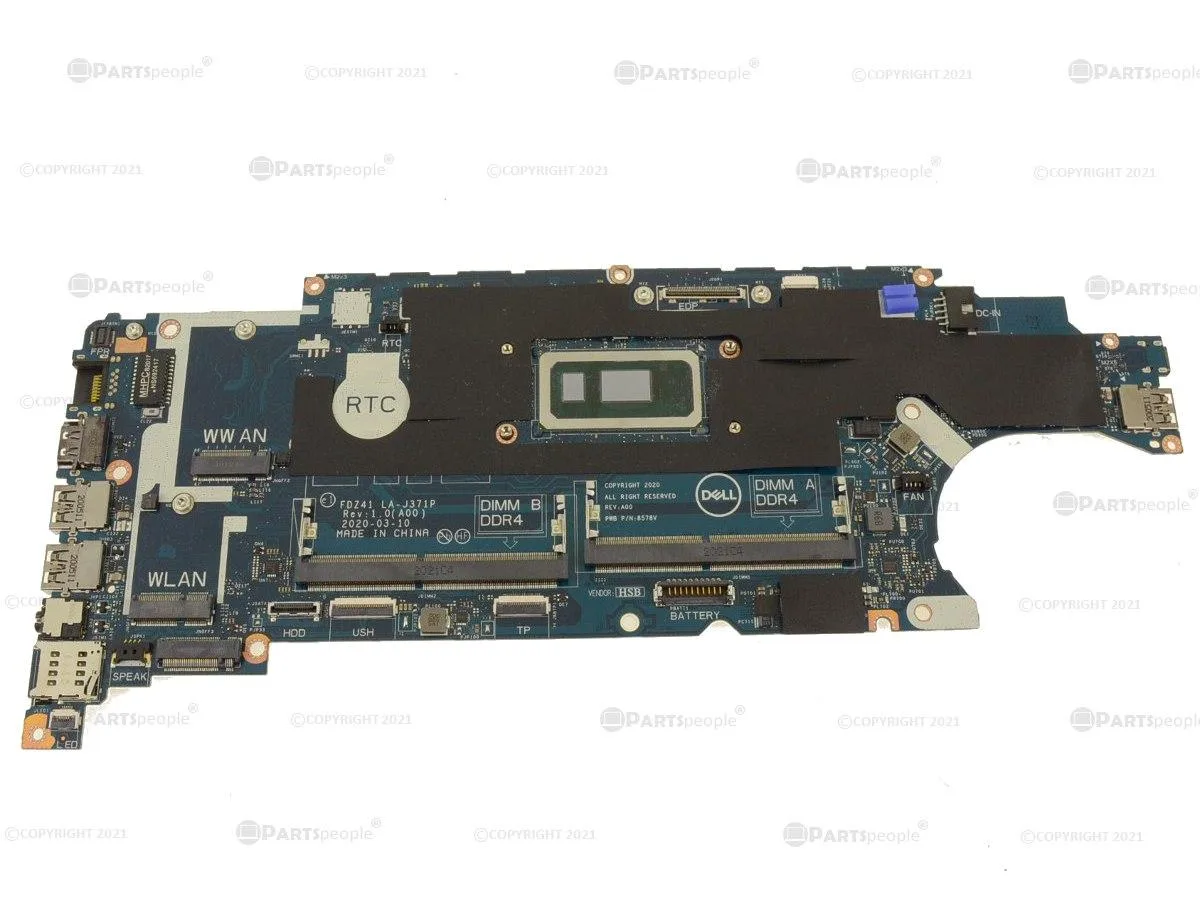
DELL Latitude 5410 Motherboard i7-10610U 1.8GHz 33T9K
Genuine Dell Latitude 5410 system board with soldered i7-10610U 1.8 GHz quad-core CPU reaching 4.9 GHz turbo, for integrated-graphics models only
- Genuine Dell OEM part ensures exact fit for Latitude 5410
- On-board Intel Core i7-10610U quad-core CPU at 1.8 GHz base speed
- Max turbo frequency of 4.9 GHz delivers responsive performance
- Designed for integrated Intel graphics models only
- Dell part number 33T9K confirms correct replacement board
Genuine Dell Latitude 5410 System Board
This motherboard is a genuine Dell OEM replacement part for the Latitude 5410 laptop. It features an on-board Intel Core i7-10610U processor running at 1.8GHz with four cores. The board is designed specifically for systems using integrated Intel graphics only. Buyers needing a board for discrete graphics configurations cannot use this part.
Thermals Noise and Power Draw
The integrated i7-10610U CPU operates at a base frequency of 1.8GHz and can reach a maximum turbo speed of 4.9GHz. Thermal output and fan noise will vary depending on the laptop chassis cooling solution and workload intensity. Power consumption scales dynamically with the processor's operating state during normal use.
Compatibility and Installation Notes
The Dell part number 33T9K confirms the exact component identity for ordering. This board is strictly compatible with Latitude 5410 models equipped with integrated graphics (UMA). It will not function in Latitude 5410 units that have discrete graphics hardware installed. Matching the part number is essential before purchase.
Přednosti
- Genuine Dell OEM part ensures exact fit for Latitude 5410
- On-board Intel Core i7-10610U quad-core CPU at 1.8 GHz base speed
- Max turbo frequency of 4.9 GHz delivers responsive performance
- Designed for integrated Intel graphics models only
- Dell part number 33T9K confirms correct replacement board
Specifikace
| Brand | DELL |
|---|
Otázky k tomuto produktu
How do I install the 33T9K motherboard in a Latitude 5410, and what step is most often missed?
Remove the battery first, then disconnect all cables and screws before lifting the old board. The step most often missed is transferring the thermal pad onto the new board's VRM area; without it the i7-10610U can throttle under load.
What maintenance or replacement will the 33T9K board need later?
The CMOS coin cell typically lasts several years; replace it when the system loses time or BIOS settings. The integrated fan and heatsink should be cleaned of dust annually, and fresh thermal paste reapplied to the i7-10610U die every two to three years for sustained 4.9 GHz boost clocks.
What limit appears first on the 33T9K during sustained heavy workloads?
The cooling solution shared with the integrated Intel graphics hits its thermal ceiling first. Once the i7-10610U reaches its junction temperature, clocks drop below the 4.9 GHz turbo ceiling and stabilise near the 1.8 GHz base frequency until the chassis can dissipate the heat.
Také v této kategorii
Zákazníci také porovnávali
Stejná kategorie, stejná pokladna — osm měn a kurz zamčený na 30 minut.


Mushkin Enhanced
Mushkin Enhanced 4GB DDR2-800 CL6 SoDIMM Apple 971741A memory upgrade
104,99 US$
0.00133805BTC
Skladem

SK hynix
SK hynix HYMD232M646C6-J 256MB DDR 333MHz PC2700 CL2.5 SODIMM laptop RAM
- 4GB (2 x 2GB)
7,99 US$
0.00010183BTC
Skladem