
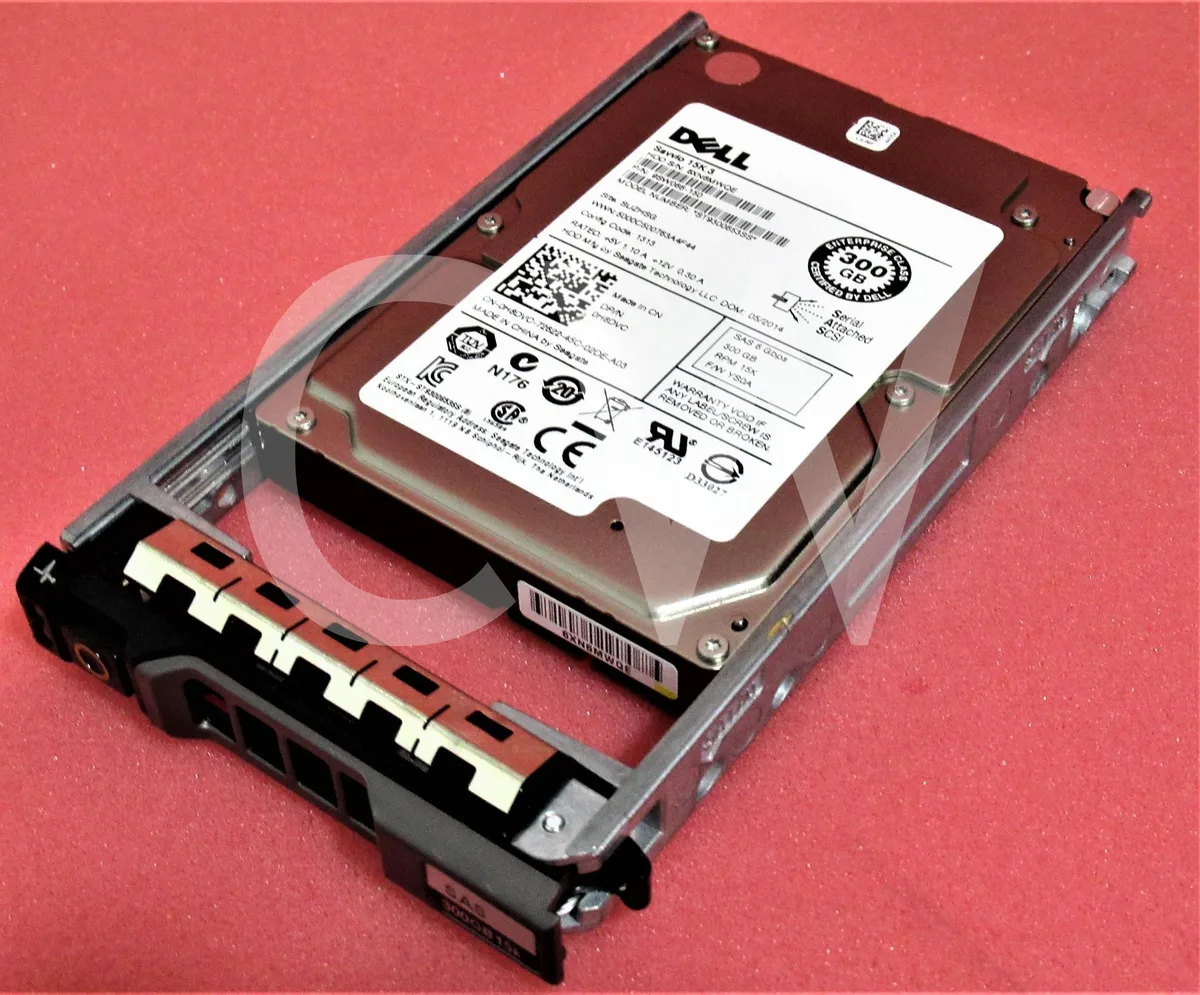

DELL
DELL ST9300653SS 300GB 15000RPM 2.5" SAS 64MB internal hard drive
A 300 GB, 15 000 RPM SAS hard drive with 64 MB cache in a 2.5 inch form factor, supplied new with an R-Series caddy
- 300 GB capacity stores large server datasets
- 15000 RPM spindle delivers rapid data access
- 64 MB cache buffers frequent read and write operations
- SAS 6 Gb/s interface enables high-throughput connectivity
- Includes R Series caddy for quick 2.5 inch bay installation
Dell SAVVIO 300GB 15K SAS Drive
This new Dell SAVVIO internal hard drive delivers 300GB of storage in a 2.5-inch form factor. It spins at 15000RPM and connects via a SAS 6Gb/s interface with a 64MB buffer. The package includes an R Series caddy for installation in compatible bays.
Suits high-IOPS server workloads
The 15000RPM spindle speed and SAS interface make this drive suitable for transaction-heavy databases and enterprise applications needing low latency. Buyers who need larger capacity per drive bay should consider other models. Systems without a SAS backplane or controller cannot use this drive.
15000RPM rotational speed
The 15000RPM spindle speed is the primary determinant of the drive's random I/O performance and access latency. Verify that the target server or array accepts 2.5-inch SAS drives and that the controller supports 6Gb/s operation before purchase.
Přednosti
- 300 GB capacity stores large server datasets
- 15000 RPM spindle delivers rapid data access
- 64 MB cache buffers frequent read and write operations
- SAS 6 Gb/s interface enables high-throughput connectivity
- Includes R Series caddy for quick 2.5 inch bay installation
Specifikace
Pro tento produkt zatím nejsou zveřejněny žádné specifikace.
Otázky k tomuto produktu
What throughput does the 2.5" SAS 6Gb/s interface cap at in practice?
The SAS 6Gb/s link tops out at 6 gigabits per second, so sustained reads and writes cannot exceed that bandwidth.
What physical space and mounting hardware does the 2.5-inch drive need?
It fits a standard 2.5-inch bay and ships with an R Series caddy tray for direct installation in compatible Dell servers.
How is the drive installed and which step is often missed?
Slide the drive into the supplied R Series tray, secure the screws, then insert the assembly into the hot-plug bay until the latch clicks — skipping the latch click leaves the drive loose.
Také v této kategorii
Zákazníci také porovnávali
Stejná kategorie, stejná pokladna — osm měn a kurz zamčený na 30 minut.


Lenovo
Lenovo 4XB0F28690 ThinkServer RAID 110i RAID 5 Upgrade Key
66,99 US$73,99 US$−9%
0.0008575BTC
Skladem
