


Fujitsu
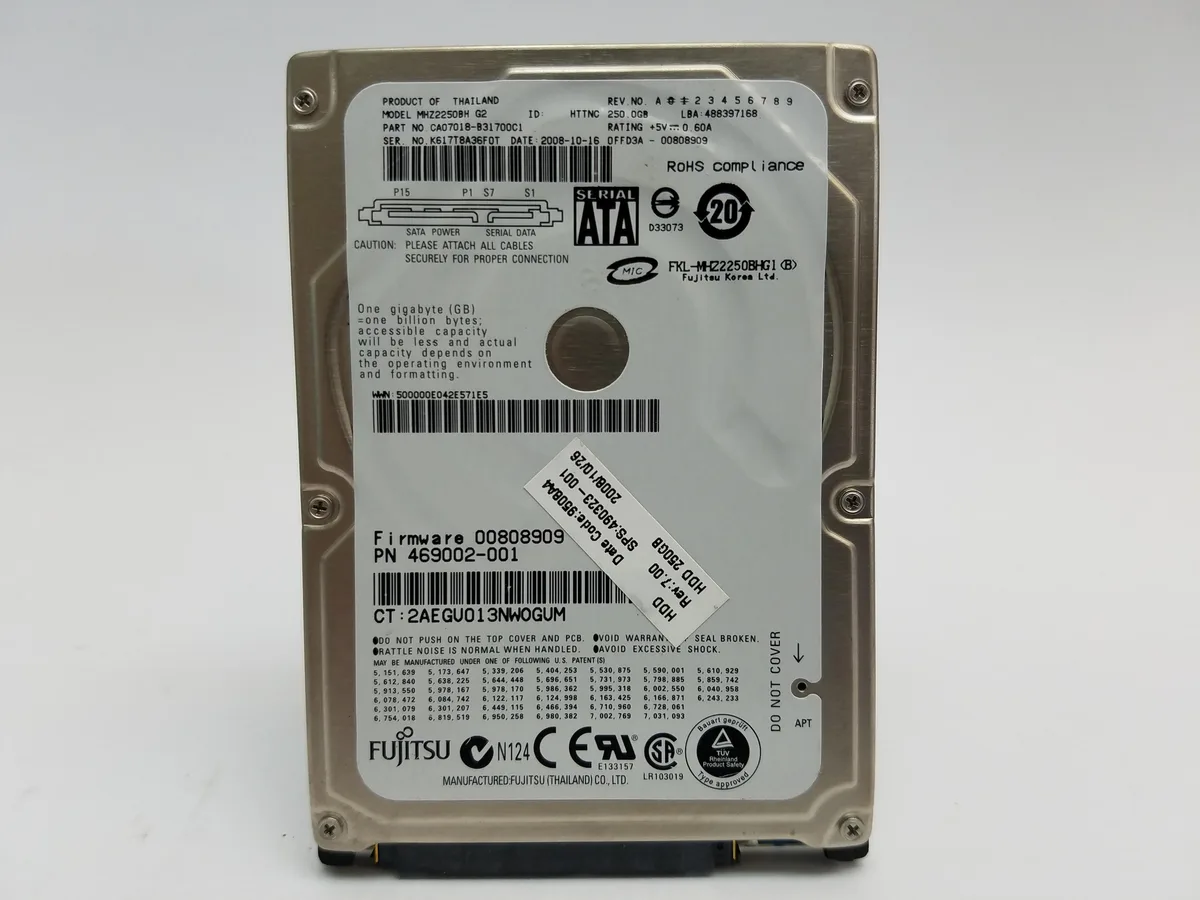
Fujitsu MHZ2250BH G2 250GB 2.5" SATA 5400 RPM 8MB Cache internal hard drive
A 250 GB 2.5-inch SATA drive spinning at 5400 RPM with 8 MB cache, DoD 5220.22 M erased and tested good
- Capacity250GB
- RPM5400 RPM
- Cache8MB
- FeaturesErased (DoD 5220.22 M Compliant) and tested good (Not format
- 250 GB capacity stores documents and media
- 5400 RPM spindle speed delivers quiet operation
- 8 MB cache buffers data for smoother access
- SATA interface fits standard 2.5-inch laptop bays
- DoD 5220.22 M compliant erase ensures clean start
Capacity and interface
The Fujitsu MHZ2250BH G2 is a 250 GB 2.5 inch internal hard drive with a SATA interface. It spins at 5400 RPM and provides an 8 MB cache. The drive has been erased to DoD 5220.22 M standard and tested for working condition.
Who this suits
This drive suits laptops or small-form-factor desktops that accept a 2.5 inch SATA device and need 250 GB of storage. It is not for builds that require a 3.5 inch form factor. It is not for users who need a drive without any bad sectors, as up to 25 may be present.
Deciding specification
The 2.5 inch SATA form factor decides whether this drive fits the target system. Buyers must confirm their device has a matching drive bay and SATA data and power connections before purchase.
Přednosti
- 250 GB capacity stores documents and media
- 5400 RPM spindle speed delivers quiet operation
- 8 MB cache buffers data for smoother access
- SATA interface fits standard 2.5-inch laptop bays
- DoD 5220.22 M compliant erase ensures clean start
Specifikace
| Brand | Fujitsu |
|---|---|
| Model | MHZ2250BH |
| Capacity | 250GB |
| RPM | 5400 RPM |
| Cache | 8MB |
| Features | Erased (DoD 5220.22 M Compliant) and tested good (Not formatted, partitioned, or allocated). Sold as used and in working condition. There may be drives that have up to 25 bad sectors. There may be writing or markings on the drive or the drive may vary slightly (color and/or label may differ) from picture but the model numbers will be the same. |
Otázky k tomuto produktu
Will this 2.5" SATA drive fit a standard laptop drive bay or caddy?
The 2.5" form factor matches the standard laptop SATA drive bay and most 2.5" drive caddies or brackets.
What is the correct way to install this SATA drive so the operating system recognises it?
Connect the SATA data and power cables, then initialise, partition and format the 250GB volume in Disk Management or Disk Utility before use.
How should I monitor the health of this drive given the allowance for up to 25 bad sectors?
Run SMART checks regularly and replace the drive if reallocated or pending sector counts increase beyond the current level.
Také v této kategorii
Zákazníci také porovnávali
Stejná kategorie, stejná pokladna — osm měn a kurz zamčený na 30 minut.




Western Digital
Western Digital G-DRIVE ArmorATD 5TB portable hard drive SDPH81G005TGBA1D
298,99 US$
0.00384405BTC
Skladem
OWC
OWC Gemini Ultra X6 12TB Thunderbolt portable SSD (OWCTB3GMA6X12)
- 12TB
- Thunderbolt
2 645,99 US$
0.0340189BTC
Skladem