HPE
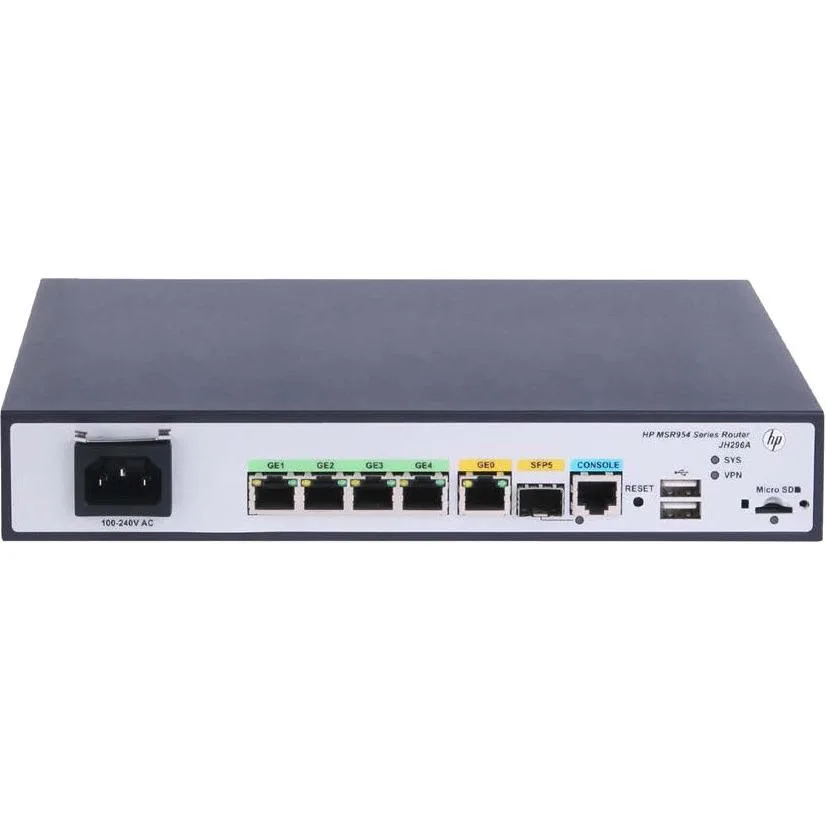
HPE MSR954 JH296AABA 1GbE SFP 2GbE WAN 4GbE LAN CWv7 wireless router
- Gigabit Ethernet
280,99 $
0.00350148BTC
VarastossaHyväksymme kryptoa — hallussasi olevat kolikot voivat näin ostaa oikeaa laitteistoa.Maksa kryptolla, käytä se oikeaan laitteistoon. Ilmainen vakuutettu toimitus maailmanlaajuisesti yli 399 $. Neutraalit, tuotemerkittömät ulkopakkaukset, lähetetään Saksasta.Ilmainen vakuutettu toimitus yli 399 $. Kurssisi lukitaan 30 minuutiksi heti, kun kassa avautuu.Kurssi lukittu 30 minuutiksi. Jokainen tuote on sinetöity, sen sarjanumero on tarkistettu, ja sillä on 24 kuukauden takuu.Sinetöity, 24 kuukauden takuu.


Cisco Systems, Inc.
Cloud-managed security appliance with integrated 4G LTE modem delivers 450 Mbit/s Wi-Fi, four Gigabit LAN ports, one WAN port and desktop or wall-mount form factor
The Meraki MX67C combines a 4G LTE cellular modem with a dual-band 802.11ac wireless router in a desktop or wall-mountable chassis. It delivers 450 Mbit/s aggregate wireless throughput and provides five Gigabit Ethernet ports, one dedicated for broadband and four for LAN devices. Cloud-managed VPN and security services are included for branch or pop-up locations.
A single unit handles both wired WAN failover and primary cellular connectivity, removing the need for a USB modem attached to a conventional router. The jump is worthwhile when a site lacks reliable fixed-line service or when rapid deployment without circuit provisioning is required. Built-in SIM ejection and included Cat 5 cables simplify first-time setup.
Four spatial streams on 2.40 GHz and 5 GHz bands serve typical office workloads, guest Wi-Fi and IoT devices. The single cellular WAN and one broadband WAN provide automatic failover but do not support load-balanced multi-WAN throughput beyond the radio limit. Environments needing higher wireless capacity or multiple concurrent cellular links will outgrow this platform.
| Brand | Meraki |
|---|---|
| Model | MX67C |
| Standards | IEEE 802.11a/b/g/n/ac |
| WAN Ports | Number of Broadband (RJ-45) Ports:1 |
| Wireless Data Rates | 450 Mbit/s |
| Dimensions | Height:1.1" Width:9.4" Depth:6.9" |
| Features | Product Type:Modem/Wireless Router Broadband Transmission Technology:Cellular Ethernet ISM Band:Yes UNII Band:Yes Ethernet Technology:Gigabit Ethernet USB:Yes Number of Network (RJ-45) Ports:4 Cellular Data Connectivity Technology:LTE Cellular Generation:4G Form Factor:Desktop Wall Mountable Weight (Approximate):1.87 lb |
| Package Contents | MX67C Modem/Wireless Router Mounting Kit 2 x Cat 5 Ethernet Cable AC Power Adapter SIM Card Ejector Tool |
| Lähetyspaino | 1.57 kg |
| Pakkauksen mitat | 310 × 226 × 71 mm |
The unit measures 1.1 inches high, 9.4 inches wide and 6.9 inches deep, and the package includes a mounting kit for wall installation.
Connect the WAN broadband port and at least one of the four LAN RJ-45 ports; the step often missed is inserting the SIM card with the ejector tool before powering on.
Replace the supplied Cat 5 cables if you upgrade to a multi-gigabit internet plan or if physical damage degrades the 450 Mbit/s wireless throughput.
Myös tällä osastolla
Sama osasto, sama kassa — kahdeksan kryptovaluuttaa ja 30 minuutin kurssilukko.
Valuutta, jolla maksetaan, sekä valuutta, jossa hinnat näytetään.
Lähetetään lompakostasi kassalla
Vain näyttöä varten — hinnat ovat Yhdysvaltain dollareissa
Valuuttaa ei löytynyt.
Valitse kieli, jolla sivusto puhuu sinulle.
Uusi täällä?
Onko sinulla jo tili?
Automaattista palautusta ei ole: kauppa ei lähetä sähköpostia lainkaan, joten kertakäyttöistä linkkiä ei ole mistä pyytää. Jätä osoite tilille, niin se käsitellään käsin.
Pyyntö kirjattu
Mikään ei ole tulossa sähköpostiisi — tämä kauppa ei lähetä sähköpostia lainkaan. Joku käsittelee nämä pyynnöt käsin.
Muistitko sen?