HPE
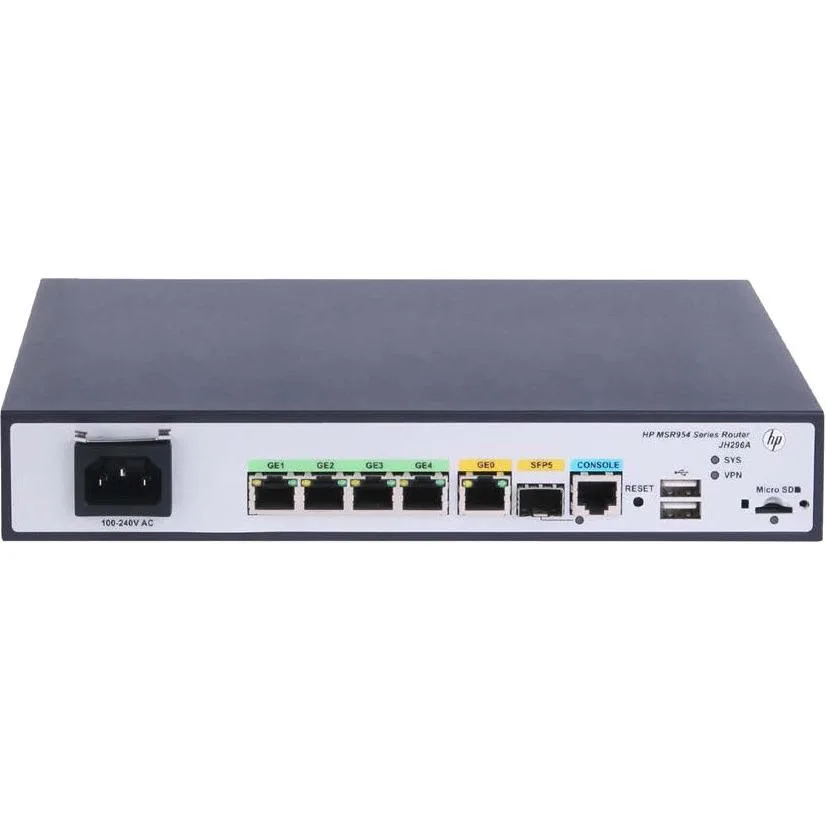
HPE MSR954 JH296AABA 1GbE SFP 2GbE WAN 4GbE LAN CWv7 wireless router
- Gigabit Ethernet
280,99 $US
0.00350148BTC
En stockNous acceptons la cryptomonnaie — les cryptos que vous détenez peuvent ainsi acheter du matériel réel.Payez en crypto, dépensez-la en matériel réel. Livraison assurée offerte partout dans le monde au-delà de 399 $. Cartons neutres, sans marque, expédiés depuis l’Allemagne.Livraison assurée offerte au-delà de 399 $. Votre taux est bloqué pendant 30 minutes dès l’ouverture de la caisse.Taux bloqué 30 minutes. Chaque article est scellé, son numéro de série est vérifié, et il est couvert par une garantie de 24 mois.Scellé, garanti 24 mois.


Cisco Systems, Inc.
Cloud-managed security appliance with integrated 4G LTE modem delivers 450 Mbit/s Wi-Fi, four Gigabit LAN ports, one WAN port and desktop or wall-mount form factor
The Meraki MX67C combines a 4G LTE cellular modem with a dual-band 802.11ac wireless router in a desktop or wall-mountable chassis. It delivers 450 Mbit/s aggregate wireless throughput and provides five Gigabit Ethernet ports, one dedicated for broadband and four for LAN devices. Cloud-managed VPN and security services are included for branch or pop-up locations.
A single unit handles both wired WAN failover and primary cellular connectivity, removing the need for a USB modem attached to a conventional router. The jump is worthwhile when a site lacks reliable fixed-line service or when rapid deployment without circuit provisioning is required. Built-in SIM ejection and included Cat 5 cables simplify first-time setup.
Four spatial streams on 2.40 GHz and 5 GHz bands serve typical office workloads, guest Wi-Fi and IoT devices. The single cellular WAN and one broadband WAN provide automatic failover but do not support load-balanced multi-WAN throughput beyond the radio limit. Environments needing higher wireless capacity or multiple concurrent cellular links will outgrow this platform.
| Brand | Meraki |
|---|---|
| Model | MX67C |
| Standards | IEEE 802.11a/b/g/n/ac |
| WAN Ports | Number of Broadband (RJ-45) Ports:1 |
| Wireless Data Rates | 450 Mbit/s |
| Dimensions | Height:1.1" Width:9.4" Depth:6.9" |
| Features | Product Type:Modem/Wireless Router Broadband Transmission Technology:Cellular Ethernet ISM Band:Yes UNII Band:Yes Ethernet Technology:Gigabit Ethernet USB:Yes Number of Network (RJ-45) Ports:4 Cellular Data Connectivity Technology:LTE Cellular Generation:4G Form Factor:Desktop Wall Mountable Weight (Approximate):1.87 lb |
| Package Contents | MX67C Modem/Wireless Router Mounting Kit 2 x Cat 5 Ethernet Cable AC Power Adapter SIM Card Ejector Tool |
| Poids d’expédition | 1.57 kg |
| Dimensions du colis | 310 × 226 × 71 mm |
The unit measures 1.1 inches high, 9.4 inches wide and 6.9 inches deep, and the package includes a mounting kit for wall installation.
Connect the WAN broadband port and at least one of the four LAN RJ-45 ports; the step often missed is inserting the SIM card with the ejector tool before powering on.
Replace the supplied Cat 5 cables if you upgrade to a multi-gigabit internet plan or if physical damage degrades the 450 Mbit/s wireless throughput.
Également dans ce rayon
Même rayon, même caisse — huit monnaies et un taux bloqué 30 minutes.
Ce que vous envoyez, et ce dans quoi vous lisez les prix.
Envoyé depuis votre portefeuille à la caisse
Affichage seul — le catalogue est libellé en dollars
Aucune monnaie ne correspond.
Choisissez la langue dans laquelle le site vous parle.
Première visite ?
Vous avez déjà un compte ?
Il n’y a pas de réinitialisation automatique : cette boutique n’envoie aucun e-mail, il n’existe donc aucun lien à usage unique à demander. Laissez l’adresse sur le compte, elle sera traitée à la main.
Demande enregistrée
Rien n’arrivera dans votre boîte de réception — cette boutique n’envoie aucun e-mail. Quelqu’un s’en occupe à la main.
Vous l’avez retrouvé ?