DELL
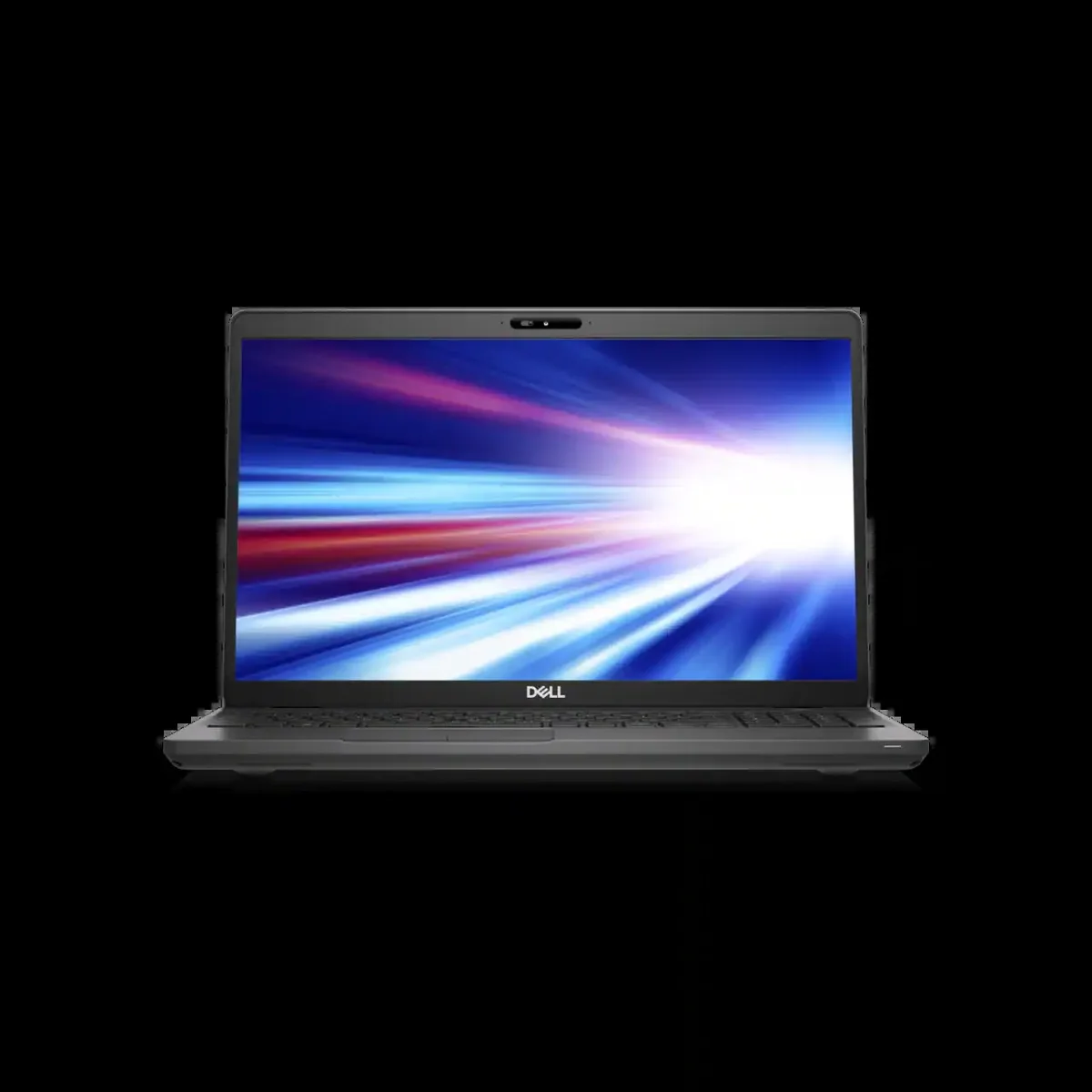
DELL Latitude 5501 laptop i7-9850H 16GB 256GB SSD 15.6 FHD
- Gray
- Windows 10 Pro
353,99 $
0.00457263BTC
VarastossaHyväksymme kryptoa — hallussasi olevat kolikot voivat näin ostaa oikeaa laitteistoa.Maksa kryptolla, käytä se oikeaan laitteistoon. Ilmainen vakuutettu toimitus maailmanlaajuisesti yli 399 $. Neutraalit, tuotemerkittömät ulkopakkaukset, lähetetään Saksasta.Ilmainen vakuutettu toimitus yli 399 $. Kurssisi lukitaan 30 minuutiksi heti, kun kassa avautuu.Kurssi lukittu 30 minuutiksi. Jokainen tuote on sinetöity, sen sarjanumero on tarkistettu, ja sillä on 24 kuukauden takuu.Sinetöity, 24 kuukauden takuu.


DELL
A 15.6-inch HD laptop with a six-core Intel Core i7 processor, 256GB SSD and 8GB RAM running Windows 10 Pro
Options 8GB/256GB Gray HD
The 2019 Dell Latitude 5501 is a 15.6 inch business laptop powered by a six-core Intel Core i7-9850H processor with a 4.6 GHz turbo frequency. It ships with 8GB of memory and a 256GB SSD running Windows 10 Pro. The non-touch HD display offers a 1366 x 768 resolution. Integrated graphics handle everyday office workloads and video playback. The chassis weighs 1.82 kg and measures 359.1 mm wide by 236.25 mm deep.
This model fits professionals who rely on a full-size HDMI 1.4 output, an RJ45 Ethernet jack and a USB Type-A layout that includes PowerShare. The optional Thunderbolt 3 capability over USB-C adds docking flexibility for desk-based work. Buyers who want a higher-resolution screen, a touch panel or a dedicated graphics card for creative rendering should look at something else. The 8GB memory configuration also limits heavy multitasking or virtualisation scenarios.
Windows 10 Pro is pre-installed so the laptop reaches the desktop after the standard out-of-box experience. Driver updates are delivered through Dell Command Update or Windows Update. The 256GB SSD is soldered or mounted in a single M.2 slot, so storage expansion requires cloning or an external drive. Some units ship with the Thunderbolt 3 controller disabled in BIOS; enabling it may require a firmware update before the port negotiates full speed.
| Brand | DELL |
|---|---|
| Series | Latitude |
| Model | Latitude 5501 Laptop |
| Part Number | Latitude 5501 Laptop |
| Color | Gray |
| Operating System | Windows 10 Pro |
| CPU Type | Intel Core i7 9th Gen |
| Processor Name | 2.60 GHz |
| Core Name | Coffee Lake |
| Turbo Frequency | 4.60 GHz |
| Number of Cores | 6 |
| Screen Size | 15.6" |
| Touchscreen | Non-Touch Screen |
| Display Type | HD |
| Resolution | 1366 x 768 |
| Graphic Type | Integrated Card |
| SSD | 256GB |
| HDD | No |
| Memory | 8GB |
| WLAN | 802.11ac Wireless LAN |
| Bluetooth | Yes |
| Touchpad | Yes |
| Webcam | Yes |
| Style | Standard |
| Type | Workstation |
| Usage | Business |
Tämän mallin muut versiot
Sama tuoteperhe, eri muisti, jäähdytin tai kellotaajuus — vertaile ennen päätöstä.
The uSIM card tray is optional and requires a compatible uSIM card from your mobile carrier to enable cellular data; the laptop works normally without one.
Yes, the HDMI 1.4 output supports external displays up to 4K at 30 Hz, so your current HDMI 1.4 monitor will connect and function without adapters.
Open Task Manager, select the Performance tab, choose CPU and watch the speed reading climb toward 4.6 GHz during a heavy single-thread workload.
Myös tällä osastolla
Sama osasto, sama kassa — kahdeksan kryptovaluuttaa ja 30 minuutin kurssilukko.
Valuutta, jolla maksetaan, sekä valuutta, jossa hinnat näytetään.
Lähetetään lompakostasi kassalla
Vain näyttöä varten — hinnat ovat Yhdysvaltain dollareissa
Valuuttaa ei löytynyt.
Valitse kieli, jolla sivusto puhuu sinulle.
Ei vastaavaa kieltä.
Uusi täällä?
Onko sinulla jo tili?
Automaattista palautusta ei ole: kauppa ei lähetä sähköpostia lainkaan, joten kertakäyttöistä linkkiä ei ole mistä pyytää. Jätä osoite tilille, niin se käsitellään käsin.
Pyyntö kirjattu
Mikään ei ole tulossa sähköpostiisi — tämä kauppa ei lähetä sähköpostia lainkaan. Joku käsittelee nämä pyynnöt käsin.
Muistitko sen?