DELL
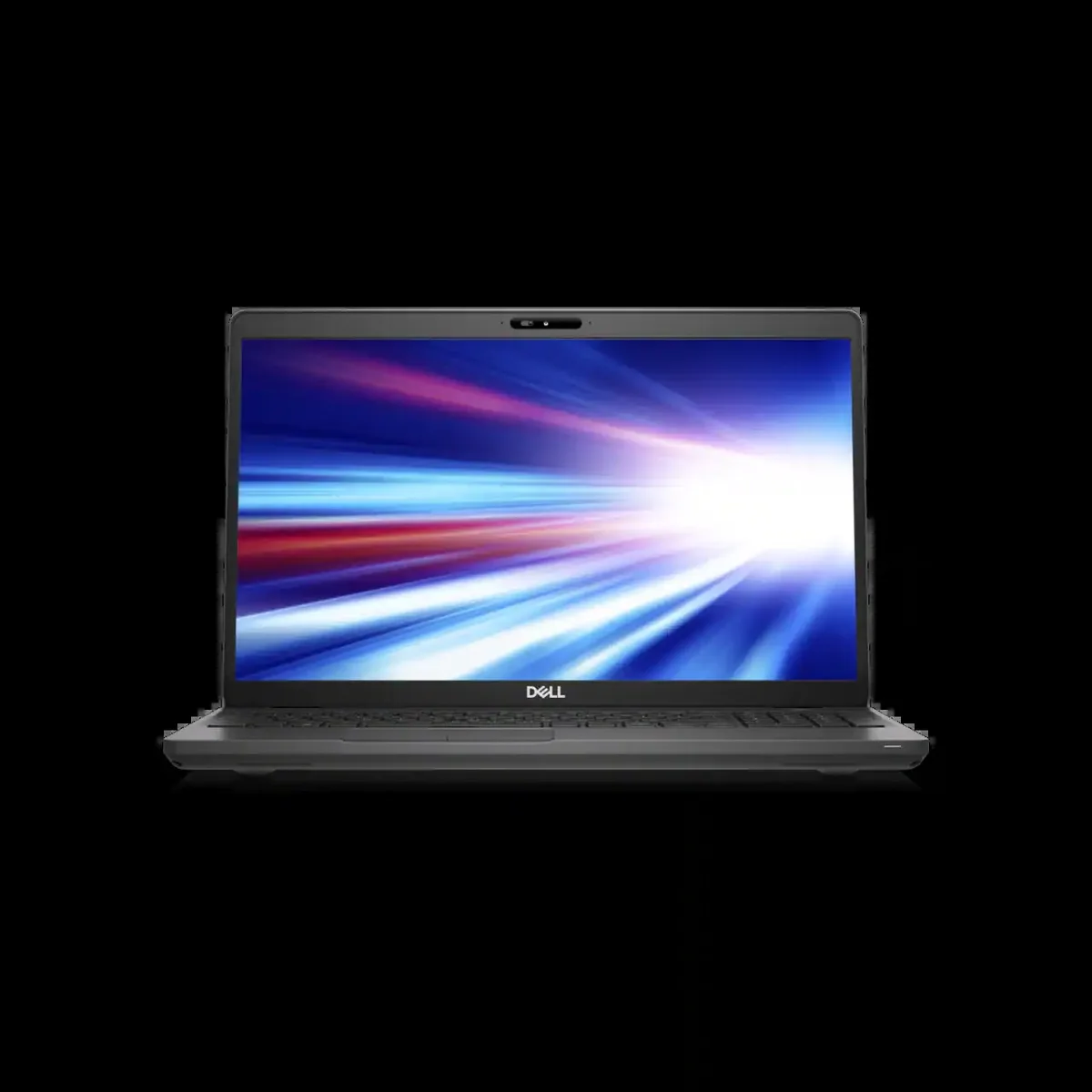
DELL Latitude 5501 laptop i7-9850H 16GB 256GB SSD 15.6 FHD
- Gray
- Windows 10 Pro
353,99 $US
0.00448964BTC
En stockNous acceptons la cryptomonnaie — les cryptos que vous détenez peuvent ainsi acheter du matériel réel.Payez en crypto, dépensez-la en matériel réel. Livraison assurée offerte partout dans le monde au-delà de 399 $. Cartons neutres, sans marque, expédiés depuis l’Allemagne.Livraison assurée offerte au-delà de 399 $. Votre taux est bloqué pendant 30 minutes dès l’ouverture de la caisse.Taux bloqué 30 minutes. Chaque article est scellé, son numéro de série est vérifié, et il est couvert par une garantie de 24 mois.Scellé, garanti 24 mois.


DELL
A 15.6-inch HD laptop with a six-core Intel Core i7 processor, 256GB SSD and 8GB RAM running Windows 10 Pro
Options 8GB/256GB Gray HD
The 2019 Dell Latitude 5501 is a 15.6 inch business laptop powered by a six-core Intel Core i7-9850H processor with a 4.6 GHz turbo frequency. It ships with 8GB of memory and a 256GB SSD running Windows 10 Pro. The non-touch HD display offers a 1366 x 768 resolution. Integrated graphics handle everyday office workloads and video playback. The chassis weighs 1.82 kg and measures 359.1 mm wide by 236.25 mm deep.
This model fits professionals who rely on a full-size HDMI 1.4 output, an RJ45 Ethernet jack and a USB Type-A layout that includes PowerShare. The optional Thunderbolt 3 capability over USB-C adds docking flexibility for desk-based work. Buyers who want a higher-resolution screen, a touch panel or a dedicated graphics card for creative rendering should look at something else. The 8GB memory configuration also limits heavy multitasking or virtualisation scenarios.
Windows 10 Pro is pre-installed so the laptop reaches the desktop after the standard out-of-box experience. Driver updates are delivered through Dell Command Update or Windows Update. The 256GB SSD is soldered or mounted in a single M.2 slot, so storage expansion requires cloning or an external drive. Some units ship with the Thunderbolt 3 controller disabled in BIOS; enabling it may require a firmware update before the port negotiates full speed.
| Brand | DELL |
|---|---|
| Series | Latitude |
| Model | Latitude 5501 Laptop |
| Part Number | Latitude 5501 Laptop |
| Color | Gray |
| Operating System | Windows 10 Pro |
| CPU Type | Intel Core i7 9th Gen |
| Processor Name | 2.60 GHz |
| Core Name | Coffee Lake |
| Turbo Frequency | 4.60 GHz |
| Number of Cores | 6 |
| Screen Size | 15.6" |
| Touchscreen | Non-Touch Screen |
| Display Type | HD |
| Resolution | 1366 x 768 |
| Graphic Type | Integrated Card |
| SSD | 256GB |
| HDD | No |
| Memory | 8GB |
| WLAN | 802.11ac Wireless LAN |
| Bluetooth | Yes |
| Touchpad | Yes |
| Webcam | Yes |
| Style | Standard |
| Type | Workstation |
| Usage | Business |
Autres versions de ce modèle
Même famille, mémoire, ventirad ou fréquence différents — comparez avant de vous décider.
The uSIM card tray is optional and requires a compatible uSIM card from your mobile carrier to enable cellular data; the laptop works normally without one.
Yes, the HDMI 1.4 output supports external displays up to 4K at 30 Hz, so your current HDMI 1.4 monitor will connect and function without adapters.
Open Task Manager, select the Performance tab, choose CPU and watch the speed reading climb toward 4.6 GHz during a heavy single-thread workload.
Également dans ce rayon
Même rayon, même caisse — huit monnaies et un taux bloqué 30 minutes.
Ce que vous envoyez, et ce dans quoi vous lisez les prix.
Envoyé depuis votre portefeuille à la caisse
Affichage seul — le catalogue est libellé en dollars
Aucune monnaie ne correspond.
Choisissez la langue dans laquelle le site vous parle.
Première visite ?
Vous avez déjà un compte ?
Il n’y a pas de réinitialisation automatique : cette boutique n’envoie aucun e-mail, il n’existe donc aucun lien à usage unique à demander. Laissez l’adresse sur le compte, elle sera traitée à la main.
Demande enregistrée
Rien n’arrivera dans votre boîte de réception — cette boutique n’envoie aucun e-mail. Quelqu’un s’en occupe à la main.
Vous l’avez retrouvé ?