TP-Link
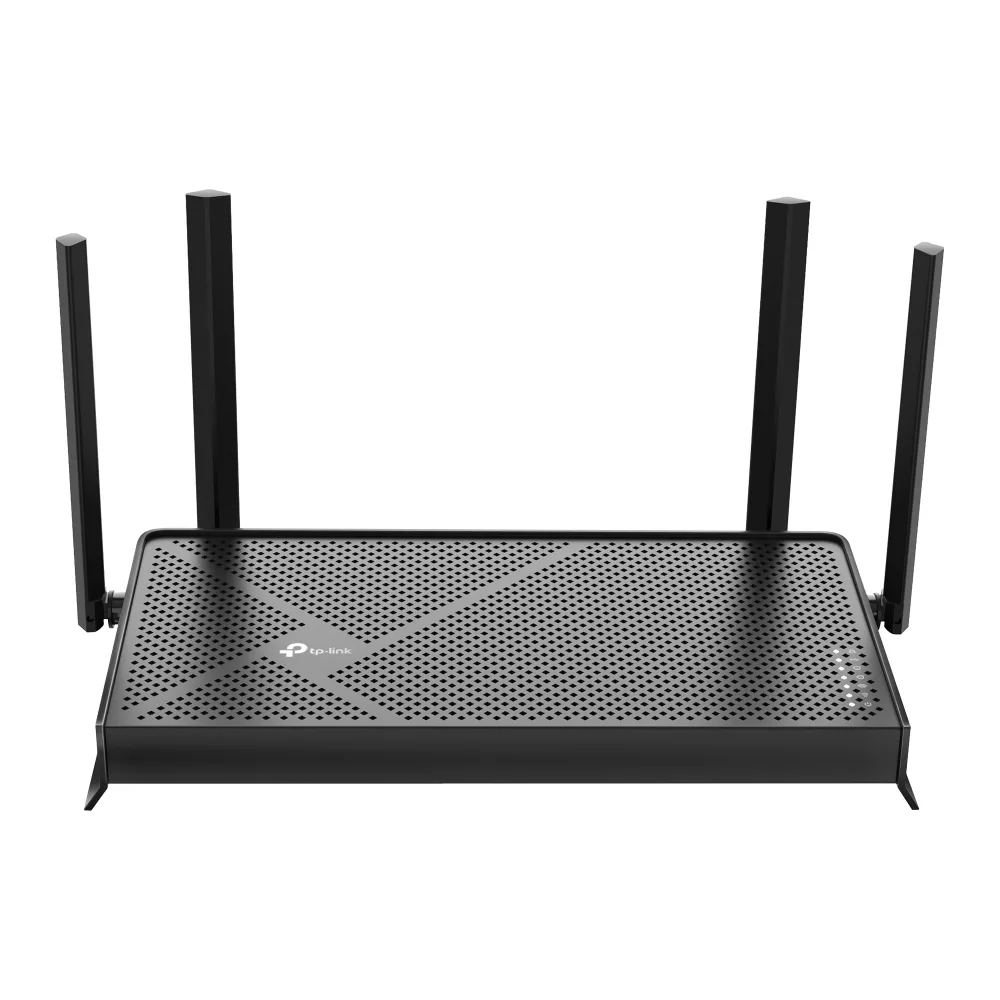
TP-Link Archer BE230 BE3600 Wi-Fi 7 wireless router
- IEEE 802.11be/ax/ac…
- Wi-Fi 7
99,99 $133,99 $−25%
0.00123283BTC
VarastossaHyväksymme kryptoa — hallussasi olevat kolikot voivat näin ostaa oikeaa laitteistoa.Maksa kryptolla, käytä se oikeaan laitteistoon. Ilmainen vakuutettu toimitus maailmanlaajuisesti yli 399 $. Neutraalit, tuotemerkittömät ulkopakkaukset, lähetetään Saksasta.Ilmainen vakuutettu toimitus yli 399 $. Kurssisi lukitaan 30 minuutiksi heti, kun kassa avautuu.Kurssi lukittu 30 minuutiksi. Jokainen tuote on sinetöity, sen sarjanumero on tarkistettu, ja sillä on 24 kuukauden takuu.Sinetöity, 24 kuukauden takuu.


TP-Link
Tri-band Wi-Fi 7 router delivering up to 9.7 Gbps with a 10 Gbps WAN port and four 2.5 Gbps LAN ports
Model Archer BE550 Pro
The Archer BE550 Pro is a tri-band Wi-Fi 7 router delivering up to 9.7 Gbps aggregate wireless throughput. It targets households and small offices that need high-capacity connectivity for 8K streaming, VR applications and dense device environments. The design supports IEEE 802.11 a/b/g/n/ac/be standards across the 2.4 GHz, 5 GHz and 6 GHz bands.
A single 10 Gbps WAN port connects to multi-gig internet services while four 2.5 Gbps LAN ports serve wired clients such as NAS units, workstations and gaming consoles. Physical controls include dedicated power, Wi-Fi, LED, WPS and reset buttons for direct management. The unit operates between 0 and 40 °C with humidity up to 90 % non-condensing.
Multi-Link Operation transmits across the 2.4 GHz, 5 GHz and 6 GHz bands simultaneously, reducing latency compared with Wi-Fi 6 and 6E routers. EasyMesh compatibility allows the router to join an existing EasyMesh system for whole-home coverage. Buyers who require more than four wired 2.5 Gbps connections or a second 10 Gbps port should consider models with additional multi-gig interfaces.
| Brand | TP-Link |
|---|---|
| Model | Archer BE550 Pro |
| Standards | IEEE 802.11 a/b/g/n/ac/be |
| WPA | • WPA • WPA2 • WPA3 • WPA/WPA2-Enterprise (802.1x) |
| WAN Ports | 1× 10 Gbps WAN |
| LAN Ports | 4× 2.5 Gbps LAN |
| Buttons | • Power On/Off Button • Wi-Fi On/Off Button • LED Button • WPS Button • Reset Button |
| Temperature | • Operating Temperature: 0?~40? (32? ~104?) |
| Humidity | • Operating Humidity: 10%~90% non-condensing |
| Package Contents | • Wi-Fi 7 Router Archer BE550 Pro • Power Adapter • RJ45 Ethernet Cable • Quick Installation Guide |
| Lähetyspaino | 2.09 kg |
| Pakkauksen mitat | 274 × 240 × 145 mm |
Tämän mallin muut versiot
Sama tuoteperhe, eri muisti, jäähdytin tai kellotaajuus — vertaile ennen päätöstä.
The single 10 Gbps WAN port caps incoming internet throughput at ten gigabits per second, so any ISP plan faster than that will be limited by the port.
The rear panel holds four 2.5 Gbps LAN ports spaced for standard RJ45 plugs; allow at least 45 mm depth behind the router for straight cables or use angled connectors in tighter spaces.
Press the dedicated WPS button on the rear panel after enabling WPS in the web interface; a common mistake is holding the reset button instead, which restores factory defaults.
Myös tällä osastolla
Sama osasto, sama kassa — kahdeksan kryptovaluuttaa ja 30 minuutin kurssilukko.
Valuutta, jolla maksetaan, sekä valuutta, jossa hinnat näytetään.
Lähetetään lompakostasi kassalla
Vain näyttöä varten — hinnat ovat Yhdysvaltain dollareissa
Valuuttaa ei löytynyt.
Valitse kieli, jolla sivusto puhuu sinulle.
Uusi täällä?
Onko sinulla jo tili?
Automaattista palautusta ei ole: kauppa ei lähetä sähköpostia lainkaan, joten kertakäyttöistä linkkiä ei ole mistä pyytää. Jätä osoite tilille, niin se käsitellään käsin.
Pyyntö kirjattu
Mikään ei ole tulossa sähköpostiisi — tämä kauppa ei lähetä sähköpostia lainkaan. Joku käsittelee nämä pyynnöt käsin.
Muistitko sen?