
TP-Link
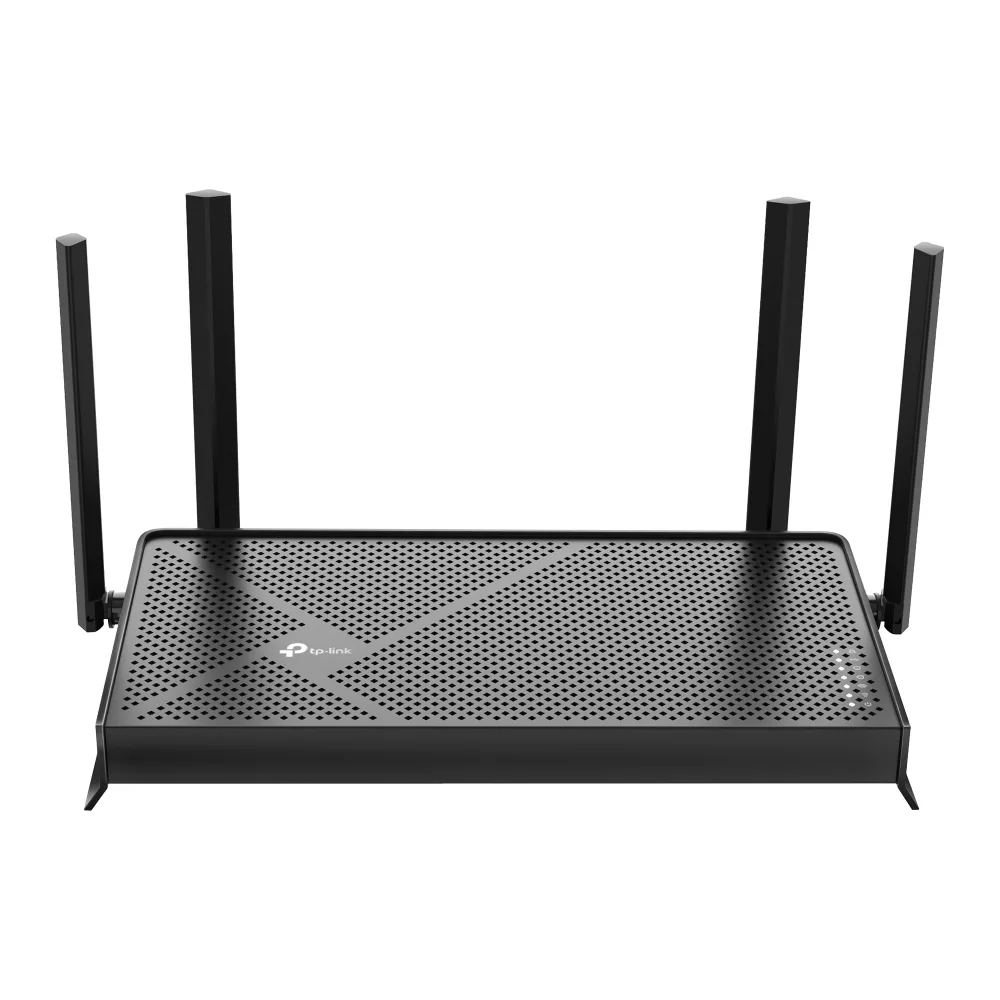
TP-Link Archer BE230 BE3600 Wi-Fi 7 wireless router
- IEEE 802.11be/ax/ac…
- Wi-Fi 7
99,99 $US133,99 $US−25%
0.00127407BTC
En stockNous acceptons la cryptomonnaie — les cryptos que vous détenez peuvent ainsi acheter du matériel réel.Payez en crypto, dépensez-la en matériel réel. Livraison assurée offerte partout dans le monde au-delà de 399 $. Cartons neutres, sans marque, expédiés depuis l’Allemagne.Livraison assurée offerte au-delà de 399 $. Votre taux est bloqué pendant 30 minutes dès l’ouverture de la caisse.Taux bloqué 30 minutes. Chaque article est scellé, son numéro de série est vérifié, et il est couvert par une garantie de 24 mois.Scellé, garanti 24 mois.


TP-Link
Tri-band Wi-Fi 7 router delivering up to 9.7 Gbps with a 10 Gbps WAN port and four 2.5 Gbps LAN ports
Model Archer BE550 Pro
Les versions barrées existent, mais ne sont pas disponibles ici.
The Archer BE550 Pro is a tri-band Wi-Fi 7 router delivering up to 9.7 Gbps aggregate wireless throughput. It targets households and small offices that need high-capacity connectivity for 8K streaming, VR applications and dense device environments. The design supports IEEE 802.11 a/b/g/n/ac/be standards across the 2.4 GHz, 5 GHz and 6 GHz bands.
A single 10 Gbps WAN port connects to multi-gig internet services while four 2.5 Gbps LAN ports serve wired clients such as NAS units, workstations and gaming consoles. Physical controls include dedicated power, Wi-Fi, LED, WPS and reset buttons for direct management. The unit operates between 0 and 40 °C with humidity up to 90 % non-condensing.
Multi-Link Operation transmits across the 2.4 GHz, 5 GHz and 6 GHz bands simultaneously, reducing latency compared with Wi-Fi 6 and 6E routers. EasyMesh compatibility allows the router to join an existing EasyMesh system for whole-home coverage. Buyers who require more than four wired 2.5 Gbps connections or a second 10 Gbps port should consider models with additional multi-gig interfaces.
| Brand | TP-Link |
|---|---|
| Model | Archer BE550 Pro |
| Standards | IEEE 802.11 a/b/g/n/ac/be |
| WPA | • WPA • WPA2 • WPA3 • WPA/WPA2-Enterprise (802.1x) |
| WAN Ports | 1× 10 Gbps WAN |
| LAN Ports | 4× 2.5 Gbps LAN |
| Buttons | • Power On/Off Button • Wi-Fi On/Off Button • LED Button • WPS Button • Reset Button |
| Temperature | • Operating Temperature: 0?~40? (32? ~104?) |
| Humidity | • Operating Humidity: 10%~90% non-condensing |
| Package Contents | • Wi-Fi 7 Router Archer BE550 Pro • Power Adapter • RJ45 Ethernet Cable • Quick Installation Guide |
| Poids d’expédition | 2.09 kg |
| Dimensions du colis | 274 × 240 × 145 mm |
Autres versions de ce modèle
Même famille, mémoire, ventirad ou fréquence différents — comparez avant de vous décider.
The single 10 Gbps WAN port caps incoming internet throughput at ten gigabits per second, so any ISP plan faster than that will be limited by the port.
The rear panel holds four 2.5 Gbps LAN ports spaced for standard RJ45 plugs; allow at least 45 mm depth behind the router for straight cables or use angled connectors in tighter spaces.
Press the dedicated WPS button on the rear panel after enabling WPS in the web interface; a common mistake is holding the reset button instead, which restores factory defaults.
Également dans ce rayon
Même rayon, même caisse — huit monnaies et un taux bloqué 30 minutes.
Ce que vous envoyez, et ce dans quoi vous lisez les prix.
Envoyé depuis votre portefeuille à la caisse
Affichage seul — le catalogue est libellé en dollars
Aucune monnaie ne correspond.
Choisissez la langue dans laquelle le site vous parle.
Première visite ?
Vous avez déjà un compte ?
Il n’y a pas de réinitialisation automatique : cette boutique n’envoie aucun e-mail, il n’existe donc aucun lien à usage unique à demander. Laissez l’adresse sur le compte, elle sera traitée à la main.
Demande enregistrée
Rien n’arrivera dans votre boîte de réception — cette boutique n’envoie aucun e-mail. Quelqu’un s’en occupe à la main.
Vous l’avez retrouvé ?


