TP-Link
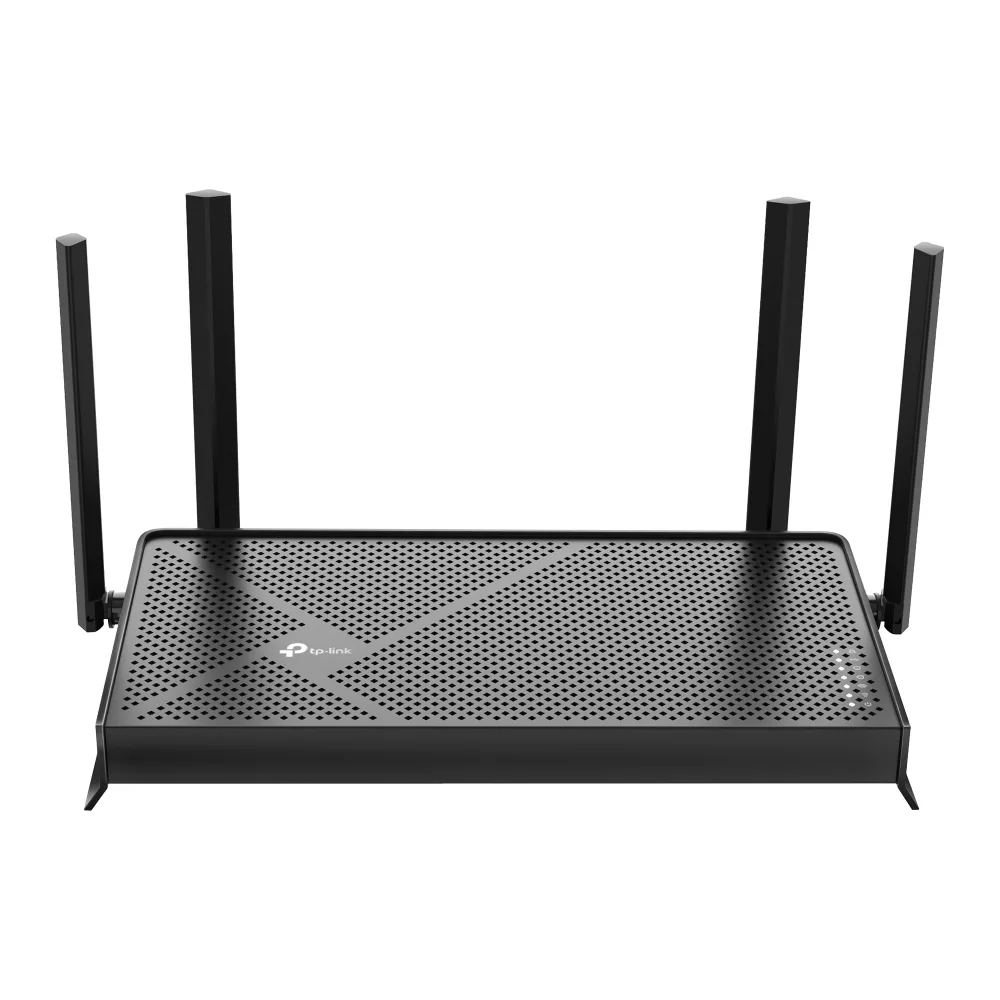
TP-Link Archer BE230 BE3600 Wi-Fi 7 wireless router
- IEEE 802.11be/ax/ac…
- Wi-Fi 7
99,99 USD133,99 USD−25%
0.00123805BTC
DostępnyAkceptujemy kryptowaluty — posiadane środki można więc wykorzystać na zakup prawdziwego sprzętu.Płatność kryptowalutą — realny sprzęt w zamian. Bezpłatna, ubezpieczona dostawa na całym świecie powyżej 399 $. Neutralne kartony, bez oznaczeń, wysyłane z Niemiec.Bezpłatna, ubezpieczona dostawa powyżej 399 $. Kurs zostaje zablokowany na 30 minut od otwarcia kasy.Kurs zablokowany na 30 minut. Każdy produkt jest fabrycznie zapieczętowany, jego numer seryjny jest sprawdzany, a całość objęta jest 24-miesięczną gwarancją.Zapieczętowane fabrycznie, 24 miesiące gwarancji.


TP-Link
Tri-band Wi-Fi 7 router delivering up to 9.7 Gbps with a 10 Gbps WAN port and four 2.5 Gbps LAN ports
Model Archer BE550 Pro
The Archer BE550 Pro is a tri-band Wi-Fi 7 router delivering up to 9.7 Gbps aggregate wireless throughput. It targets households and small offices that need high-capacity connectivity for 8K streaming, VR applications and dense device environments. The design supports IEEE 802.11 a/b/g/n/ac/be standards across the 2.4 GHz, 5 GHz and 6 GHz bands.
A single 10 Gbps WAN port connects to multi-gig internet services while four 2.5 Gbps LAN ports serve wired clients such as NAS units, workstations and gaming consoles. Physical controls include dedicated power, Wi-Fi, LED, WPS and reset buttons for direct management. The unit operates between 0 and 40 °C with humidity up to 90 % non-condensing.
Multi-Link Operation transmits across the 2.4 GHz, 5 GHz and 6 GHz bands simultaneously, reducing latency compared with Wi-Fi 6 and 6E routers. EasyMesh compatibility allows the router to join an existing EasyMesh system for whole-home coverage. Buyers who require more than four wired 2.5 Gbps connections or a second 10 Gbps port should consider models with additional multi-gig interfaces.
| Brand | TP-Link |
|---|---|
| Model | Archer BE550 Pro |
| Standards | IEEE 802.11 a/b/g/n/ac/be |
| WPA | • WPA • WPA2 • WPA3 • WPA/WPA2-Enterprise (802.1x) |
| WAN Ports | 1× 10 Gbps WAN |
| LAN Ports | 4× 2.5 Gbps LAN |
| Buttons | • Power On/Off Button • Wi-Fi On/Off Button • LED Button • WPS Button • Reset Button |
| Temperature | • Operating Temperature: 0?~40? (32? ~104?) |
| Humidity | • Operating Humidity: 10%~90% non-condensing |
| Package Contents | • Wi-Fi 7 Router Archer BE550 Pro • Power Adapter • RJ45 Ethernet Cable • Quick Installation Guide |
| Waga przesyłki | 2.09 kg |
| Wymiary opakowania | 274 × 240 × 145 mm |
Inne wersje tego modelu
Ta sama rodzina, inna pamięć, inne chłodzenie lub taktowanie — proszę porównać przed decyzją.
The single 10 Gbps WAN port caps incoming internet throughput at ten gigabits per second, so any ISP plan faster than that will be limited by the port.
The rear panel holds four 2.5 Gbps LAN ports spaced for standard RJ45 plugs; allow at least 45 mm depth behind the router for straight cables or use angled connectors in tighter spaces.
Press the dedicated WPS button on the rear panel after enabling WPS in the web interface; a common mistake is holding the reset button instead, which restores factory defaults.
Także w tym dziale
Ten sam dział, ta sama kasa — osiem kryptowalut i 30-minutowa blokada kursu.
Waluta płatności i waluta wyświetlania cen.
Wysyłane z portfela przy kasie
Tylko podgląd — katalog wyceniony jest w dolarach
Brak pasującej waluty.
Wybierz język, w którym wyświetla się strona.
Pierwsza wizyta?
Konto już założone?
Nie ma automatycznego resetowania hasła: ten sklep nie wysyła żadnych e-maili, więc nie ma jednorazowego linku, o który można by poprosić. Adres pozostawiony przy koncie zostanie obsłużony ręcznie.
Zgłoszenie zapisane
Do skrzynki odbiorczej nic nie trafi — ten sklep nie wysyła żadnych e-maili. Zgłoszenia są obsługiwane ręcznie.
Hasło się przypomniało?