ASUS
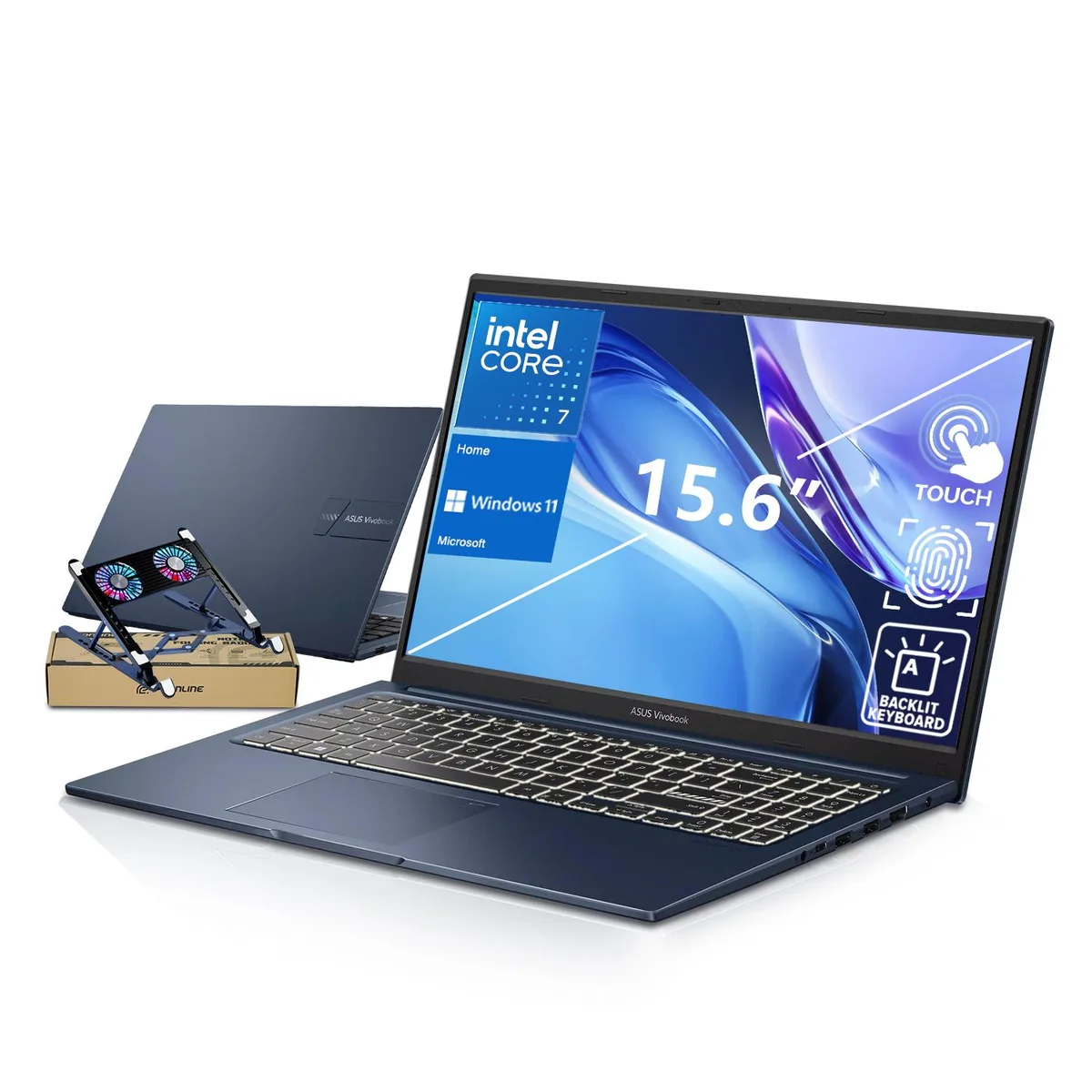
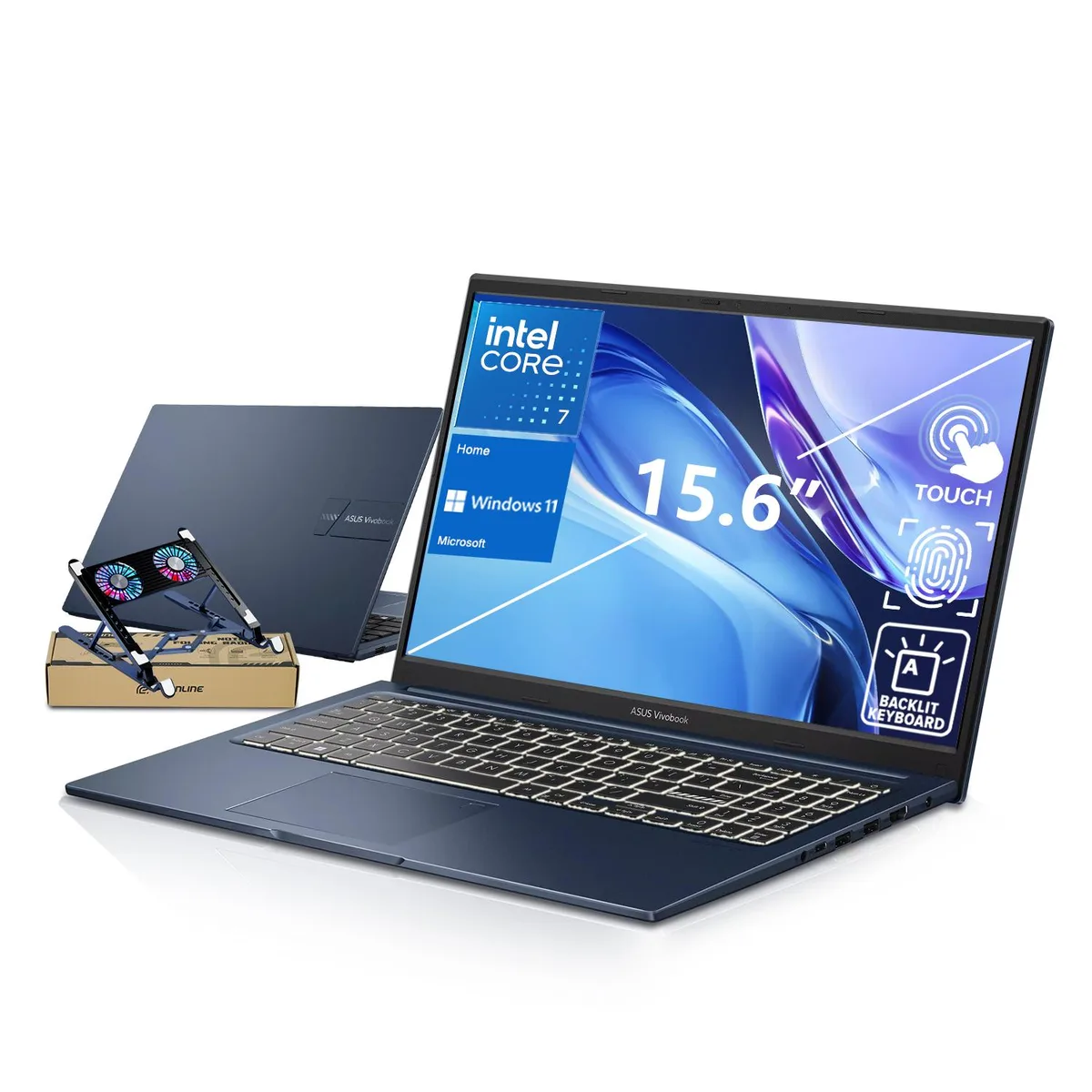
ASUS Vivobook 15 laptop Intel Core 7 150U 16GB DDR5 2TB SSD 15.6" FHD Touchscreen Blue
- Blue
- Windows 11 Home
959.99 $
0.01242673BTC
במלאיאנחנו מקבלים תשלום בקריפטו — כך שמטבעות הקריפטו שברשותך יכולים לקנות ציוד אמיתי.שלם בקריפטו, קנה איתו ציוד אמיתי. משלוח חינם ומבוטח לכל העולם מעל 399 $. קרטונים ניטרליים וללא מיתוג, נשלחים מגרמניה.משלוח חינם ומבוטח מעל 399 $. השער שלך ננעל ל-30 דקות מרגע פתיחת הקופה.שער נעול ל-30 דקות. כל פריט אטום, המספר הסידורי שלו נבדק, והוא מכוסה באחריות ל-24 חודשים.אטום, באחריות ל-24 חודשים.


ASUS
A 15.6-inch FHD touchscreen laptop with a 10-core Intel Core 7 150U, 40GB DDR5 RAM, 1TB PCIe SSD and a bundled PCO cooler
Sizeneame 40GB RAM · 1TB SSD
This ASUS Vivobook 15 pairs an Intel Core 7 150U processor with 40GB DDR5 RAM and a 1TB PCIe SSD. The 10-core CPU reaches 5.40GHz turbo frequency for demanding workloads. Windows 11 Home and a fingerprint reader provide a secure, professional environment out of the box.
A 15.6-inch FHD IPS touchscreen with 1920 x 1080 resolution supports direct interaction. Ports include two USB 3.2 Gen 1 Type-A, one USB 3.2 Gen 1 Type-C, one USB 2.0 Type-A, HDMI 1.4, and a 3.5mm audio jack. Wi-Fi 6 and Bluetooth handle wireless needs. The included PCO cooler helps manage thermals during sustained use.
Suits users who want a responsive touchscreen, large memory capacity, and integrated graphics for office applications. The non-RGB backlit keyboard and numeric keypad aid data entry. Buyers who need discrete graphics performance, higher refresh rates, or upgradeable memory beyond 40GB should consider other configurations.
| Brand | ASUS |
|---|---|
| Series | VivoBook |
| Model | 15 |
| Color | Blue |
| Operating System | Windows 11 Home |
| CPU Type | Intel Core 7 |
| Processor Name | Intel Core 7 150U |
| Turbo Frequency | 5.40GHz |
| Number of Cores | 10-core Processor |
| CPU L3 Cache | 12 MB |
| Screen Size | 15.6" |
| Touchscreen | Touch Screen |
| Display Type | FHD |
| Resolution | 1920 x 1080 |
| Panel | IPS |
| Refresh Rate | 60 Hz |
| GPU/VPU | Intel Graphics |
| Graphic Type | Integrated Card |
| SSD | 1TB PCIe |
| HDD | No |
| Memory | 40GB DDR5 |
| Memory Speed | DDR5 4800 |
| Max Memory Supported | 64 GB |
| WLAN | 802.11ax Wireless LAN |
| WiFi Generation | Wi-Fi 6 |
| Bluetooth | Yes |
| USB | 4 |
| Video Port | 1 x HDMI |
| HDMI | 1 x HDMI |
| Audio Ports | Yes |
| Audio | Integrated Sound card |
| Speaker | Internal Speakers |
| Touchpad | Yes |
| Backlit Keyboard | Backlit |
| Webcam | Yes |
| Style | Standard |
| Type | Home / Personal |
| Usage | Home / Personal |
| AC Adapter/Charger | 45-watt AC Adapter |
| Battery | Lithium Ion |
| Battery Life | Up to 10 Hours |
| Dimensions (W x D x H) | 14.16" x 9.15" x 0.7" |
| Weight | 3 - 3.9 lbs. |
גרסאות נוספות של דגם זה
אותה משפחה, זיכרון, קירור או תדר שונים — השווה לפני שתחליט.
The included PCO cooler is bundled to maintain optimal thermal performance during intensive workloads, helping the 10-core processor sustain higher speeds for longer periods.
The external PCO cooler handles intensive thermal loads, reducing reliance on the internal fans so the laptop stays quieter during extended sessions.
You will need monitors with HDMI 1.4 inputs for the HDMI port, and displays that accept video over USB 3.2 Gen 1 Type-C for the USB-C port.
גם במדף הזה
אותו מדף, אותה קופה — שמונה מטבעות קריפטו ונעילת שער ל-30 דקות.
באיזה מטבע משלמים, ובאיזה מטבע מוצגים המחירים.
נשלח מהארנק שלך בקופה
לתצוגה בלבד — הקטלוג מתומחר בדולר ארה״ב
לא נמצא מטבע מתאים.
בחר את השפה שבה האתר פונה אליך.
אף שפה לא תואמת.
חדש כאן?
כבר יש לך חשבון?
אין כאן איפוס אוטומטי: החנות הזו לא שולחת אימייל, ולכן אין קישור חד-פעמי לבקש. השאר את הכתובת בחשבון, והיא תטופל ידנית.
הבקשה נקלטה
שום דבר לא בדרך לתיבת האימייל שלך — החנות הזו לא שולחת אימייל בכלל. מישהו אוסף את הבקשות האלה ידנית.
נזכרת בה?