


DELL
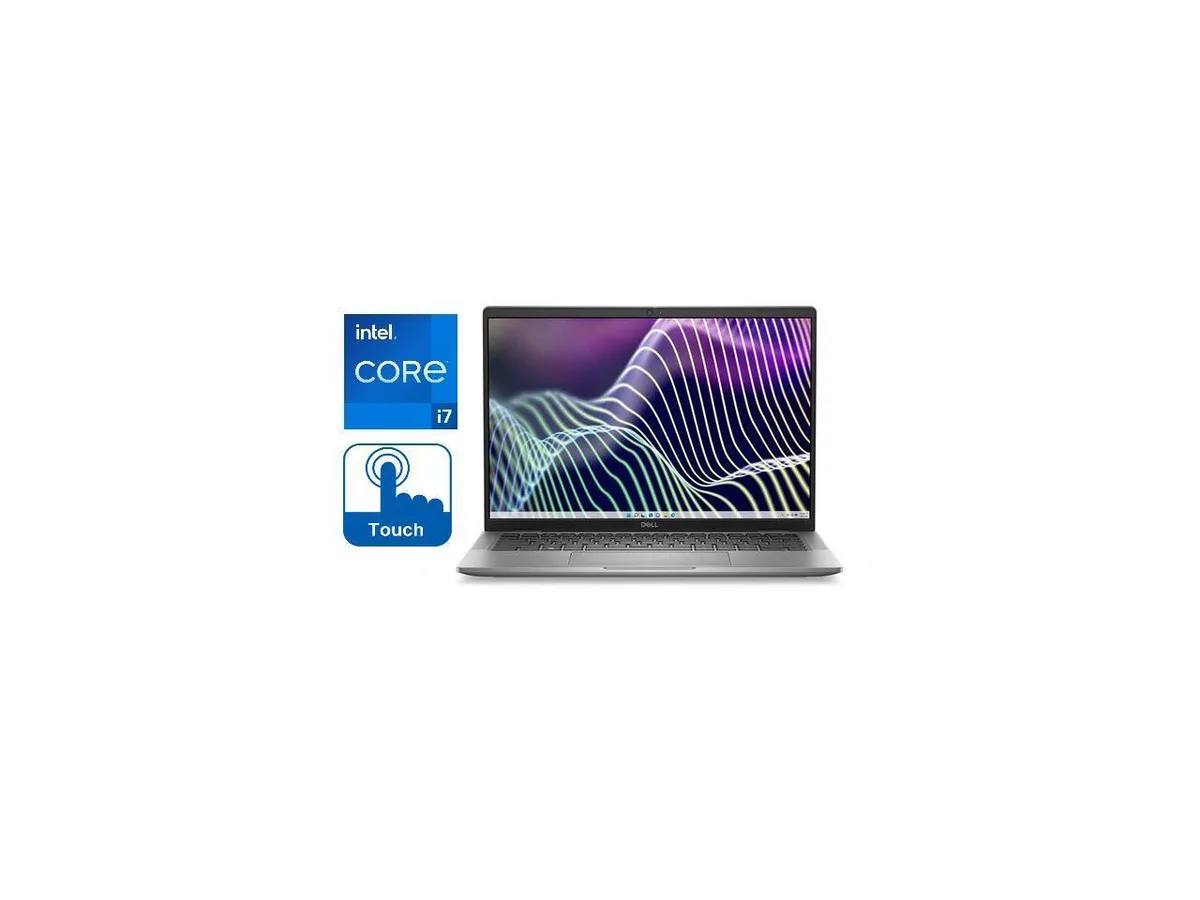
Dell Latitude 7440 14.0" Touch i7-1365U 16GB 256GB laptop
A 14.0-inch touchscreen laptop with a 10-core Intel Core i7 processor, 16GB RAM and a 256GB solid-state drive
- ColorGrey
- Operating SystemWindows 11 Pro
- CPU TypeIntel Core i7 13th Gen
- Processor Name1365U (1.80GHz)
- Turbo Frequency5.20GHz
- Number of Cores10-core Processor
- 13th Gen 10-core i7-1365U reaches 5.20 GHz for demanding workloads
- 0" 1920 x 1200 touch display with 300-nit anti-glare IPS panel
- 16 GB memory handles multitasking across business apps
- 256 GB solid-state drive provides fast boot and file access
- Intel Iris Xe graphics drive external monitors via ThunderBolt
Dell Latitude 7440 14.0" Touch i7-1365U
This new Dell Latitude 7440 is a 14.0 inch business laptop running Windows 11 Pro. It uses a 13th Generation Intel Core i7-1365U 10-core processor with a base frequency of 1.80GHz and a turbo up to 5.20GHz. The system includes 16GB of RAM and a 256GB Solid State Drive. Integrated Intel Iris Xe Graphics drive the touch display.
Suits mobile professionals needing touch input
The anti-glare IPS touchscreen supports direct interaction for presentations or note-taking in bright environments. The 10-core processor handles typical office workloads and multitasking. Buyers who want more storage capacity or discrete graphics performance for intensive 3D rendering should look at something else.
14.0 inch 1920x1200 touch display decides fit
The 14.0 inch FHD+ panel runs at 1920 x 1200 resolution with 300-nit brightness and wide viewing angles. Touch functionality is built into this specific screen assembly. If your workflow requires a non-touch display, a different aspect ratio, or a larger screen diagonal, this unit will not match that requirement.
נקודות עיקריות
- 13th Gen 10-core i7-1365U reaches 5.20 GHz for demanding workloads
- 0" 1920 x 1200 touch display with 300-nit anti-glare IPS panel
- 16 GB memory handles multitasking across business apps
- 256 GB solid-state drive provides fast boot and file access
- Intel Iris Xe graphics drive external monitors via ThunderBolt
מפרט טכני
| Brand | DELL |
|---|---|
| Series | Latitude |
| Model | 7440 |
| Color | Grey |
| Operating System | Windows 11 Pro |
| CPU Type | Intel Core i7 13th Gen |
| Processor Name | 1365U (1.80GHz) |
| Turbo Frequency | 5.20GHz |
| Number of Cores | 10-core Processor |
| CPU L3 Cache | 12MB |
| Smart Cache | 12MB |
| Screen Size | 14.0" |
| Touchscreen | Touch Screen |
| Wide Screen Support | Yes |
| Display Type | 14 inch FHD+ (1920 x 1200) Wide View Angle Anti-Glare IPS 300-nits Touch Display |
| Resolution | 1920 x 1200 |
| Panel | LED-Backlit |
| Display Features | 14 inch FHD+ (1920 x 1200) Wide View Angle Anti-Glare IPS 300-nits Touch Display |
| GPU/VPU | Intel Iris Xe Graphics |
| Graphic Type | Integrated |
| SSD | 256GB |
| HDD | No |
| Storage Spec | 256GB SSD |
| Memory | 16GB |
| Memory Spec | 16GB |
| Max Memory Supported | 16GB |
| Optical Drive Type | No |
| LAN | No |
| WLAN | 802.11ax Wireless LAN |
| WiFi Generation | Wi-Fi 6 |
| Bluetooth | Bluetooth 5 |
| USB | 1 x USB 3.2, 2 x Thunderbolt 4 with Power Delivery and DisplayPort USB Type-C |
| Thunderbolt | Yes |
| Video Port | 1 x HDMI, 2 x Thunderbolt 4 |
| HDMI | 1 x HDMI |
| Ethernet | No |
| Audio Ports | 1 x Headphone/Microphone Combo Jack |
| Speaker | Internal Speakers |
| Touchpad | Yes |
| Keyboard | Standard size Backlit Keyboard |
| Backlit Keyboard | Backlit |
| Webcam | Full HD Camera |
| Card Reader | Micro SD Card Reader |
| Style | Standard |
| Type | Work / Business |
| Usage | Business |
| AC Adapter/Charger | 65-watt AC Adapter |
| Battery | 3-Cell, 57 WHr Lithium Ion Battery |
| Battery Life | Up to 8 Hours |
| Dimensions (W x D x H) | 12.65 x 8.22 x .68 |
| Weight | 2.7 |
| Package Content | Laptop, Power Adapter, Power Cord |
שאלות על הפריט הזה
Will my existing ThunderBolt dock work with the Dell Latitude 7440?
Yes, the laptop includes ThunderBolt 4 ports that are backward-compatible with earlier ThunderBolt docks and peripherals.
Can I keep using my older Wi-Fi router with the 802.11AX wireless card?
The 802.11AX adapter supports previous Wi-Fi standards so it will connect to older routers, though at the router's maximum speed.
How can I verify the 1920 x 1200 touchscreen is performing correctly after setup?
Open Display Settings to confirm the 1920 x 1200 resolution is active, then test touch response with multiple fingers across the 14.0" panel.
גם במדף הזה
לקוחות השוו בין אלה
אותו מדף, אותה קופה — שמונה מטבעות קריפטו ונעילת שער ל-30 דקות.


Microsoft
Microsoft Surface 3 1657 128GB CRB 2-in-1 laptop
- Silver
- Windows 10 Pro
244.99 $
0.00317172BTC
במלאי
Microsoft
Microsoft Surface Pro FGG-2D-00001-RFB 2-in-1 laptop 16 GB 512 GB 12.0" touchscreen 2736 x 1824 refurbished
- 12.0"
- Touch Screen
687.99 $
0.00890694BTC
במלאי
Lenovo
Lenovo Chromebook 500e Gen 5 M89 83TA0004US 12.2" MediaTek 8GB 64GB
- 12.2"
392.99 $420.99 $−7%
0.00508778BTC
במלאי