

ASUS
ASUS CR1104FTA-YZ84T Chromebook 11.6" Touch N150 8GB 64GB Mineral Gray
- 11.6"
414.99 US$
0.00532059BTC
متوفرنقبل الدفع بالعملة المشفرة — لذلك يمكن للعملات الرقمية التي تملكها أن تشتري أجهزة حقيقية.ادفع بالعملة المشفرة، وأنفقها على أجهزة حقيقية. شحن مؤمن مجانا إلى كل أنحاء العالم لما يتجاوز 399 US$. صناديق شحن بسيطة بلا علامة تجارية، ترسل من ألمانيا.شحن مؤمن مجانا لما يتجاوز 399 US$. يُقفل سعرك لمدة 30 دقيقة بمجرد فتح صفحة الدفع.السعر مقفل لمدة 30 دقيقة. كل قطعة مختومة، ورقمها التسلسلي متحقق منه، ومشمولة بضمان 24 شهرا.مختوم، وبضمان 24 شهرا.


DELL
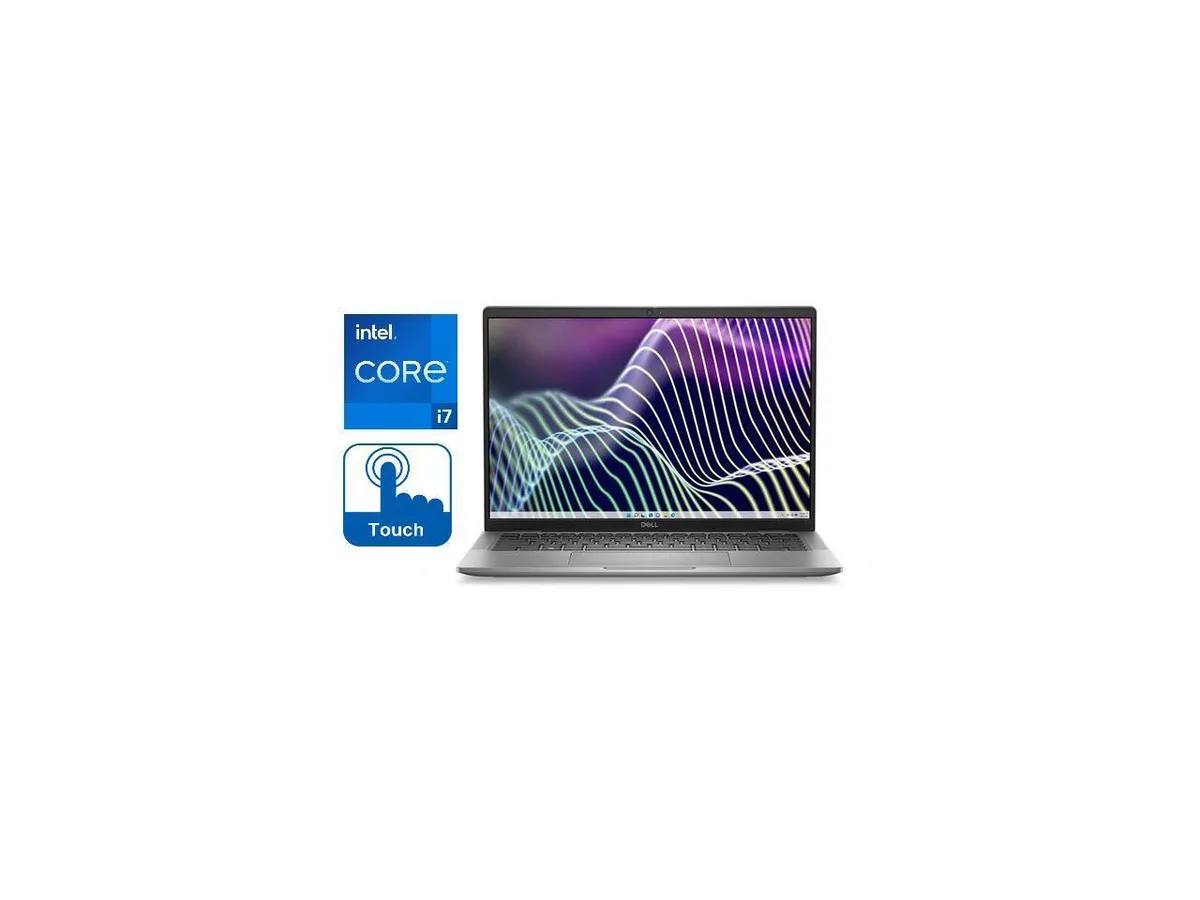
A 14.0-inch touchscreen laptop with a 10-core Intel Core i7 processor, 16GB RAM and a 256GB solid-state drive
This new Dell Latitude 7440 is a 14.0 inch business laptop running Windows 11 Pro. It uses a 13th Generation Intel Core i7-1365U 10-core processor with a base frequency of 1.80GHz and a turbo up to 5.20GHz. The system includes 16GB of RAM and a 256GB Solid State Drive. Integrated Intel Iris Xe Graphics drive the touch display.
The anti-glare IPS touchscreen supports direct interaction for presentations or note-taking in bright environments. The 10-core processor handles typical office workloads and multitasking. Buyers who want more storage capacity or discrete graphics performance for intensive 3D rendering should look at something else.
The 14.0 inch FHD+ panel runs at 1920 x 1200 resolution with 300-nit brightness and wide viewing angles. Touch functionality is built into this specific screen assembly. If your workflow requires a non-touch display, a different aspect ratio, or a larger screen diagonal, this unit will not match that requirement.
| Brand | DELL |
|---|---|
| Series | Latitude |
| Model | 7440 |
| Color | Grey |
| Operating System | Windows 11 Pro |
| CPU Type | Intel Core i7 13th Gen |
| Processor Name | 1365U (1.80GHz) |
| Turbo Frequency | 5.20GHz |
| Number of Cores | 10-core Processor |
| CPU L3 Cache | 12MB |
| Smart Cache | 12MB |
| Screen Size | 14.0" |
| Touchscreen | Touch Screen |
| Wide Screen Support | Yes |
| Display Type | 14 inch FHD+ (1920 x 1200) Wide View Angle Anti-Glare IPS 300-nits Touch Display |
| Resolution | 1920 x 1200 |
| Panel | LED-Backlit |
| Display Features | 14 inch FHD+ (1920 x 1200) Wide View Angle Anti-Glare IPS 300-nits Touch Display |
| GPU/VPU | Intel Iris Xe Graphics |
| Graphic Type | Integrated |
| SSD | 256GB |
| HDD | No |
| Storage Spec | 256GB SSD |
| Memory | 16GB |
| Memory Spec | 16GB |
| Max Memory Supported | 16GB |
| Optical Drive Type | No |
| LAN | No |
| WLAN | 802.11ax Wireless LAN |
| WiFi Generation | Wi-Fi 6 |
| Bluetooth | Bluetooth 5 |
| USB | 1 x USB 3.2, 2 x Thunderbolt 4 with Power Delivery and DisplayPort USB Type-C |
| Thunderbolt | Yes |
| Video Port | 1 x HDMI, 2 x Thunderbolt 4 |
| HDMI | 1 x HDMI |
| Ethernet | No |
| Audio Ports | 1 x Headphone/Microphone Combo Jack |
| Speaker | Internal Speakers |
| Touchpad | Yes |
| Keyboard | Standard size Backlit Keyboard |
| Backlit Keyboard | Backlit |
| Webcam | Full HD Camera |
| Card Reader | Micro SD Card Reader |
| Style | Standard |
| Type | Work / Business |
| Usage | Business |
| AC Adapter/Charger | 65-watt AC Adapter |
| Battery | 3-Cell, 57 WHr Lithium Ion Battery |
| Battery Life | Up to 8 Hours |
| Dimensions (W x D x H) | 12.65 x 8.22 x .68 |
| Weight | 2.7 |
| Package Content | Laptop, Power Adapter, Power Cord |
Yes, the laptop includes ThunderBolt 4 ports that are backward-compatible with earlier ThunderBolt docks and peripherals.
The 802.11AX adapter supports previous Wi-Fi standards so it will connect to older routers, though at the router's maximum speed.
Open Display Settings to confirm the 1920 x 1200 resolution is active, then test touch response with multiple fingers across the 14.0" panel.
أيضًا في هذا القسم
نفس القسم، ونفس صفحة الدفع — ثماني عملات رقمية وقفل سعر لمدة 30 دقيقة.
ما تدفعه، وما تُعرض به الأسعار.
يُرسَل من محفظتك عند إتمام الطلب
للعرض فقط — أسعار الكتالوج بالدولار الأمريكي
لا توجد عملة مطابقة.
اختر اللغة التي يخاطبك بها الموقع.
لا توجد لغة مطابقة.
هل أنت جديد هنا؟
لديك حساب بالفعل؟
لا توجد إعادة تعيين تلقائية: هذا المتجر لا يُرسل أي بريد، فلا يوجد رابط لمرة واحدة يمكن طلبه. اترك العنوان في الحساب، وسيُعالَج الأمر يدويًا.
تم تسجيل الطلب
لا شيء في طريقه إلى بريدك الوارد — هذا المتجر لا يُرسل أي بريد إطلاقًا. يتولّى أحدهم معالجة هذه الطلبات يدويًا.
تذكّرتها؟


