

NEMIX RAM
NEMIX RAM DDR5-5600 2TB (16x128GB) ECC RDIMM CL46 1.1V Supermicro H14SST-G memory upgrade
- 2TB (16 x 128GB)
- 288-Pin DDR5 RDIMM
62.908,99 USD
0.80778898BTC
Na zalihiPrihvaćamo kriptovalute — tako kriptovalute koje posjedujete mogu kupiti pravi hardver.Plaćajte kriptovalutom, trošite je na pravi hardver. Besplatna osigurana dostava diljem svijeta iznad 399 $. Obični vanjski kartoni bez oznaka, otpremaju se iz Njemačke.Besplatna osigurana dostava iznad 399 $. Vaš je tečaj blokiran 30 minuta od otvaranja blagajne.Tečaj blokiran 30 minuta. Svaki je artikl zapečaćen, njegov serijski broj provjeren, i pokriven jamstvom od 24 mjeseca.Zapečaćen, jamstvo 24 mjeseca.


ASUS
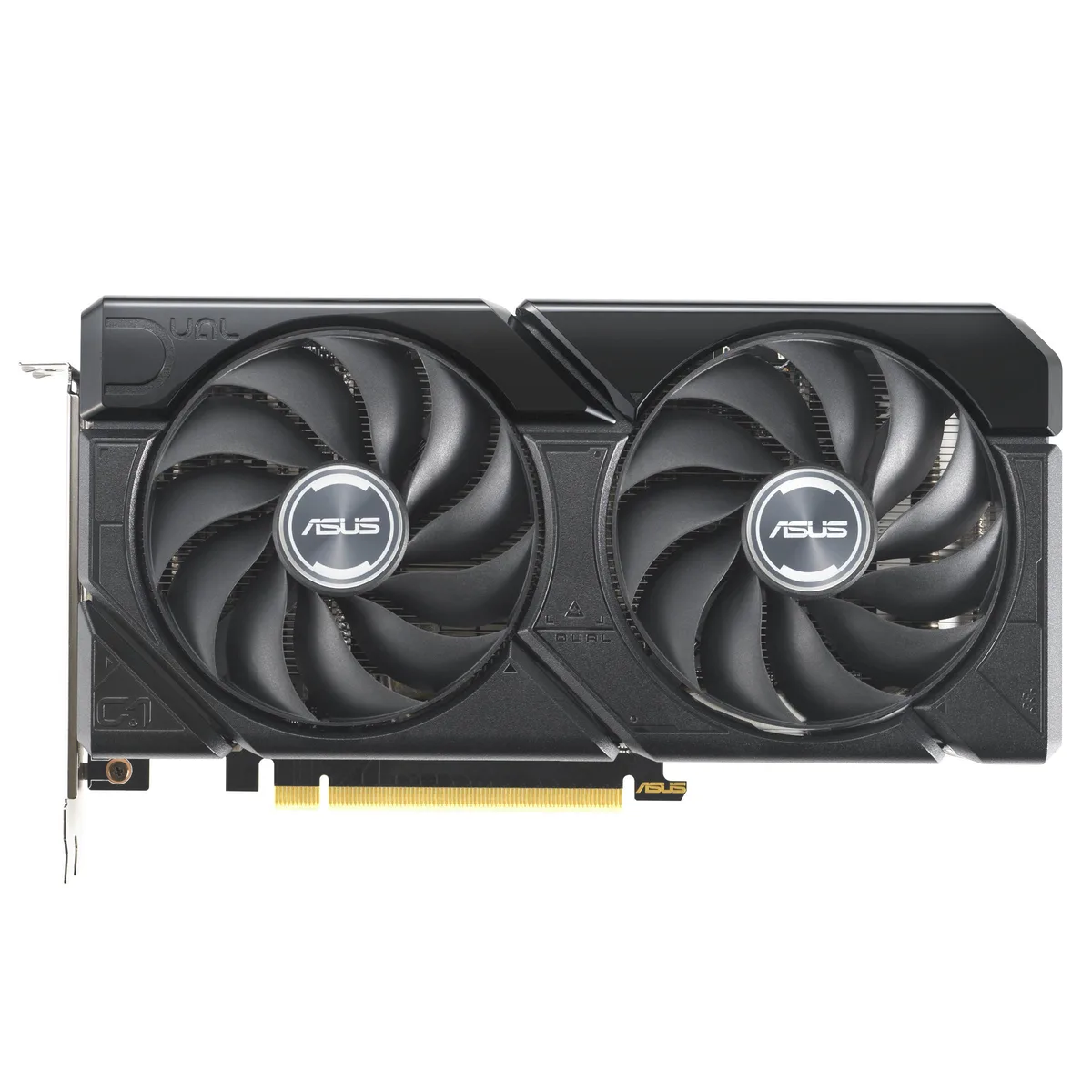
A graphics card with 16 GB GDDR6 memory and a PCIe 4.0 interface for high-resolution gaming and content creation
The ASUS Dual GeForce RTX 4060 Ti EVO 16GB OC Edition delivers 16 GB of GDDR6 memory over a PCIe 4.0 interface. It targets gamers and creators who need extra frame buffer for 1440p workloads. The dual-fan design fits standard builds without special clearance planning.
Moving to this 16 GB version removes the memory bottleneck seen in 8 GB 4060 Ti cards at higher texture settings. The jump is worth it when texture packs or mods push VRAM use past 8 GB. Buyers staying at 1080p with standard assets gain less from the extra capacity.
| Brand | ASUS |
|---|---|
| Model | 90YV0JH8-M0NA00 |
| Memory Type | Computer Accessories |
The card uses a standard PCIe 4.0 x16 slot. Ensure your motherboard has a free x16 lane and that the case allows the card length without blocking drive cages.
Seat the card fully in the PCIe 4.0 slot first, then attach the required power connectors, and finally plug the DisplayPort or HDMI cables so the ports are not strained.
Također u ovoj kategoriji
Ista polica, ista blagajna — osam valuta i blokada tečaja na 30 minuta.
Ono što šaljete, i ono u čemu gledate cijene.
Poslano iz Vašeg novčanika na blagajni
Samo prikaz — katalog je izražen u dolarima
Nijedna valuta ne odgovara.
Odaberite jezik na kojem Vam se stranica obraća.
Novi ste ovdje?
Već imate račun?
Ne postoji automatsko resetiranje: ova trgovina ne šalje e-poštu, stoga ne postoji jednokratna poveznica koju biste mogli zatražiti. Ostavite adresu uz svoj račun, netko će je ručno obraditi.
Zahtjev zaprimljen
Ništa neće stići u Vaš pretinac e-pošte — ova trgovina uopće ne šalje e-poštu. Netko će to ručno preuzeti.
Sjetili ste se?


