

NEMIX RAM
NEMIX RAM DDR5-5600 2TB (16x128GB) ECC RDIMM CL46 1.1V Supermicro H14SST-G memory upgrade
- 2TB (16 x 128GB)
- 288-Pin DDR5 RDIMM
62.908,99 USD
0.78392242BTC
DisponibileAccettiamo criptovalute — così le crypto che Lei possiede possono comprare hardware reale.Paghi in crypto, la spenda in hardware reale. Spedizione assicurata gratuita in tutto il mondo oltre i 399 $. Cartoni neutri, senza marchio, spediti dalla Germania.Spedizione assicurata gratuita oltre i 399 $. Il Suo tasso resta bloccato per 30 minuti dall’apertura del checkout.Tasso bloccato 30 minuti. Ogni articolo è sigillato, il numero di serie è verificato, ed è coperto da una garanzia di 24 mesi.Sigillato, garantito 24 mesi.


ASUS
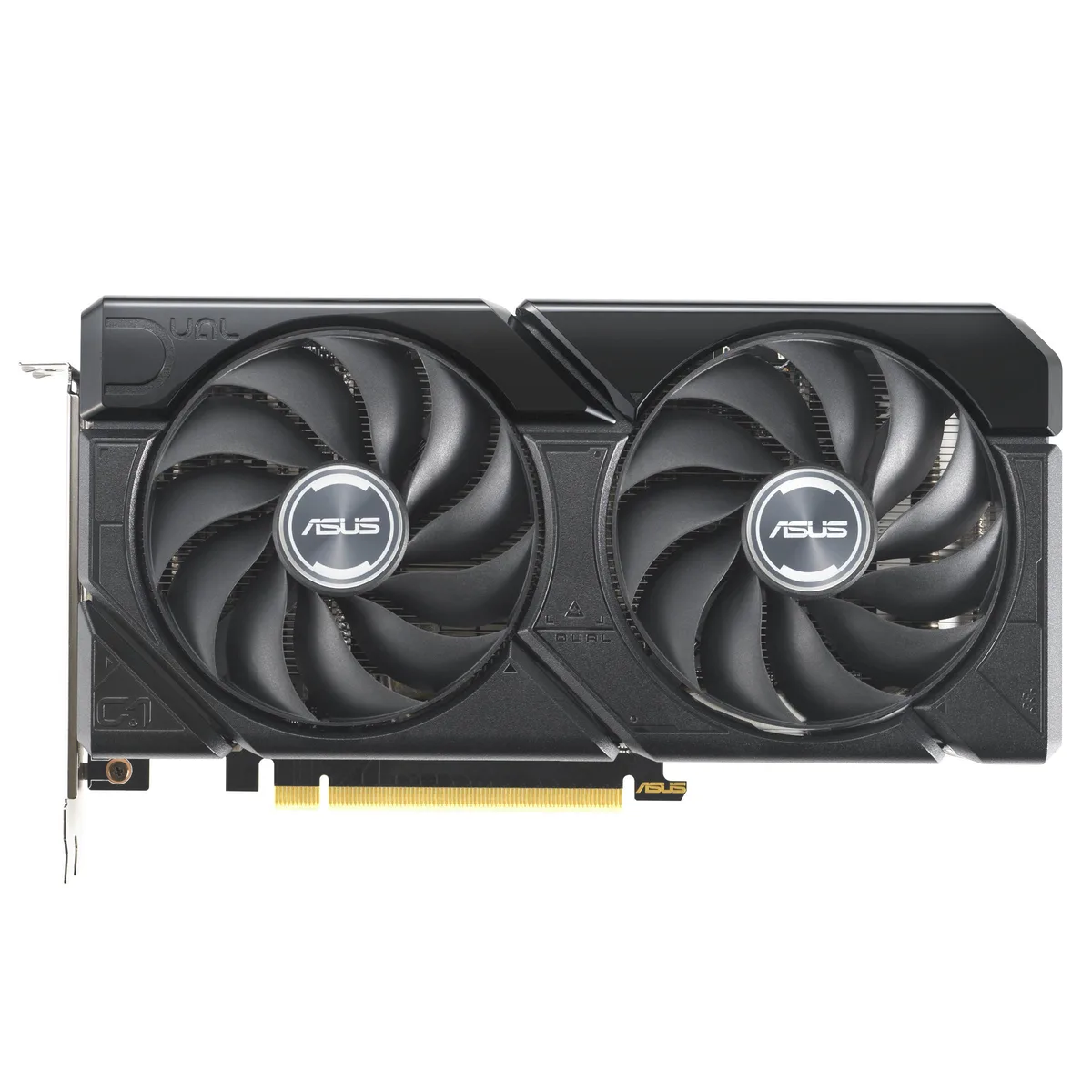
A graphics card with 16 GB GDDR6 memory and a PCIe 4.0 interface for high-resolution gaming and content creation
The ASUS Dual GeForce RTX 4060 Ti EVO 16GB OC Edition delivers 16 GB of GDDR6 memory over a PCIe 4.0 interface. It targets gamers and creators who need extra frame buffer for 1440p workloads. The dual-fan design fits standard builds without special clearance planning.
Moving to this 16 GB version removes the memory bottleneck seen in 8 GB 4060 Ti cards at higher texture settings. The jump is worth it when texture packs or mods push VRAM use past 8 GB. Buyers staying at 1080p with standard assets gain less from the extra capacity.
| Brand | ASUS |
|---|---|
| Model | 90YV0JH8-M0NA00 |
| Memory Type | Computer Accessories |
The card uses a standard PCIe 4.0 x16 slot. Ensure your motherboard has a free x16 lane and that the case allows the card length without blocking drive cages.
Seat the card fully in the PCIe 4.0 slot first, then attach the required power connectors, and finally plug the DisplayPort or HDMI cables so the ports are not strained.
Anche in questo reparto
Stesso reparto, stessa cassa — otto monete e un cambio bloccato per 30 minuti.
Cosa invia per pagare, e in quale valuta legge i prezzi.
Inviato dal Suo portafoglio alla cassa
Solo a titolo indicativo — il catalogo è espresso in dollari
Nessuna valuta corrisponde.
Scelga la lingua in cui il sito Le parla.
Prima visita?
Ne ha già uno?
Non esiste un ripristino automatico: questo negozio non invia e-mail, quindi non esiste alcun link monouso da richiedere. Lasci l’indirizzo sull’account: verrà gestito manualmente.
Richiesta registrata
Non arriverà nulla nella Sua casella di posta — questo negozio non invia e-mail. Qualcuno se ne occupa manualmente.
L’ha ritrovata?


