

NEMIX RAM
NEMIX RAM DDR5-5600 2TB (16x128GB) ECC RDIMM CL46 1.1V Supermicro H14SST-G memory upgrade
- 2TB (16 x 128GB)
- 288-Pin DDR5 RDIMM
US$ 62.908,99
0.77953173BTC
Op voorraadWij accepteren cryptovaluta — zo kunnen de munten die u bezit echte hardware kopen.Betaal in crypto, besteed het aan echte hardware. Gratis verzekerde verzending wereldwijd vanaf $399. Neutrale dozen zonder merk, verzonden vanuit Duitsland.Gratis verzekerde verzending vanaf $399. Uw koers wordt 30 minuten vastgezet zodra het afrekenen begint.Koers 30 minuten vastgezet. Elk artikel is verzegeld, het serienummer wordt gecontroleerd, en het valt onder 24 maanden garantie.Verzegeld, 24 maanden garantie.


ASUS
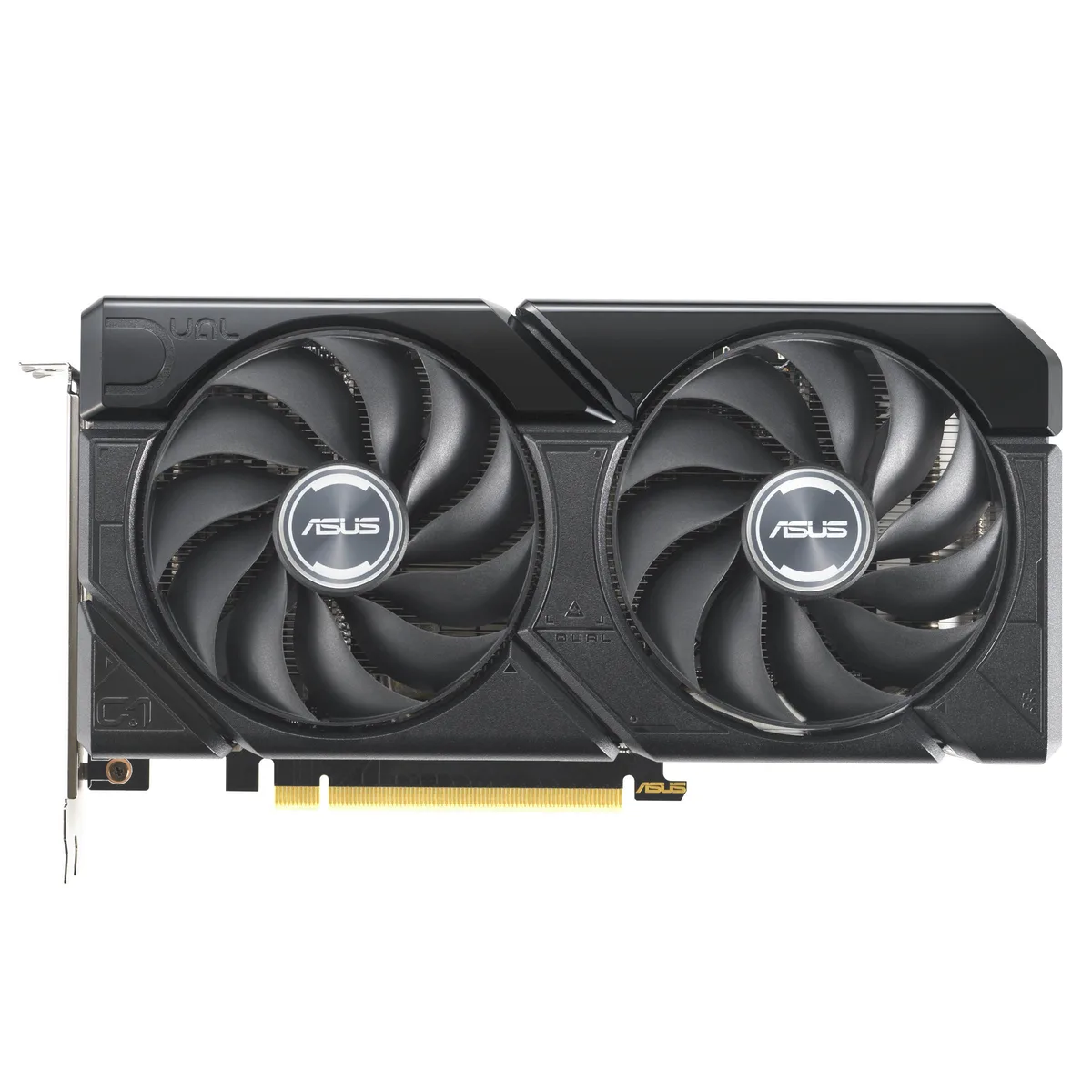
A graphics card with 16 GB GDDR6 memory and a PCIe 4.0 interface for high-resolution gaming and content creation
The ASUS Dual GeForce RTX 4060 Ti EVO 16GB OC Edition delivers 16 GB of GDDR6 memory over a PCIe 4.0 interface. It targets gamers and creators who need extra frame buffer for 1440p workloads. The dual-fan design fits standard builds without special clearance planning.
Moving to this 16 GB version removes the memory bottleneck seen in 8 GB 4060 Ti cards at higher texture settings. The jump is worth it when texture packs or mods push VRAM use past 8 GB. Buyers staying at 1080p with standard assets gain less from the extra capacity.
| Brand | ASUS |
|---|---|
| Model | 90YV0JH8-M0NA00 |
| Memory Type | Computer Accessories |
The card uses a standard PCIe 4.0 x16 slot. Ensure your motherboard has a free x16 lane and that the case allows the card length without blocking drive cages.
Seat the card fully in the PCIe 4.0 slot first, then attach the required power connectors, and finally plug the DisplayPort or HDMI cables so the ports are not strained.
Ook in deze afdeling
Dezelfde afdeling, dezelfde kassa — acht munten en een koers die 30 minuten vaststaat.
Waarmee u betaalt, en waarin u de prijzen leest.
Verzonden vanuit uw wallet bij het afrekenen
Alleen ter weergave — de catalogus is geprijsd in USD
Geen valuta gevonden.
Kies de taal waarin de site met u spreekt.
Nieuw hier?
Al een account?
Er is geen automatisch herstel: deze winkel verstuurt geen e-mail, dus er is geen eenmalige link om aan te vragen. Laat het adres op het account achter en het wordt handmatig opgepakt.
Verzoek genoteerd
Er is niets onderweg naar uw inbox — deze winkel verstuurt helemaal geen e-mail. Iemand pakt dit handmatig op.
Weet u het weer?


