

NEMIX RAM
NEMIX RAM DDR5-5600 2TB (16x128GB) ECC RDIMM CL46 1.1V Supermicro H14SST-G memory upgrade
- 2TB (16 x 128GB)
- 288-Pin DDR5 RDIMM
62 908,99 щ.д.
0.80927497BTC
В наличностПриемаме криптовалута — така монетите, които притежавате, могат да купят истински хардуер.Платете с крипто, похарчете го за истински хардуер. Безплатна застрахована доставка по целия свят над 399 $. Неутрални кашони без марка, изпратени от Германия.Безплатна застрахована доставка над 399 $. Курсът Ви е заключен за 30 минути веднага след отварянето на касата.Курс, заключен за 30 минути. Всеки артикул е запечатан, серийният му номер е проверен, и е покрит с 24-месечна гаранция.Запечатан, 24-месечна гаранция.


ASUS
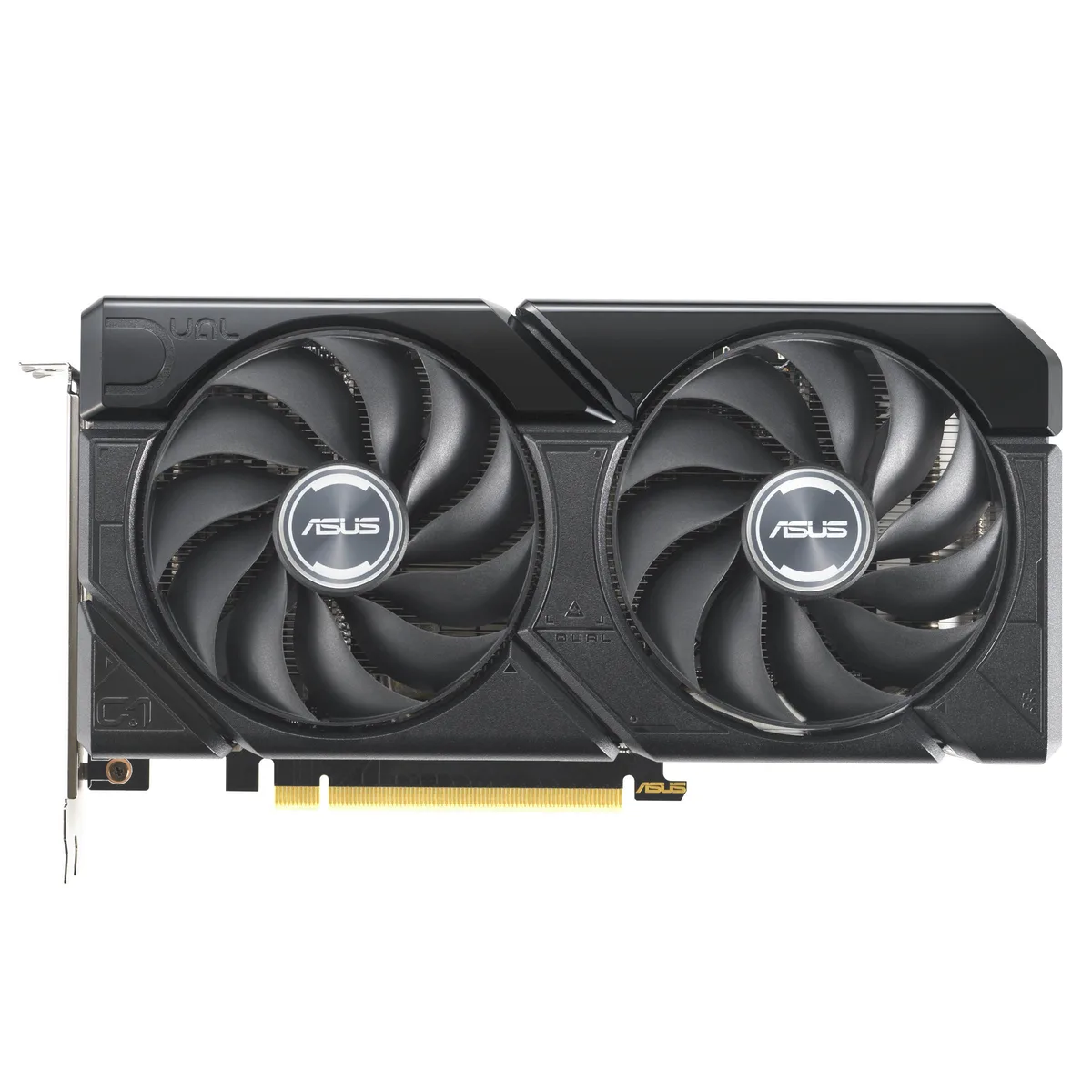
A graphics card with 16 GB GDDR6 memory and a PCIe 4.0 interface for high-resolution gaming and content creation
The ASUS Dual GeForce RTX 4060 Ti EVO 16GB OC Edition delivers 16 GB of GDDR6 memory over a PCIe 4.0 interface. It targets gamers and creators who need extra frame buffer for 1440p workloads. The dual-fan design fits standard builds without special clearance planning.
Moving to this 16 GB version removes the memory bottleneck seen in 8 GB 4060 Ti cards at higher texture settings. The jump is worth it when texture packs or mods push VRAM use past 8 GB. Buyers staying at 1080p with standard assets gain less from the extra capacity.
| Brand | ASUS |
|---|---|
| Model | 90YV0JH8-M0NA00 |
| Memory Type | Computer Accessories |
The card uses a standard PCIe 4.0 x16 slot. Ensure your motherboard has a free x16 lane and that the case allows the card length without blocking drive cages.
Seat the card fully in the PCIe 4.0 slot first, then attach the required power connectors, and finally plug the DisplayPort or HDMI cables so the ports are not strained.
Още от този рафт
Същият рафт, същата каса — осем монети и заключване на курса за 30 минути.
Това, което изпращате, и това, в което четете цените.
Изпратено от Вашия портфейл при поръчката
Само за визуализация — каталогът е в долари
Никоя валута не съответства.
Изберете езика, на който сайтът да Ви говори.
Нови сте тук?
Вече имате профил?
Няма автоматично нулиране: този магазин не изпраща имейли, така че няма еднократна връзка, която да поискате. Оставете адреса в профила си и той ще бъде обработен ръчно.
Заявката е приета
Нищо няма да пристигне във Вашата пощенска кутия — този магазин изобщо не изпраща имейли. Заявките се обработват ръчно.
Спомнихте си я?


