Synology Inc.
Synology Inc. DS225+ 2-bay NAS 2GB DDR4
- Desktop NAS
- 2 x SATA (2 x Bay)
293,99 USD
0.00378263BTC
Na zalihiPrihvaćamo kriptovalute — tako kriptovalute koje posjedujete mogu kupiti pravi hardver.Plaćajte kriptovalutom, trošite je na pravi hardver. Besplatna osigurana dostava diljem svijeta iznad 399 $. Obični vanjski kartoni bez oznaka, otpremaju se iz Njemačke.Besplatna osigurana dostava iznad 399 $. Vaš je tečaj blokiran 30 minuta od otvaranja blagajne.Tečaj blokiran 30 minuta. Svaki je artikl zapečaćen, njegov serijski broj provjeren, i pokriven jamstvom od 24 mjeseca.Zapečaćen, jamstvo 24 mjeseca.


Synology Inc.
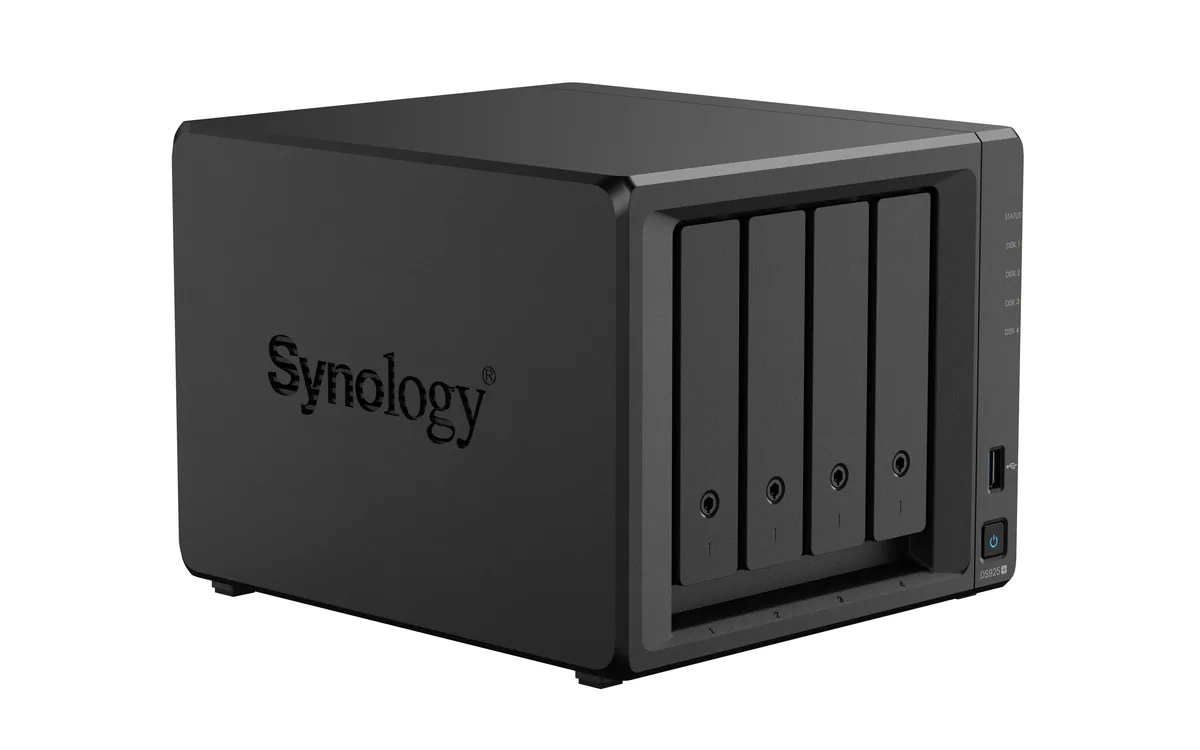
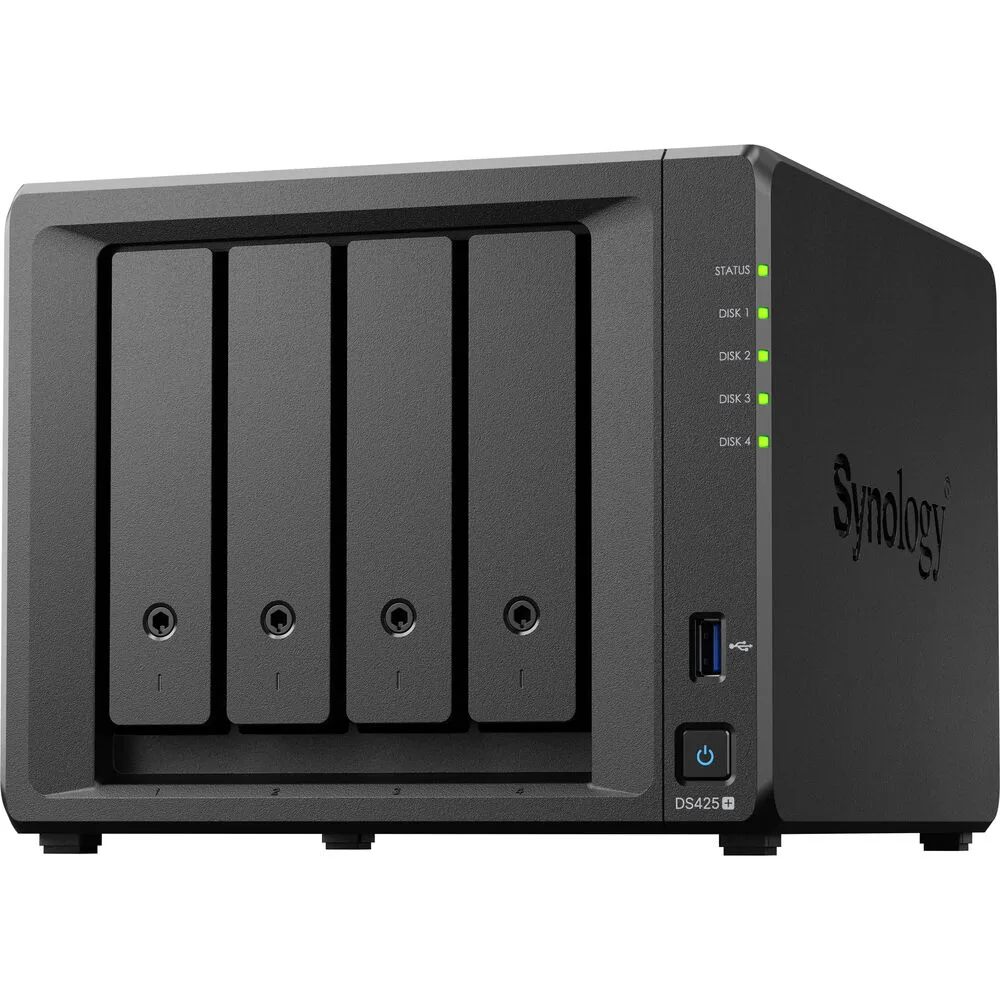
A four-bay desktop NAS with an Intel Celeron J4125 processor, 2 GB DDR4 memory expandable to 6 GB, one 2.5GbE and one 1GbE port, two USB 3.2 Gen 1 ports, and M.2 NVMe slots for SSD cache
The Synology DS425+ is a diskless four-bay desktop NAS powered by an Intel Celeron J4125 processor and 2 GB of DDR4 memory. It provides two USB 3.2 Gen 1 ports, one 2.5 GbE and one 1 GbE RJ-45 port, plus built-in M.2 NVMe slots for SSD cache. The unit supports SMB, NFS, iSCSI and other common file protocols for backup and media streaming.
This NAS fits users who want a compact, quiet appliance for personal cloud backup, media streaming and file sharing across Windows, macOS and Linux clients. The 2 GB of soldered memory plus one SODIMM slot allows expansion to 6 GB for heavier workloads. Buyers who require 10 GbE connectivity out of the box or more than four drive bays should consider other models.
The package includes the main unit, an accessory pack, an AC power adapter, an AC power cord and two RJ-45 LAN cables. These items let you connect both network ports and power the device without extra purchases. No drives are included, so you must supply your own SATA hard drives or SSDs to begin storing data.
| Brand | Synology |
|---|---|
| Series | DiskStation |
| Model | DS425+ |
| Type | Desktop NAS |
| Ports | 2 x USB 3.2 Gen 1 ports |
| HDD Interface | 4 x SATA (4 x Bay) |
| Form Factor | 4-bay;2GB DDR4 non-ECC |
| Processor | Intel Celeron J4125 |
| Installed Memory | 4-bay;2GB DDR4 |
| Max Memory Capacity | 6 GB (2 GB + 4 GB) |
| Memory Slot | 2 x DDR4 SODIMM |
| Included HDD Capacity | Diskless System |
| Supported Protocols | SMB1 (CIFS), SMB2, SMB3, NFSv3, NFSv4, NFSv4.1, NFS Kerberized sessions, iSCSI, HTTP, HTTPs, FTP, SNMP, LDAP, CalDAV |
| Power | 100V to 240V AC |
| Temperature | Operating Temperature : 0°C to 40°C (32°F to 104°F) Storage Temperature : -20°C to 60°C (-5°F to 140°F) |
| Humidity | 5% to 95% RH |
| Features | 5% to 95% RH |
| Usage | Backup & stream media through personal cloud |
| Dimensions | 11.26" x 9.45" x 10.08" |
| Weight | 7.72lbs |
| Package Contents | Main Unit X 1 Accessory Pack X 1 AC Power Adapter X 1 AC Power Cord X 1 RJ-45 LAN Cable X 2 |
| Težina pošiljke | 3.63 kg |
| Dimenzije pakiranja | 284 × 259 × 241 mm |
Druge verzije ovog modela
Ista obitelj, različita memorija, hladnjak ili frekvencija — usporedite prije kupnje.
The unit ships diskless, so you must supply up to four 3.5" or 2.5" SATA drives that will occupy the four drive bays.
The 2.5 GbE port will negotiate down to 1 GbE when connected to a 1 GbE switch, while the second RJ-45 port already runs at 1 GbE.
Open DSM Storage Manager, select the SSD Cache section, and verify the installed M.2 NVMe modules show a "Normal" status with read/write cache enabled.
Također u ovoj kategoriji
Ista polica, ista blagajna — osam valuta i blokada tečaja na 30 minuta.
Ono što šaljete, i ono u čemu gledate cijene.
Poslano iz Vašeg novčanika na blagajni
Samo prikaz — katalog je izražen u dolarima
Nijedna valuta ne odgovara.
Odaberite jezik na kojem Vam se stranica obraća.
Novi ste ovdje?
Već imate račun?
Ne postoji automatsko resetiranje: ova trgovina ne šalje e-poštu, stoga ne postoji jednokratna poveznica koju biste mogli zatražiti. Ostavite adresu uz svoj račun, netko će je ručno obraditi.
Zahtjev zaprimljen
Ništa neće stići u Vaš pretinac e-pošte — ova trgovina uopće ne šalje e-poštu. Netko će to ručno preuzeti.
Sjetili ste se?