Synology Inc.
Synology Inc. DS225+ 2-bay NAS 2GB DDR4
- Desktop NAS
- 2 x SATA (2 x Bay)
293,99 USD
0.00370923BTC
DisponibileAccettiamo criptovalute — così le crypto che Lei possiede possono comprare hardware reale.Paghi in crypto, la spenda in hardware reale. Spedizione assicurata gratuita in tutto il mondo oltre i 399 $. Cartoni neutri, senza marchio, spediti dalla Germania.Spedizione assicurata gratuita oltre i 399 $. Il Suo tasso resta bloccato per 30 minuti dall’apertura del checkout.Tasso bloccato 30 minuti. Ogni articolo è sigillato, il numero di serie è verificato, ed è coperto da una garanzia di 24 mesi.Sigillato, garantito 24 mesi.


Synology Inc.
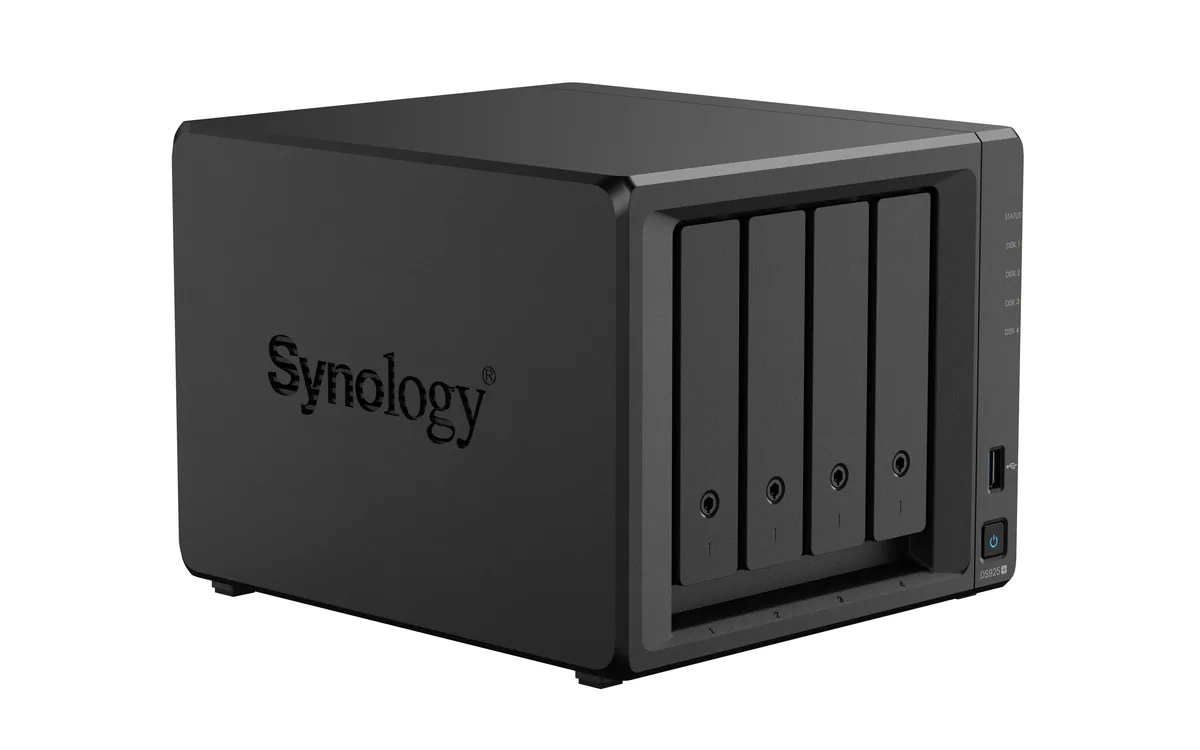
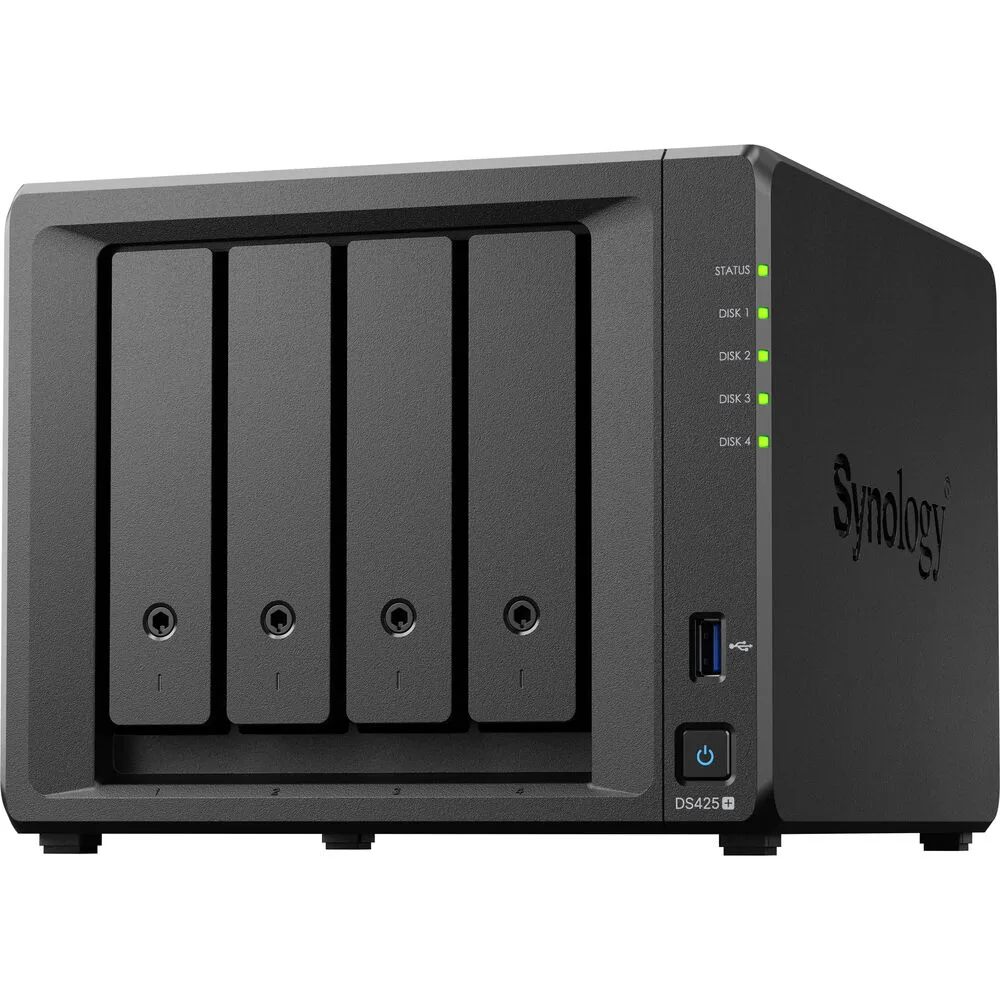
A four-bay desktop NAS with an Intel Celeron J4125 processor, 2 GB DDR4 memory expandable to 6 GB, one 2.5GbE and one 1GbE port, two USB 3.2 Gen 1 ports, and M.2 NVMe slots for SSD cache
The Synology DS425+ is a diskless four-bay desktop NAS powered by an Intel Celeron J4125 processor and 2 GB of DDR4 memory. It provides two USB 3.2 Gen 1 ports, one 2.5 GbE and one 1 GbE RJ-45 port, plus built-in M.2 NVMe slots for SSD cache. The unit supports SMB, NFS, iSCSI and other common file protocols for backup and media streaming.
This NAS fits users who want a compact, quiet appliance for personal cloud backup, media streaming and file sharing across Windows, macOS and Linux clients. The 2 GB of soldered memory plus one SODIMM slot allows expansion to 6 GB for heavier workloads. Buyers who require 10 GbE connectivity out of the box or more than four drive bays should consider other models.
The package includes the main unit, an accessory pack, an AC power adapter, an AC power cord and two RJ-45 LAN cables. These items let you connect both network ports and power the device without extra purchases. No drives are included, so you must supply your own SATA hard drives or SSDs to begin storing data.
| Brand | Synology |
|---|---|
| Series | DiskStation |
| Model | DS425+ |
| Type | Desktop NAS |
| Ports | 2 x USB 3.2 Gen 1 ports |
| HDD Interface | 4 x SATA (4 x Bay) |
| Form Factor | 4-bay;2GB DDR4 non-ECC |
| Processor | Intel Celeron J4125 |
| Installed Memory | 4-bay;2GB DDR4 |
| Max Memory Capacity | 6 GB (2 GB + 4 GB) |
| Memory Slot | 2 x DDR4 SODIMM |
| Included HDD Capacity | Diskless System |
| Supported Protocols | SMB1 (CIFS), SMB2, SMB3, NFSv3, NFSv4, NFSv4.1, NFS Kerberized sessions, iSCSI, HTTP, HTTPs, FTP, SNMP, LDAP, CalDAV |
| Power | 100V to 240V AC |
| Temperature | Operating Temperature : 0°C to 40°C (32°F to 104°F) Storage Temperature : -20°C to 60°C (-5°F to 140°F) |
| Humidity | 5% to 95% RH |
| Features | 5% to 95% RH |
| Usage | Backup & stream media through personal cloud |
| Dimensions | 11.26" x 9.45" x 10.08" |
| Weight | 7.72lbs |
| Package Contents | Main Unit X 1 Accessory Pack X 1 AC Power Adapter X 1 AC Power Cord X 1 RJ-45 LAN Cable X 2 |
| Peso di spedizione | 3.63 kg |
| Dimensioni del pacco | 284 × 259 × 241 mm |
Altre versioni di questo modello
Stessa famiglia, con memoria, dissipatore o frequenza diversi — confronti prima di decidere.
The unit ships diskless, so you must supply up to four 3.5" or 2.5" SATA drives that will occupy the four drive bays.
The 2.5 GbE port will negotiate down to 1 GbE when connected to a 1 GbE switch, while the second RJ-45 port already runs at 1 GbE.
Open DSM Storage Manager, select the SSD Cache section, and verify the installed M.2 NVMe modules show a "Normal" status with read/write cache enabled.
Anche in questo reparto
Stesso reparto, stessa cassa — otto monete e un cambio bloccato per 30 minuti.
Cosa invia per pagare, e in quale valuta legge i prezzi.
Inviato dal Suo portafoglio alla cassa
Solo a titolo indicativo — il catalogo è espresso in dollari
Nessuna valuta corrisponde.
Scelga la lingua in cui il sito Le parla.
Prima visita?
Ne ha già uno?
Non esiste un ripristino automatico: questo negozio non invia e-mail, quindi non esiste alcun link monouso da richiedere. Lasci l’indirizzo sull’account: verrà gestito manualmente.
Richiesta registrata
Non arriverà nulla nella Sua casella di posta — questo negozio non invia e-mail. Qualcuno se ne occupa manualmente.
L’ha ritrovata?