Synology Inc.
Synology Inc. DS225+ 2-bay NAS 2GB DDR4
- Desktop NAS
- 2 x SATA (2 x Bay)
293,99 USD
0.00378799BTC
Til á lagerVið tökum við rafmynt — svo myntirnar sem þú átt geta keypt alvöru vélbúnað.Greiddu í rafmynt, eyddu henni í alvöru vélbúnað. Frí, tryggð sending um allan heim fyrir pantanir yfir 399 $. Hlutlausir pappakassar án merkinga, sendir frá Þýskalandi.Frí, tryggð sending yfir 399 $. Gengið þitt er læst í 30 mínútur um leið og greiðsluferlið hefst.Gengið læst í 30 mínútur. Hver vara er innsigluð, raðnúmer hennar yfirfarið, og hún nýtur 24 mánaða ábyrgðar.Innsiglað, með 24 mánaða ábyrgð.


Synology Inc.
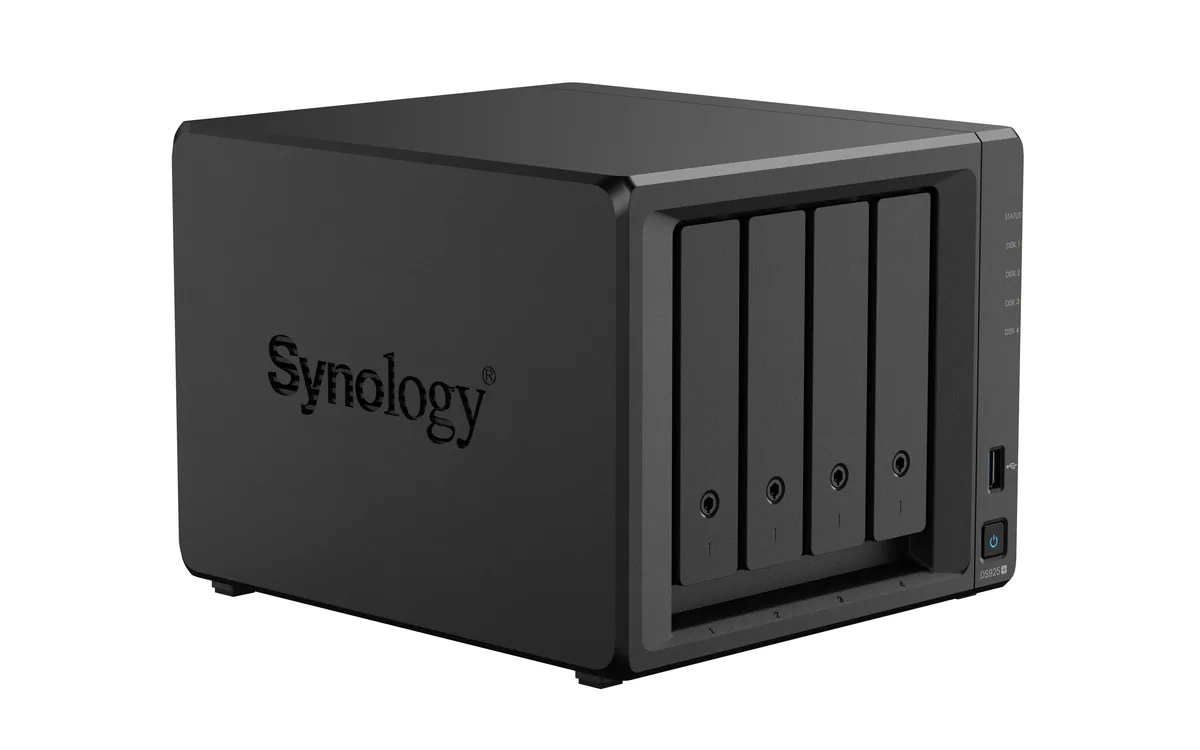
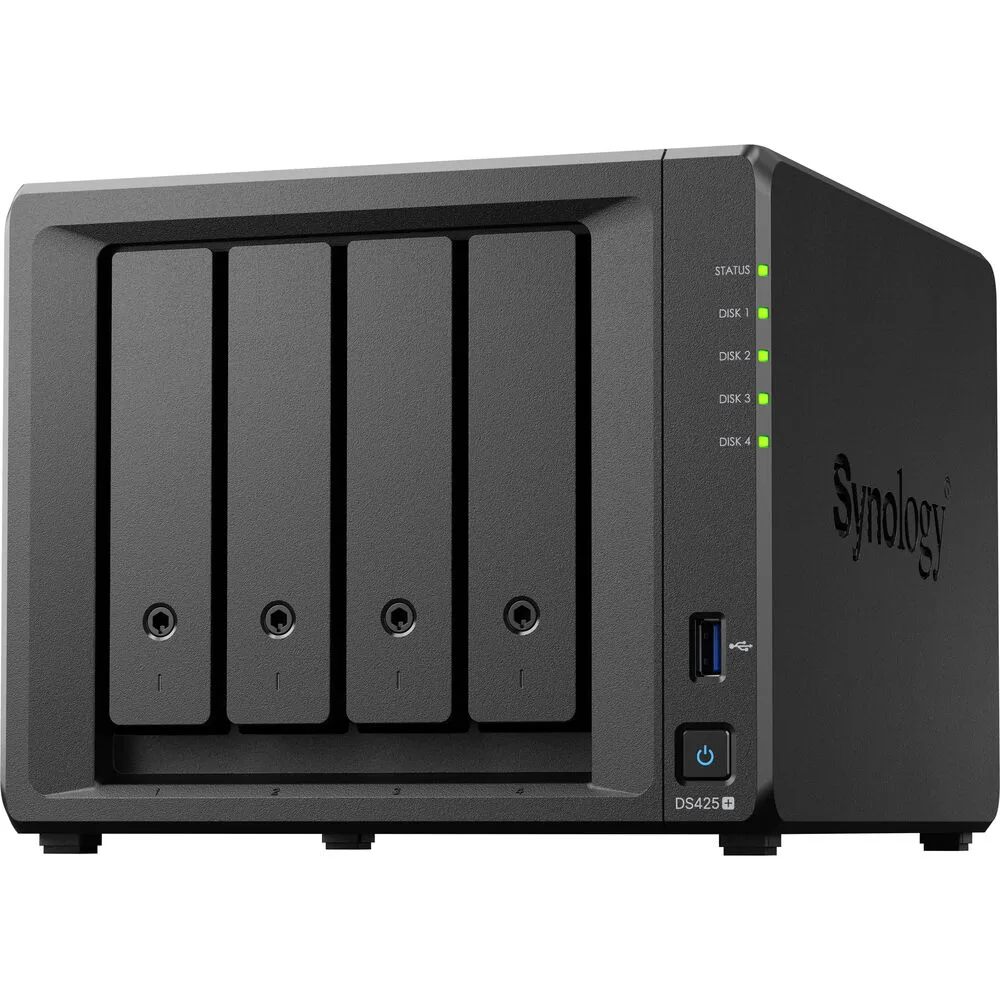
A four-bay desktop NAS with an Intel Celeron J4125 processor, 2 GB DDR4 memory expandable to 6 GB, one 2.5GbE and one 1GbE port, two USB 3.2 Gen 1 ports, and M.2 NVMe slots for SSD cache
The Synology DS425+ is a diskless four-bay desktop NAS powered by an Intel Celeron J4125 processor and 2 GB of DDR4 memory. It provides two USB 3.2 Gen 1 ports, one 2.5 GbE and one 1 GbE RJ-45 port, plus built-in M.2 NVMe slots for SSD cache. The unit supports SMB, NFS, iSCSI and other common file protocols for backup and media streaming.
This NAS fits users who want a compact, quiet appliance for personal cloud backup, media streaming and file sharing across Windows, macOS and Linux clients. The 2 GB of soldered memory plus one SODIMM slot allows expansion to 6 GB for heavier workloads. Buyers who require 10 GbE connectivity out of the box or more than four drive bays should consider other models.
The package includes the main unit, an accessory pack, an AC power adapter, an AC power cord and two RJ-45 LAN cables. These items let you connect both network ports and power the device without extra purchases. No drives are included, so you must supply your own SATA hard drives or SSDs to begin storing data.
| Brand | Synology |
|---|---|
| Series | DiskStation |
| Model | DS425+ |
| Type | Desktop NAS |
| Ports | 2 x USB 3.2 Gen 1 ports |
| HDD Interface | 4 x SATA (4 x Bay) |
| Form Factor | 4-bay;2GB DDR4 non-ECC |
| Processor | Intel Celeron J4125 |
| Installed Memory | 4-bay;2GB DDR4 |
| Max Memory Capacity | 6 GB (2 GB + 4 GB) |
| Memory Slot | 2 x DDR4 SODIMM |
| Included HDD Capacity | Diskless System |
| Supported Protocols | SMB1 (CIFS), SMB2, SMB3, NFSv3, NFSv4, NFSv4.1, NFS Kerberized sessions, iSCSI, HTTP, HTTPs, FTP, SNMP, LDAP, CalDAV |
| Power | 100V to 240V AC |
| Temperature | Operating Temperature : 0°C to 40°C (32°F to 104°F) Storage Temperature : -20°C to 60°C (-5°F to 140°F) |
| Humidity | 5% to 95% RH |
| Features | 5% to 95% RH |
| Usage | Backup & stream media through personal cloud |
| Dimensions | 11.26" x 9.45" x 10.08" |
| Weight | 7.72lbs |
| Package Contents | Main Unit X 1 Accessory Pack X 1 AC Power Adapter X 1 AC Power Cord X 1 RJ-45 LAN Cable X 2 |
| Sendingarþyngd | 3.63 kg |
| Stærð sendingar | 284 × 259 × 241 mm |
Aðrar útgáfur af þessari vöru
Sama fjölskylda, mismunandi minni, kælingu eða klukkuhraða — berðu saman áður en þú ákveður þig.
The unit ships diskless, so you must supply up to four 3.5" or 2.5" SATA drives that will occupy the four drive bays.
The 2.5 GbE port will negotiate down to 1 GbE when connected to a 1 GbE switch, while the second RJ-45 port already runs at 1 GbE.
Open DSM Storage Manager, select the SSD Cache section, and verify the installed M.2 NVMe modules show a "Normal" status with read/write cache enabled.
Einnig í þessum vöruflokki
Sama hilla, sama greiðsluferli — átta myntir og 30 mínútna gengislæsing.
Það sem þú greiðir í, og það sem þú sérð verð í.
Sent úr veskinu þínu í greiðsluferlinu
Aðeins til skýringar — verð í vörulistanum eru í Bandaríkjadölum
Enginn gjaldmiðill passar við það.
Veldu tungumálið sem síðan talar við þig á.
Fyrsta heimsókn?
Áttu þegar aðgang?
Það er engin sjálfvirk endurstilling: þessi verslun sendir engan tölvupóst, svo það er enginn einnota tengill til að biðja um. Skildu netfangið eftir á aðganginum og einhver sinnir því handvirkt.
Beiðni skráð
Ekkert er á leiðinni í pósthólfið þitt — þessi verslun sendir engan tölvupóst. Einhver sinnir þessu handvirkt.
Mundir þú það?