ASUS
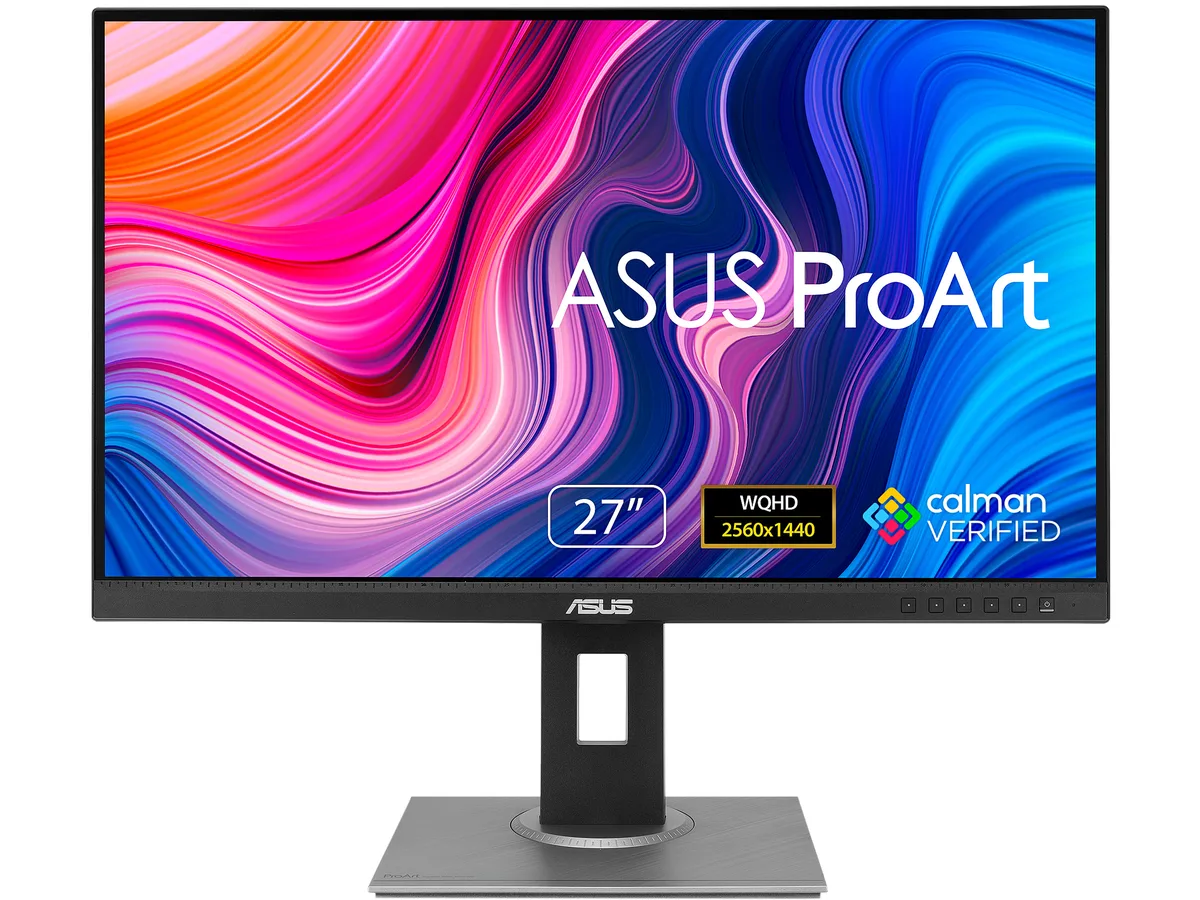
ASUS ProArt PA278QV 27" WQHD 75Hz IPS monitor 90LM05L1-B013B0
- Black / Silver
- 27"
188,99 USD
0.00234709BTC
DisponibileAccettiamo criptovalute — così le crypto che Lei possiede possono comprare hardware reale.Paghi in crypto, la spenda in hardware reale. Spedizione assicurata gratuita in tutto il mondo oltre i 399 $. Cartoni neutri, senza marchio, spediti dalla Germania.Spedizione assicurata gratuita oltre i 399 $. Il Suo tasso resta bloccato per 30 minuti dall’apertura del checkout.Tasso bloccato 30 minuti. Ogni articolo è sigillato, il numero di serie è verificato, ed è coperto da una garanzia di 24 mesi.Sigillato, garantito 24 mesi.


ASUS
24.1-inch 16:10 WUXGA IPS monitor with 100% sRGB and Rec. 709, factory calibrated to Delta E < 2, 75 Hz refresh, FreeSync, and a fully adjustable stand
The ASUS ProArt PA248QV is a 24.1 inch WUXGA monitor aimed at photographers, designers and video editors who need reliable colour reproduction. Its 16:10 IPS panel shows 1920 x 1200 pixels at 75 Hz with a 5 ms grey-to-grey response. Factory calibration achieves Delta E below 2 and covers 100 percent sRGB and 100 percent Rec. 709 gamuts. Calman Verified status and ProArt presets give immediate, repeatable accuracy for professional workflows.
Creative professionals who work in sRGB or Rec. 709 will benefit from the wide viewing angles, ergonomic stand and built-in USB 3.0 hub. The height, tilt, swivel and pivot adjustments suit long editing sessions. Users targeting wider gamuts such as Adobe RGB or DCI-P3, or who need higher refresh rates for gaming, should consider other models. The 300 cd/m² brightness and 1000:1 static contrast are adequate for indoor studio use but not for HDR mastering.
The 16:10 aspect ratio at 1920 x 1200 resolution provides more vertical space than common 1920 x 1200 screens, giving extra timeline and toolroom height for editing applications. If your workflow depends on that additional vertical resolution, this panel fits; if you require 4K pixel density or a wider colour volume, look elsewhere.
| Brand | ASUS |
|---|---|
| Series | ProArt |
| Model | PA248QV |
| Part Number | 90LM05K0-B013B0 |
| Cabinet Color | Black / Silver |
| Screen Size | 24.1" |
| Glare Screen | Non-glare |
| LED Backlight | Yes |
| Widescreen | Yes |
| Resolution | 1920 x 1200 |
| Refresh Rate | 75Hz |
| Viewing Angle | 178° (H) / 178° (V) |
| Monitor Pixel Density | 0.27mm |
| Display Colors | 16.7 Million |
| Brightness | 300 cd/m2 |
| Contrast Ratio | ASCR 100,000,000:1 (1,000:1) |
| Aspect Ratio | 16:10 |
| Response Time | 5 ms (GTG) |
| Panel | IPS |
| Display Type | WUXGA |
| Adaptive Sync Technology | FreeSync (AMD Adaptive Sync) |
| Curved Surface Screen | Flat Panel |
| Video Ports | 1 x D-Sub / 1 x DisplayPort / 1 x HDMI |
| USB Ports | 4 x USB 3.0 Type-A Downstream |
| Input Video Compatibility | Analog RGB, Digital |
| Connectors | D-Sub, HDMI, DisplayPort |
| D-Sub | 1 |
| HDMI | 1 |
| DisplayPort | 1 |
| USB 3.0 | 4 |
| Complies with | ENERGY STAR |
| Power Supply | 100 - 240 VAC, 50/60Hz |
| Power Consumption | Power Consumption:<15W* Power Saving Mode:<0.5W *measuring a screen brightness of 200 nits without audio/ USB/ Card reader connection |
| Regulatory Approvals | Energy Star, BSMI, CB, CCC, CE, CU, ErP, FCC, ISO-9241-307, J-MOSS, KCC, PSB, PSE, RoHS, TCO8.0, TUV-Ergo, TUV-GS, UL/cUL, VCCI, WEEE, WHQL (Windows 10, Windows 7), MEPS, RCM, TUV Flicker-free , KC , eStandby, TUV Low Blue Light, ICES-3, PC recycle, CEC |
| Stand Adjustments | Tilt : -5°~+35° Swivel : +90°~-90° Pivot : +90°~-90° Height Adjustment : 0~130 mm |
| Built-in Speakers | 2 x 2W |
| Built-in Webcam | No |
| HDCP Support | Yes, 1.4 |
| VESA Compatibility - Mountable | 100 x 100mm |
| Features | Trace Free Technology : Yes ProArt Preset : 9 Modes(sRGB Mode/Rec. 709 Mode/Scenery Mode/Standard Mode/Rapid Rendering/User Mode 1/User Mode 2/Reading Mode/Darkroom Mode) ProArt Palette : Yes Skin-Tone Selection : 3 Modes Color Temperature Selection : 4 Modes Color Accuracy : ?E< 2 Gamma adjustment : Yes (Support Gamma 1.8/2.0/2.2/2.4/2.6 ) Color Adjustment : 6-axis adjustment(R,G,B,C,M,Y) QuickFit (modes) : Yes (Alignment Grid/Paper/Ruler Modes) Low Blue Light : Yes HDCP support : Yes, 1.4 Adaptive-Sync supported :Yes Motion Sync: Yes Flicker free : Yes Quick Release Stand Design : |
| Dimensions | 14.76" - 19.88" x 20.98" x 8.31" w/ stand 14.17" x 20.98" x 1.85" w/o stand |
| Weight | 13.45 lbs. w/ stand 8.60 lbs. w/o stand |
| Package Contents | Accessories: Power cord, HDMI cable, USB cable, Calibration Report, Quick Start Guide, Warranty Card, Welcome Card |
| Consumer Alert | To activate Rapid Rendering needs turn off Adaptive-Sync and only be activated at 75Hz. Brightness, Blue Light Filter, ASCR, Trace Free cannot be adjusted when using this function. |
| Peso di spedizione | 7.98 kg |
| Dimensioni del pacco | 663 × 478 × 191 mm |
Altre versioni di questo modello
Stessa famiglia, con memoria, dissipatore o frequenza diversi — confronti prima di decidere.
The 1920 x 1200 resolution on a 24.1-inch IPS panel gives you 16:10 aspect ratio and 0.27 mm pixel pitch, so you gain extra vertical space for timelines and code compared with 16:9 alternatives.
At 75 Hz the screen redraws 75 times per second, and combined with 5 ms GTG response and FreeSync adaptive sync it keeps motion smooth during video scrubbing and light gaming without tearing.
Use the DisplayPort or HDMI port; both support the native 1920 x 1200 resolution at 75 Hz, while the D-Sub connector is limited to lower refresh rates at this resolution.
Anche in questo reparto
Stesso reparto, stessa cassa — otto monete e un cambio bloccato per 30 minuti.
Cosa invia per pagare, e in quale valuta legge i prezzi.
Inviato dal Suo portafoglio alla cassa
Solo a titolo indicativo — il catalogo è espresso in dollari
Nessuna valuta corrisponde.
Scelga la lingua in cui il sito Le parla.
Prima visita?
Ne ha già uno?
Non esiste un ripristino automatico: questo negozio non invia e-mail, quindi non esiste alcun link monouso da richiedere. Lasci l’indirizzo sull’account: verrà gestito manualmente.
Richiesta registrata
Non arriverà nulla nella Sua casella di posta — questo negozio non invia e-mail. Qualcuno se ne occupa manualmente.
L’ha ritrovata?