


ASUS
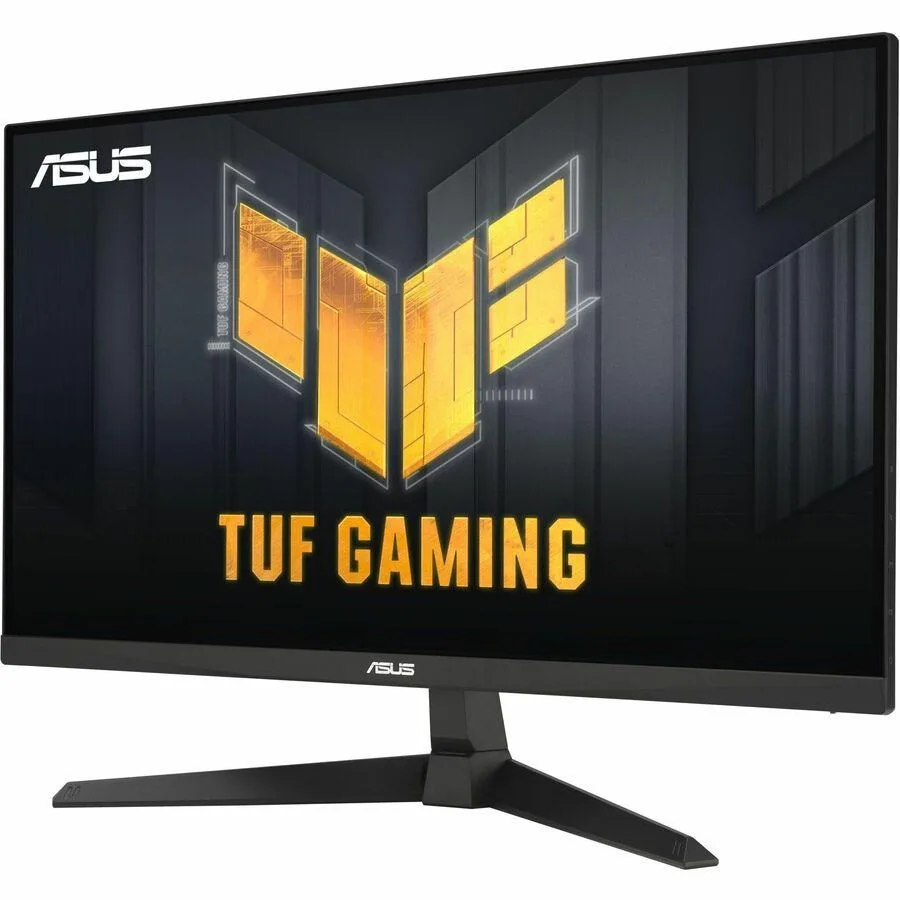
ASUS TUF Gaming VG249QE5A 24" 146Hz IPS gaming monitor
A 23.8-inch Full HD IPS gaming panel with 146Hz refresh rate, 1ms response time, ELMB Sync and 125% sRGB colour coverage
- Cabinet ColorBlack
- Screen Size24"
- Glare ScreenAnti-glare
- PanelIPS
- Display TypeFHD
- Adaptive Sync TechnologyAdaptive Sync
Size 23.8"
- 23.8"
- 27"
- Smooth 146Hz refresh rate keeps fast motion clear
- 1ms response time with ELMB Sync removes ghosting and tearing
- 125% sRGB and 90% DCI-P3 deliver vivid, accurate colour
- Shadow Boost reveals detail in dark scenes without washing out highlights
- Tilt stand and VESA 100mm mount fit any desk setup
24" 146Hz IPS Gaming Monitor
The ASUS TUF Gaming VG249QE5A is a 24-inch Full HD monitor built around an IPS panel with a 146Hz overclocked refresh rate. It targets competitive players who need fast motion handling and accurate colour on a standard desktop footprint.
Competitive gamers and colour-critical users
The 125% sRGB and 90% DCI-P3 coverage suits esports titles and creative work alike. Buyers who require higher resolution, HDR certification, or extensive ergonomic adjustments should consider other models.
Sustained load behaviour
Adaptive Sync and ELMB Sync operate together to suppress tearing and ghosting during long sessions. The 300 cd/m² brightness and 1,500:1 contrast remain stable, while the tilt-only stand and 2W speakers provide basic convenience without active cooling.
Punti di forza
- Smooth 146Hz refresh rate keeps fast motion clear
- 1ms response time with ELMB Sync removes ghosting and tearing
- 125% sRGB and 90% DCI-P3 deliver vivid, accurate colour
- Shadow Boost reveals detail in dark scenes without washing out highlights
- Tilt stand and VESA 100mm mount fit any desk setup
Caratteristiche tecniche
| Brand | ASUS |
|---|---|
| Series | TUF Gaming |
| Model | VG249QE5A |
| Part Number | VG249QE5A |
| Cabinet Color | Black |
| Screen Size | 24" |
| Glare Screen | Anti-glare |
| Panel | IPS |
| Display Type | FHD |
| Adaptive Sync Technology | Adaptive Sync |
| Resolution | 1920 x 1080 |
| Viewing Angle | 178° (H) / 178° (V) |
| Aspect Ratio | 16:9 |
| Brightness | 300 cd/m2 |
| Contrast Ratio | 1,500:1 |
| Response Time | 1 ms |
| Color Gamut | 125% sRGB, 90% DCI-P3 |
| Display Colors | 16.7 Million |
| Monitor Pixel Density | 0.311mm |
| Refresh Rate | 146Hz |
| HDR Standard | HDR Ready |
| Curved Surface Screen | Flat Panel |
| HDMI | 1 x HDMI 2.0 |
| DisplayPort | 1 x DisplayPort 1.2 |
| Video Ports | 1 x DisplayPort 1.2 / 1 x HDMI 2.0 |
| Headphone | 3.5mm earphone jack |
| Power Supply | 100 - 240 VAC, 50/60Hz |
| Stand Adjustments | Tilt |
| Built-in Speakers | 2 x 2W |
| Built-in Webcam | No |
| VESA Compatibility - Mountable | 100 x 100mm |
| Features | GameVisual Color Temp. Selection (4 modes) GamePlus HDCP Extreme Low Motion Blur ELMB Sync VRR Technology (Adaptive-Sync) Shadow Boost DisplayWidget, DisplayWidget Center Low Blue Light |
| Package Contents | HDMI cable |
| Peso di spedizione | 4.65 kg |
| Dimensioni del pacco | 597 × 401 × 165 mm |
Altre versioni di questo modello
altri 1 nella stessa gamma
Stessa famiglia, con memoria, dissipatore o frequenza diversi — confronti prima di decidere.

Domande su questo articolo
What cable do I need to run the 146 Hz refresh rate at 1080p?
Use the included HDMI 2.0 cable or a DisplayPort 1.2 cable; both ports support the full 1920 x 1080 resolution at 146 Hz.
Will my older graphics card with only HDMI 1.4 still show an image on this monitor?
Yes, the HDMI 2.0 port is backward compatible and will display 1920 x 1080 at up to 144 Hz with an HDMI 1.4 source.
How can I confirm ELMB Sync is actually reducing motion blur after I enable it?
Enable ELMB Sync in the OSD, then run a motion-blur test pattern; the moving lines should appear sharp without ghosting, and the on-screen indicator will show ELMB Sync active.
Anche in questo reparto
Anche i clienti hanno confrontato questi
Stesso reparto, stessa cassa — otto monete e un cambio bloccato per 30 minuti.


ASUS
ASUS VG249Q1RY 23.8" 165 Hz gaming monitor
- 24"
- FHD
151,99 USD219,99 USD−31%
0.00194105BTC
Disponibile
