DELL
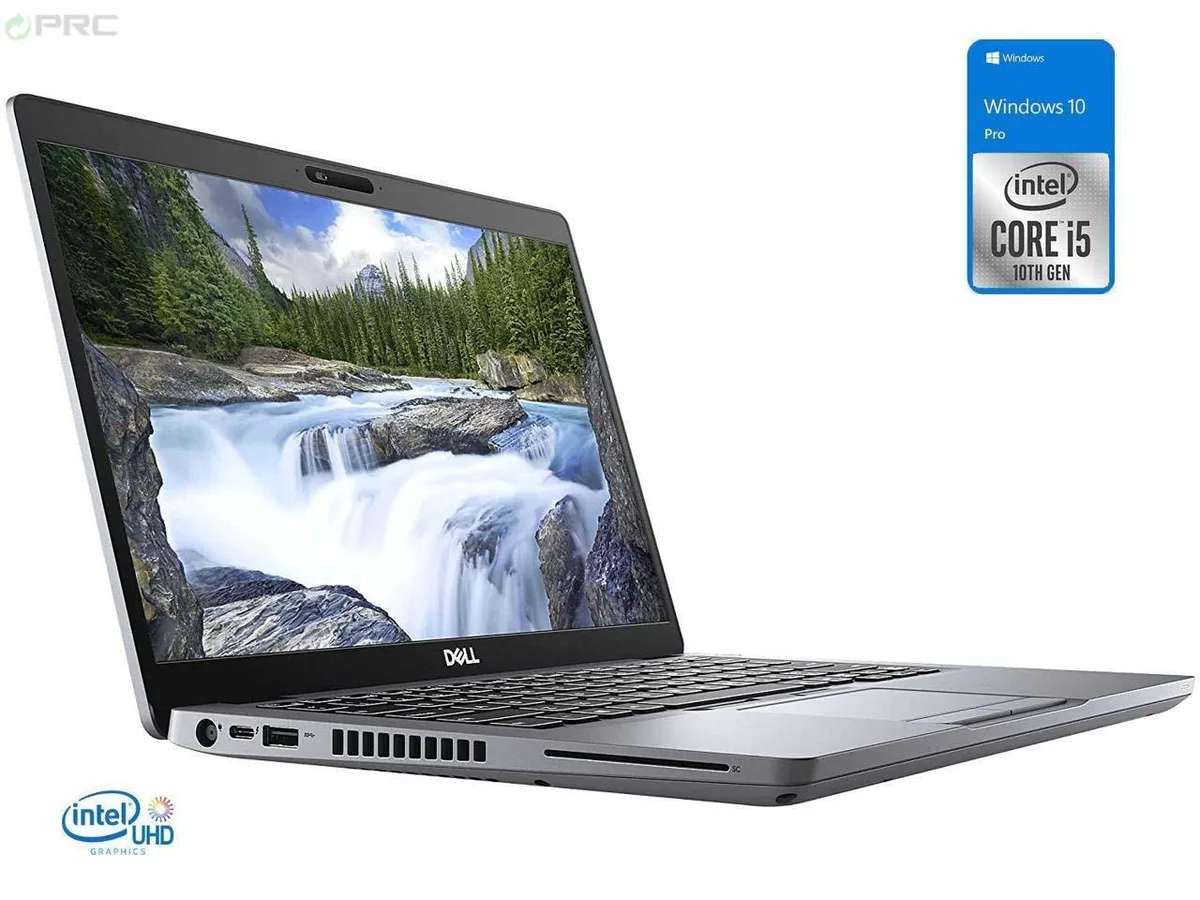
DELL Latitude 7390 13.3" FHD Touchscreen i5-8350U 16GB 128GB NVMe Windows 11 Pro
- Black
- Windows 11 Pro
190,99 USD
0.00247364BTC
DisponibileAccettiamo criptovalute — così le crypto che Lei possiede possono comprare hardware reale.Paghi in crypto, la spenda in hardware reale. Spedizione assicurata gratuita in tutto il mondo oltre i 399 $. Cartoni neutri, senza marchio, spediti dalla Germania.Spedizione assicurata gratuita oltre i 399 $. Il Suo tasso resta bloccato per 30 minuti dall’apertura del checkout.Tasso bloccato 30 minuti. Ogni articolo è sigillato, il numero di serie è verificato, ed è coperto da una garanzia di 24 mesi.Sigillato, garantito 24 mesi.


DELL
A 13.3" FHD touchscreen ultrabook with a quad-core i7-8650U, 32 GB DDR4 and a 128 GB NVMe SSD running Windows 10 Pro
Options 32GB/128GB W10P
This 13.3 inch Ultrabook ships new with Windows 10 Pro. It runs on an 8th Gen Intel Core i7-8650U quad-core processor with Intel UHD Graphics 620. The system includes 32GB DDR4 memory and a 128GB NVMe SSD. A Full HD touchscreen completes the specification.
The 32GB DDR4 configuration supports multitasking across many browser tabs and office applications. The 128GB NVMe drive holds the operating system and core programmes, but buyers who want more storage should consider an alternative model. Integrated graphics limit 3D workloads, so users needing discrete GPU performance should look elsewhere.
The 128GB NVMe SSD capacity is the single figure that determines whether this unit fits the workflow. It accommodates a lean software stack and cloud-centric files, yet it fills quickly with large local media or virtual machines. Confirm the storage budget before purchase.
| Brand | DELL |
|---|---|
| Series | Latitude |
| Model | DELL |
| Part Number | 7390 |
| Color | Black |
| Operating System | Windows 10 Pro |
| CPU Type | Intel Core i7 8th Gen |
| Processor Name | Intel Core i7-8650U |
| Number of Cores | Quad-core Processor |
| Screen Size | 13.3" |
| Touchscreen | Touch Screen |
| Display Type | FHD |
| Resolution | 1920 x 1080 |
| GPU/VPU | Intel UHD Graphics 620 |
| Graphic Type | Integrated Card |
| SSD | 128GB |
| HDD | No |
| Storage Spec | M.2 128 GB NVMe SSD |
| Memory | 32GB |
| Memory Speed | DDR4 |
| Memory Spec | 16 GB x 2 |
| Memory Slot (Total) | 2 |
| Memory Slot (Available) | 0 |
| Max Memory Supported | 32 GB |
| Optical Drive Type | No |
| LAN | 10/100/1000Mbps |
| WLAN | 802.11ac Wireless LAN |
| WiFi Generation | Wi-Fi 4 and earlier generation |
| Bluetooth | Yes |
| USB | USB 3.1 Gen 1, USB 3.1 Gen 1 (PowerShare), USB-C 3.1 Gen 1/DisplayPort |
| Video Port | 1 x HDMI |
| HDMI | 1 x HDMI |
| Ethernet | 1 x RJ-45 (1Gbps) |
| Audio Ports | Yes |
| Touchpad | Yes |
| Keyboard | Standard |
| Webcam | Yes |
| Style | Ultrabook |
| Type | Mainstream |
| Usage | Business |
| AC Adapter/Charger | 65-watt AC Adapter |
| Dimensions (W x D x H) | 12 x 8.3 x 0.7 |
| Weight | < 4lbs |
| Software Included | NONE |
Altre versioni di questo modello
Stessa famiglia, con memoria, dissipatore o frequenza diversi — confronti prima di decidere.
The system uses DDR4 SODIMM modules; the installed 32 GB fills both slots, so any upgrade means replacing the existing pair with higher-capacity DDR4 sticks.
Yes, the USB-C port supports DisplayPort alternate mode, so you can run an external monitor at the same time as the internal FHD panel.
Open Task Manager, go to the Performance tab, select the 128 GB drive and verify the interface shows PCIe and the active link speed reads Gen 3 x4.
Anche in questo reparto
Stesso reparto, stessa cassa — otto monete e un cambio bloccato per 30 minuti.
Cosa invia per pagare, e in quale valuta legge i prezzi.
Inviato dal Suo portafoglio alla cassa
Solo a titolo indicativo — il catalogo è espresso in dollari
Nessuna valuta corrisponde.
Scelga la lingua in cui il sito Le parla.
Nessuna lingua corrisponde.
Prima visita?
Ne ha già uno?
Non esiste un ripristino automatico: questo negozio non invia e-mail, quindi non esiste alcun link monouso da richiedere. Lasci l’indirizzo sull’account: verrà gestito manualmente.
Richiesta registrata
Non arriverà nulla nella Sua casella di posta — questo negozio non invia e-mail. Qualcuno se ne occupa manualmente.
L’ha ritrovata?