
DELL
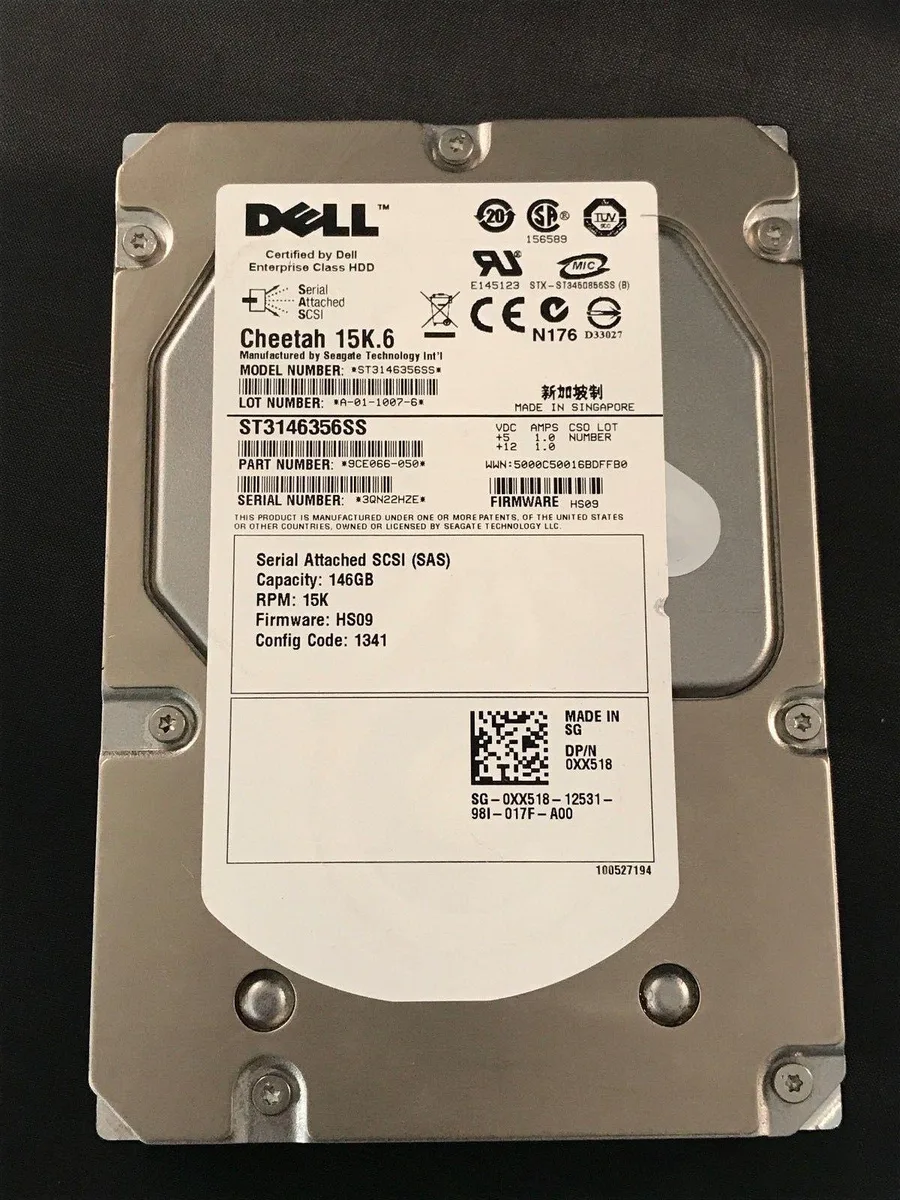
DELL ST3146356SS 146GB 3.5" SAS 15K internal hard drive
A 146 GB 3.5-inch SAS hard drive spinning at 15 K RPM for high-performance server storage
- 15 000 RPM spindle speed for fast data access
- 146 GB capacity stores operating system and core applications
- SAS 3 Gb/s interface delivers reliable enterprise connectivity
- 5-inch form factor fits standard desktop drive bays
- New condition ensures full manufacturer-rated lifespan
Purpose-built enterprise drive
The Dell ST3146356SS is a 146GB 3.5-inch SAS hard drive spinning at 15K RPM. It is designed for servers and storage arrays that require high transaction rates in a compact capacity point. The 3Gb/s SAS interface provides dual-port connectivity for path redundancy in mission-critical environments.
Fit for purpose
This drive suits administrators replacing a failed unit in an existing 3Gb/s SAS backplane or populating a legacy Dell PowerEdge or PowerVault chassis where 146GB 15K spindles are qualified. It is not for buyers who need larger capacities, 6Gb/s or 12Gb/s SAS throughput, or SATA-only controllers.
Deciding specification
The 3Gb/s SAS interface is the single specification that decides compatibility; the drive will only operate at its rated speed on a controller or backplane that supports 3Gb/s SAS signalling.
Punti di forza
- 15 000 RPM spindle speed for fast data access
- 146 GB capacity stores operating system and core applications
- SAS 3 Gb/s interface delivers reliable enterprise connectivity
- 5-inch form factor fits standard desktop drive bays
- New condition ensures full manufacturer-rated lifespan
Caratteristiche tecniche
Nessuna caratteristica ancora pubblicata per questo articolo.
Domande su questo articolo
What throughput does the 3 Gb/s SAS interface provide for this 15K drive?
The 3 Gb/s SAS link sets the maximum interface speed; actual sustained rates depend on the drive's 15 000 RPM mechanics and system workload.
Will this 3.5-inch SAS drive fit a standard desktop drive bay?
The 3.5-inch form factor matches common desktop bays; verify your chassis accepts SAS drives and has the correct power and data connectors.
How is the drive installed and what step is often missed?
Mount the drive in a 3.5-inch bay, attach both SAS data and power cables, then ensure the controller BIOS or OS recognises the new LUN before use.
Anche in questo reparto
Anche i clienti hanno confrontato questi
Stesso reparto, stessa cassa — otto monete e un cambio bloccato per 30 minuti.




