

EVESKY
EVESKY MW4500 Wireless Vertical Ergonomic Mouse 1200 DPI 6 Buttons
157,99 USD
0.00196811BTC
DisponibileAccettiamo criptovalute — così le crypto che Lei possiede possono comprare hardware reale.Paghi in crypto, la spenda in hardware reale. Spedizione assicurata gratuita in tutto il mondo oltre i 399 $. Cartoni neutri, senza marchio, spediti dalla Germania.Spedizione assicurata gratuita oltre i 399 $. Il Suo tasso resta bloccato per 30 minuti dall’apertura del checkout.Tasso bloccato 30 minuti. Ogni articolo è sigillato, il numero di serie è verificato, ed è coperto da una garanzia di 24 mesi.Sigillato, garantito 24 mesi.


HP
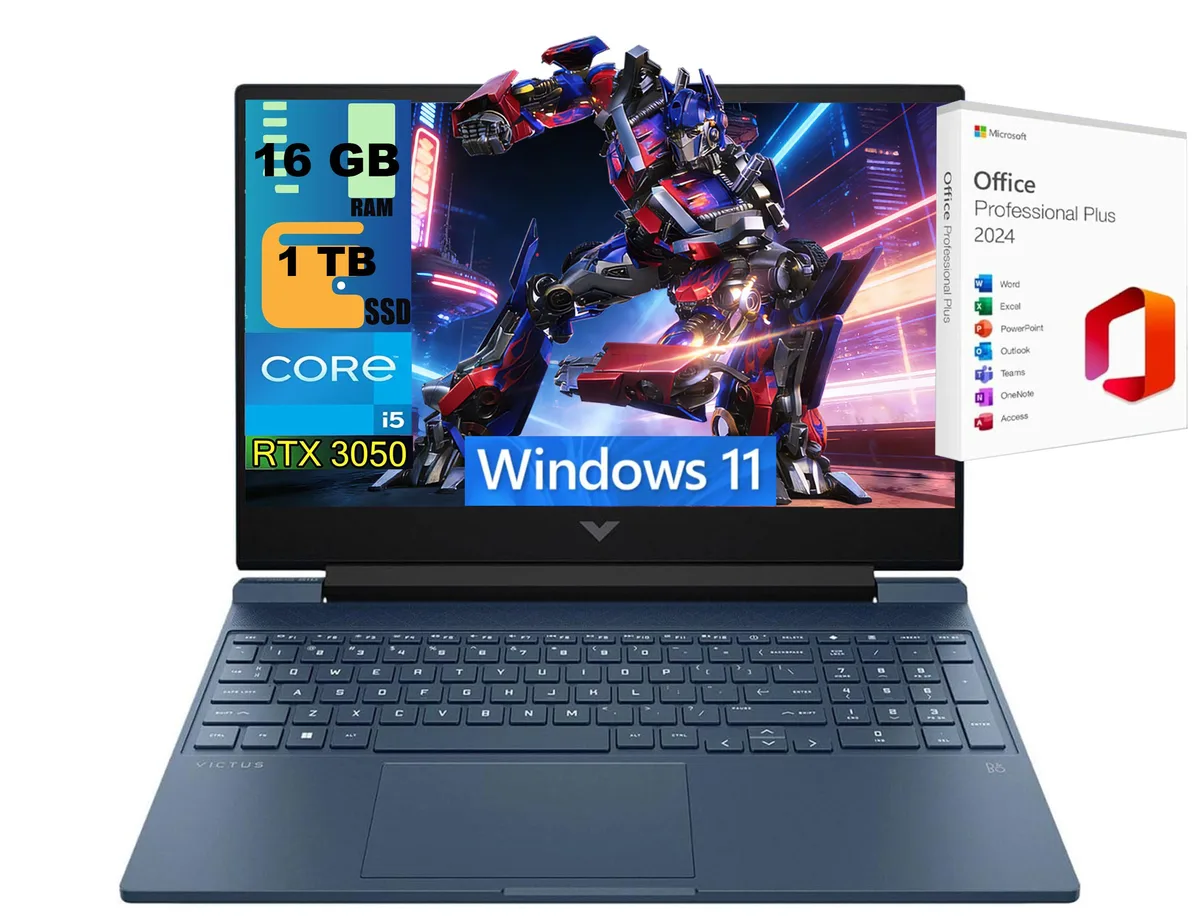
15.6-inch 144Hz FHD gaming laptop with Intel Core i5-12450H 8-core processor, RTX 3050 4GB GDDR6 graphics, 16GB DDR4 memory and 1TB PCIe SSD
This HP Victus 15 Raider Blue gaming laptop pairs an Intel Core i5-12450H 8-core processor with an NVIDIA GeForce RTX 3050 4GB GDDR6 GPU. A 15.6 inch 144Hz FHD anti-glare display, 16GB DDR4 memory and a 1TB PCIe SSD complete the Windows 11 Home system.
Buyers who want smooth 1080p gameplay on a 144Hz panel and a blue chassis under 5.1 pounds will fit this configuration. Users who require more than 4GB video memory for heavy creative workloads or higher-resolution gaming should consider alternatives.
The GeForce RTX 3050 laptop GPU with 4GB GDDR6 sets the practical ceiling for texture-heavy titles at 1920 x 1080 resolution. If your preferred games or applications demand a larger frame buffer, this specification makes the unit unsuitable.
| Series | Raider |
|---|---|
| Model | Victus 15 |
| Color | Blue |
| CPU Type | Intel Core i5 12th Gen |
| Processor Name | 1.50GHz |
| Number of Cores | 8-core Processor |
| Turbo Frequency | 4.4 GHz |
| Screen Size | 15.6" |
| Touchscreen | Non-Touch Screen |
| Display Type | FHD |
| Resolution | 1920 x 1080 |
| Operating System | Windows 11 Home |
| GPU/VPU | GeForce RTX 3050 Laptop GPU |
| Video Memory | 4GB |
| SSD | 1TB PCIe SSD |
| HDD | No |
| Memory | 16GB |
| Optical Drive Type | No |
| WLAN | Yes |
| Bluetooth | Yes |
| USB | 2 |
| HDMI | 1 x HDMI |
| Audio Ports | 1 x Headphone/Microphone Combo Jack |
| Audio | Integrated Sound card |
| Speaker | Internal Speakers |
| Touchpad | Yes |
| Keyboard | Yes |
| Backlit Keyboard | Backlit |
| Webcam | Yes |
| Style | Standard |
| Type | Gaming |
| Usage | Consumer |
| Package Content | Laptop, Charger |
| Weight | 5 - 5.9 lbs. |
The laptop measures 14.09 x 10.04 x 0.93 inches and weighs 5.06 pounds, so check your bag or sleeve against those figures.
Create a bootable USB installer from Microsoft, boot from it, and select the 1TB PCIe SSD as the target; the product key is stored in firmware and will activate automatically.
Upgrade the DDR4 memory if multitasking becomes sluggish, and replace the PCIe SSD if health monitoring tools report wear or if you need more than 1TB of fast storage.
Anche in questo reparto
Stesso reparto, stessa cassa — otto monete e un cambio bloccato per 30 minuti.
Cosa invia per pagare, e in quale valuta legge i prezzi.
Inviato dal Suo portafoglio alla cassa
Solo a titolo indicativo — il catalogo è espresso in dollari
Nessuna valuta corrisponde.
Scelga la lingua in cui il sito Le parla.
Prima visita?
Ne ha già uno?
Non esiste un ripristino automatico: questo negozio non invia e-mail, quindi non esiste alcun link monouso da richiedere. Lasci l’indirizzo sull’account: verrà gestito manualmente.
Richiesta registrata
Non arriverà nulla nella Sua casella di posta — questo negozio non invia e-mail. Qualcuno se ne occupa manualmente.
L’ha ritrovata?


