Intel
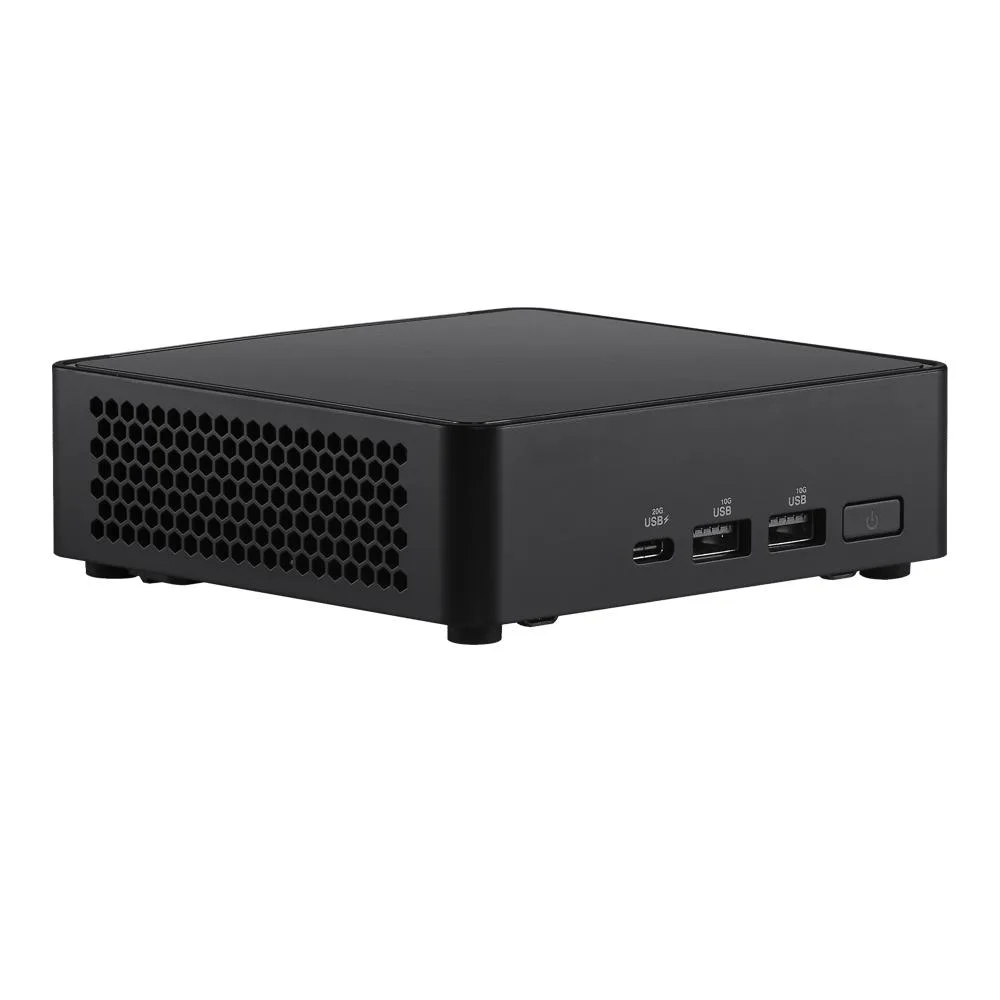
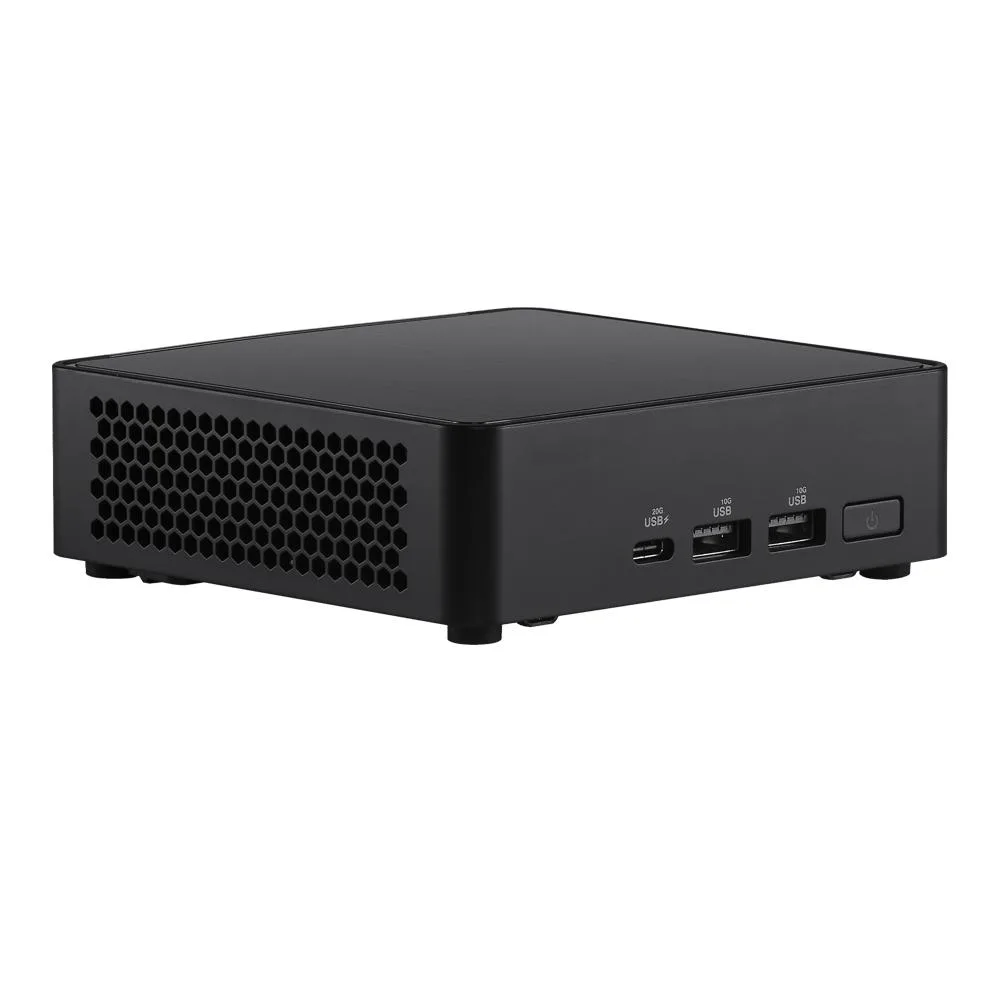
Intel NUC14RVKU7 barebone mini PC Core Ultra 7 155H 32GB DDR5 1TB NVMe
- Black
- Slim
1.268,99 USD
0.01582104BTC
DisponibileAccettiamo criptovalute — così le crypto che Lei possiede possono comprare hardware reale.Paghi in crypto, la spenda in hardware reale. Spedizione assicurata gratuita in tutto il mondo oltre i 399 $. Cartoni neutri, senza marchio, spediti dalla Germania.Spedizione assicurata gratuita oltre i 399 $. Il Suo tasso resta bloccato per 30 minuti dall’apertura del checkout.Tasso bloccato 30 minuti. Ogni articolo è sigillato, il numero di serie è verificato, ed è coperto da una garanzia di 24 mesi.Sigillato, garantito 24 mesi.


Intel
A barebone mini PC with an Intel Core Ultra 7 155H processor, DDR5 memory support up to 96 GB, 2.5 GbE LAN, Wi-Fi 6E, Bluetooth 5.3 and Thunderbolt 4 ports
Group 64gb ram / 4tb ssd
The Intel NUC14RVKU7 is a barebone mini PC built around the Core Ultra 7 155H processor with 16 cores and 22 threads. Integrated Arc graphics and a dedicated NPU handle AI-enhanced video conferencing and light creative workloads. It targets system integrators and enthusiasts who want to choose their own DDR5 memory and NVMe storage. Buyers needing a complete out-of-the-box unit should look elsewhere.
The slim black enclosure measures 117 x 112 x 37 mm and includes VESA mounting hardware for attachment behind a display. Two SO-DIMM slots accept up to 96 GB of DDR5-5600 memory in dual-channel mode. Storage expansion uses one M.2 2280 PCIe Gen4 x4 slot and one M.2 2242 PCIe x4 slot. A 120 W 19 V adapter supplies power through a DC jack that also accepts 12–20 V input.
Dual HDMI 2.1 ports and two Thunderbolt 4 Type-C connectors drive up to four displays. Rear USB includes one 20 Gbps Type-C, three 10 Gbps Type-A and one USB 2.0 Type-A port. Wired networking uses a single 2.5 GbE RJ45 jack while wireless relies on Wi-Fi 6E AX211 and Bluetooth 5.3. Verify that your chosen operating system supports the NPU and wireless features before ordering.
| Brand | Intel |
|---|---|
| Series | NUC (Next Unit of Computing) |
| Model | NUC14RVKU7 |
| Color | Black |
| Form Factor | Slim |
| CPU Type | Intel Core Ultra 7 |
| Memory installed | No Memory |
| Memory Type Supported | DDR5 5600 |
| Max Memory Supported | 96GB |
| Dual Channel Memory Supported | Yes |
| Storage Installed | No Hard Drive |
| LAN | Intel i226-LM |
| Max LAN Speed | 2.5Gbps |
| Bluetooth | Bluetooth 5.3 |
| HDMI | 2 |
| Rear USB | 4 |
| RJ45 | 1 |
Altre versioni di questo modello
Stessa famiglia, con memoria, dissipatore o frequenza diversi — confronti prima di decidere.
The Intel i226-LM controller negotiates up to 2.5 Gbps, so sustained file transfers typically peak around 2500 Mbps when the switch and cabling support that speed.
VESA mounting hardware is supplied, letting you attach the slim chassis to the back of a compatible monitor or bracket.
Remove the bottom panel, insert both DDR5 5600 modules until they click, then reinstall the panel before powering on — skipping the second module leaves the system in single-channel mode.
Anche in questo reparto
Stesso reparto, stessa cassa — otto monete e un cambio bloccato per 30 minuti.
Cosa invia per pagare, e in quale valuta legge i prezzi.
Inviato dal Suo portafoglio alla cassa
Solo a titolo indicativo — il catalogo è espresso in dollari
Nessuna valuta corrisponde.
Scelga la lingua in cui il sito Le parla.
Prima visita?
Ne ha già uno?
Non esiste un ripristino automatico: questo negozio non invia e-mail, quindi non esiste alcun link monouso da richiedere. Lasci l’indirizzo sull’account: verrà gestito manualmente.
Richiesta registrata
Non arriverà nulla nella Sua casella di posta — questo negozio non invia e-mail. Qualcuno se ne occupa manualmente.
L’ha ritrovata?