

Elo Touch Solutions
Elo Touch Solutions 1991L 19" Open-Frame Touchscreen Monitor
- 19"
615,99 $650,99 $−5%
0.00758263BTC
KrājumāMēs pieņemam kriptovalūtu — lai tā, kas Jums pieder, varētu nopirkt īstu aparatūru.Maksājiet kriptovalūtā, iztērējiet to īstai aparatūrai. Bezmaksas apdrošināta piegāde visā pasaulē virs 399 $. Vienkāršas, nemarķētas kastes, sūtītas no Vācijas.Bezmaksas apdrošināta piegāde virs 399 $. Jūsu kurss tiek fiksēts uz 30 minūtēm, tiklīdz atveras kase.Kurss fiksēts uz 30 minūtēm. Katra prece ir aizzīmogota, tās sērijas numurs ir pārbaudīts, un uz to attiecas 24 mēnešu garantija.Aizzīmogots, 24 mēnešu garantija.


WaveShare
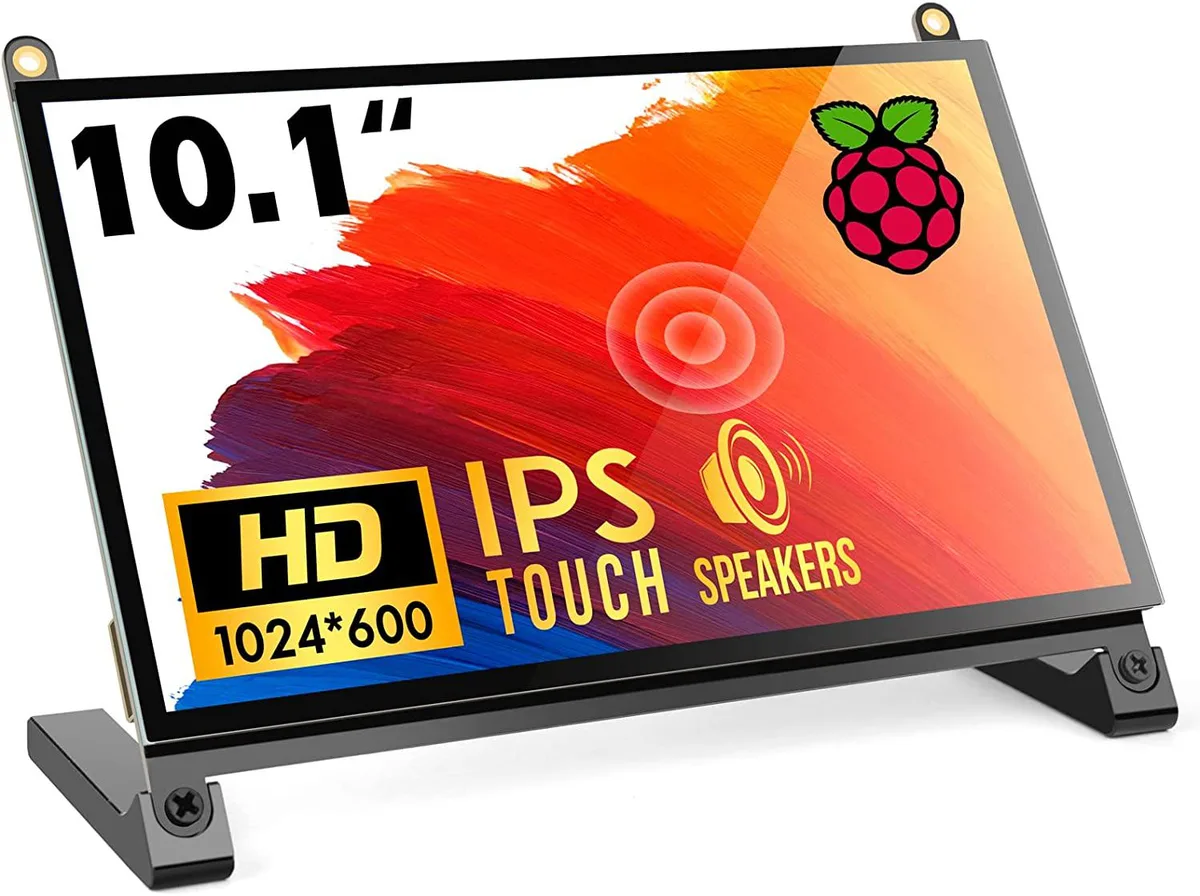
A 10.1 inch portable touchscreen monitor with 1024×600 IPS panel, 178° viewing angle and plug-and-play HDMI connectivity
The WaveShare 10.1 inch portable monitor combines a 1024×600 IPS panel with a 178° viewing angle and five-point capacitive touch. It targets Raspberry Pi enthusiasts, embedded developers and anyone needing a compact secondary display that works driver-free across Windows, Linux and macOS. The screen accepts HDMI video input and draws power over USB.
Native resolution is 1024×600, though the scaler accepts signals up to 1920×1080; images above the native grid are down-sampled, so fine text may lose sharpness. The HDMI port carries video only, while touch data and backlight power travel over a separate USB link, meaning two cables are always required. The panel tops out at 60 Hz and offers no adaptive-sync or HDR capability.
No driver installation is needed on supported operating systems; the monitor enumerates as a standard HID touch device and an external display. The most frequent issue is forgetting to peel both protective films, which degrades clarity and touch responsiveness. Insufficient USB current from a weak port can cause flicker or touch drop-outs, so a powered hub or adequate supply is advised.
| CPU Type | Other |
|---|
The panel is a native 1024×600 IPS display; it can accept a 1920×1080 signal and downscale it, but the on-screen detail remains limited to 1024×600 pixels.
Colours and contrast stay consistent whether you look straight on or from far off-centre, so the picture does not wash out when you shift position.
The single HDMI port carries both video and touch data, so any device with HDMI output — Raspberry Pi 4, 3, 2, 1, 3B+, 400, laptops, game consoles — can drive the screen without extra cables or drivers.
Arī šajā sadaļā
Tas pats plaukts, tā pati kase — astoņas kriptovalūtas un kursa fiksēšana uz 30 minūtēm.
Kriptovalūta, kurā maksājat, un valūta, kurā redzat cenas.
Nosūtīts no Jūsu maciņa, noformējot pasūtījumu
Tikai informatīvi — katalogā cenas norādītas ASV dolāros
Neviena valūta neatbilst.
Izvēlieties valodu, kurā vietne sarunājas ar Jums.
Neviena valoda neatbilst.
Pirmo reizi šeit?
Jau ir konts?
Automātiskas atiestatīšanas nav: šis veikals nesūta e-pastus, tāpēc nav arī vienreizējas saites, ko pieprasīt. Atstājiet adresi kontā, un tā tiks apstrādāta manuāli.
Pieprasījums saņemts
Uz Jūsu e-pastu nekas neatnāks — šis veikals vispār nesūta e-pastus. Kāds šos pieprasījumus apstrādā manuāli.
Atcerējāties?



