

Thermalright
Thermalright MC-2 ARGB Memory Cooler White 3200 RPM
- Fan & Heatsinks
- DDR/DDR2/DDR3/DDR4/…
US$ 22,99
0.0002868BTC
Op voorraadWij accepteren cryptovaluta — zo kunnen de munten die u bezit echte hardware kopen.Betaal in crypto, besteed het aan echte hardware. Gratis verzekerde verzending wereldwijd vanaf $399. Neutrale dozen zonder merk, verzonden vanuit Duitsland.Gratis verzekerde verzending vanaf $399. Uw koers wordt 30 minuten vastgezet zodra het afrekenen begint.Koers 30 minuten vastgezet. Elk artikel is verzegeld, het serienummer wordt gecontroleerd, en het valt onder 24 maanden garantie.Verzegeld, 24 maanden garantie.

Fans
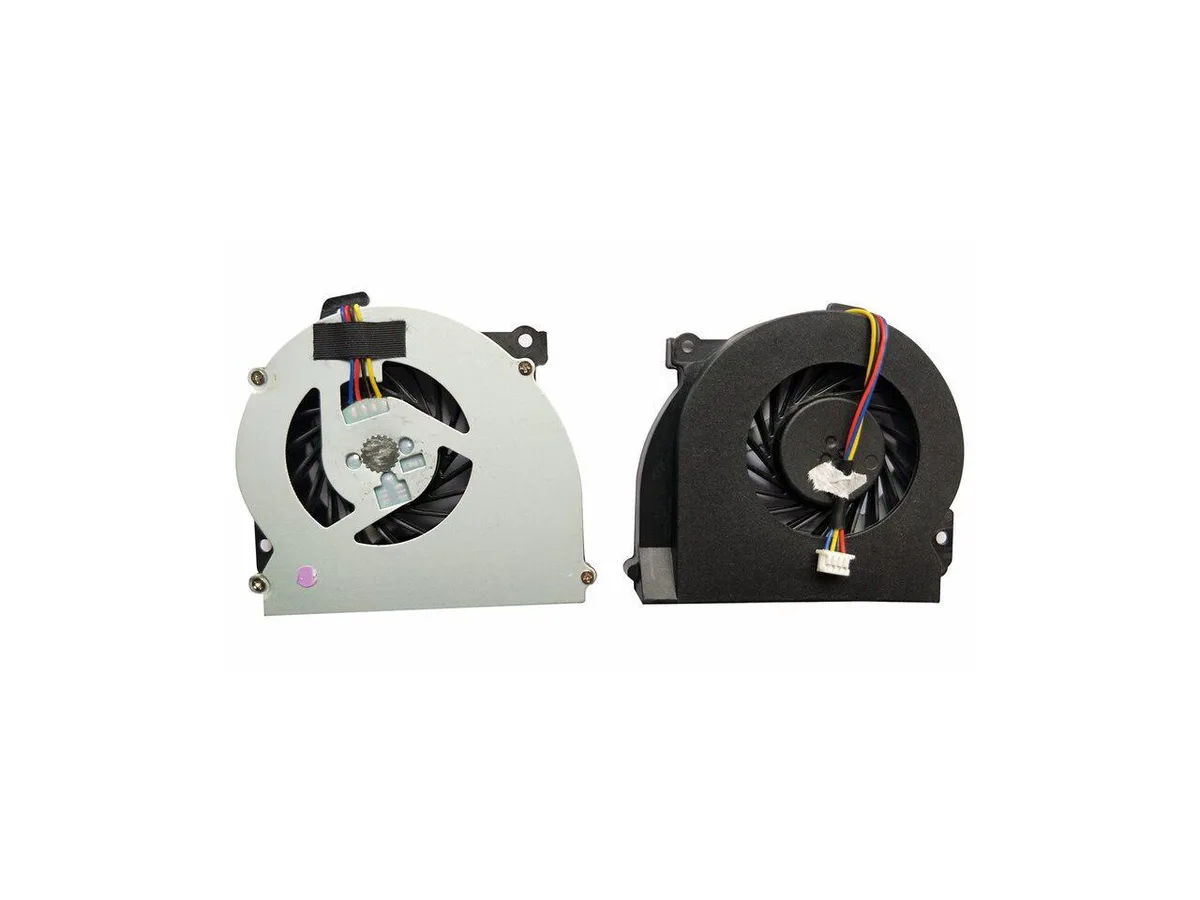
Replacement CPU cooling fan for HP EliteBook 2560 and 2570 series laptops, part number 651378-001
This new CPU cooling fan is built for the HP EliteBook 2560, 2560P, 2570 and 2570p series. It matches the original 651378-001 part number so the notebook runs at the thermal level the manufacturer intended. Install it when the stock cooler fails or becomes noisy.
The swap is worth it when the existing fan spins loudly, overheats the chassis or stops entirely. It restores the factory cooling profile without changing the form factor. Buyers who need a higher airflow design or a different mounting layout should look elsewhere.
Voor dit artikel zijn nog geen specificaties gepubliceerd.
Yes, it is designed for the EliteBook 2560 and 2560p series.
Remove the old cooler, clean the CPU surface, apply fresh thermal paste, then secure the new fan and reconnect its cable.
Ook in deze afdeling
Dezelfde afdeling, dezelfde kassa — acht munten en een koers die 30 minuten vaststaat.
Waarmee u betaalt, en waarin u de prijzen leest.
Verzonden vanuit uw wallet bij het afrekenen
Alleen ter weergave — de catalogus is geprijsd in USD
Geen valuta gevonden.
Kies de taal waarin de site met u spreekt.
Nieuw hier?
Al een account?
Er is geen automatisch herstel: deze winkel verstuurt geen e-mail, dus er is geen eenmalige link om aan te vragen. Laat het adres op het account achter en het wordt handmatig opgepakt.
Verzoek genoteerd
Er is niets onderweg naar uw inbox — deze winkel verstuurt helemaal geen e-mail. Iemand pakt dit handmatig op.
Weet u het weer?


