


Lenovo
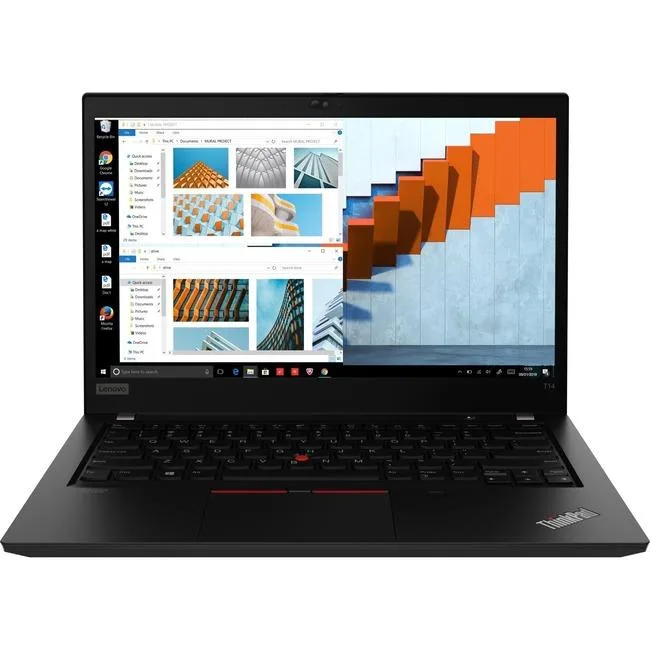
Lenovo ThinkPad T14 20W0008XUS 14" Touchscreen i7-1185G7 16GB 512GB laptop
14-inch touchscreen laptop with Intel Core i7-1185G7 processor, 16GB memory and 512GB SSD storage
- CPU TypeIntel Core i7
- Screen SizeNo
- TouchscreenTouch Screen
- SSD512GB
- HDDNo
- TypeEveryday Value
- 14-inch touchscreen for direct interaction
- Intel Core i7-1185G7 processor for strong performance
- 16 GB memory supports multitasking
- 512 GB SSD provides fast storage
- Thunderbolt ports enable versatile connectivity
ThinkPad T14 for mobile professionals
The Lenovo ThinkPad T14 20W0008XUS is a 14-inch touchscreen laptop built for everyday productivity. It runs on an Intel Core i7-1185G7 processor with 16GB of memory and a 512GB SSD. The device is new and carries the durability heritage of the T Series.
Upgrade from older ultraportables
This model replaces ageing systems that lack modern connectivity and sufficient multi-tasking memory. The jump is worth it when you need Thunderbolt ports for fast peripherals and a responsive touchscreen for direct interaction. The 16GB configuration handles heavier workloads than 8GB alternatives.
Suits office and field workflows
It suits professionals who value proven reliability and a balance of screen size and portability. Buyers who want more storage than 512GB or require a dedicated graphics chip should look at something else. The integrated graphics limit intensive 3D or video rendering tasks.
Pluspunten
- 14-inch touchscreen for direct interaction
- Intel Core i7-1185G7 processor for strong performance
- 16 GB memory supports multitasking
- 512 GB SSD provides fast storage
- Thunderbolt ports enable versatile connectivity
Specificaties
| CPU Type | Intel Core i7 |
|---|---|
| Screen Size | No |
| Touchscreen | Touch Screen |
| SSD | 512GB |
| HDD | No |
| Type | Everyday Value |
| Verzendgewicht | 1.53 kg |
| Pakketafmetingen | 445 × 305 × 79 mm |
Vragen over dit artikel
What screen size does the 14-inch touchscreen panel require for a replacement bezel?
The display measures 14 inches diagonally, so any replacement bezel or screen protector must match that exact diagonal.
Which port do I use first when docking the i7-1185G7 model to an external monitor?
Connect the monitor to the Thunderbolt port using a compatible cable; this single port carries video, data and power for the dock.
When will the 512 GB SSD need to be replaced under typical workloads?
A 512 GB solid-state drive in this class of laptop typically lasts several years before wear-leveling reserves are exhausted.
Ook in deze afdeling
Klanten vergeleken ook
Dezelfde afdeling, dezelfde kassa — acht munten en een koers die 30 minuten vaststaat.


Microsoft
Microsoft Surface 3 1657 128GB CRB 2-in-1 laptop
- Silver
- Windows 10 Pro
US$ 244,99
0.00317476BTC
Op voorraad
Microsoft
Microsoft Surface Pro FGG-2D-00001-RFB 2-in-1 laptop 16 GB 512 GB 12.0" touchscreen 2736 x 1824 refurbished
- 12.0"
- Touch Screen
US$ 687,99
0.00891548BTC
Op voorraad
Lenovo
Lenovo Chromebook 500e Gen 5 M89 83TA0004US 12.2" MediaTek 8GB 64GB
- 12.2"
US$ 392,99US$ 420,99−7%
0.00509265BTC
Op voorraad