

SAMSUNG
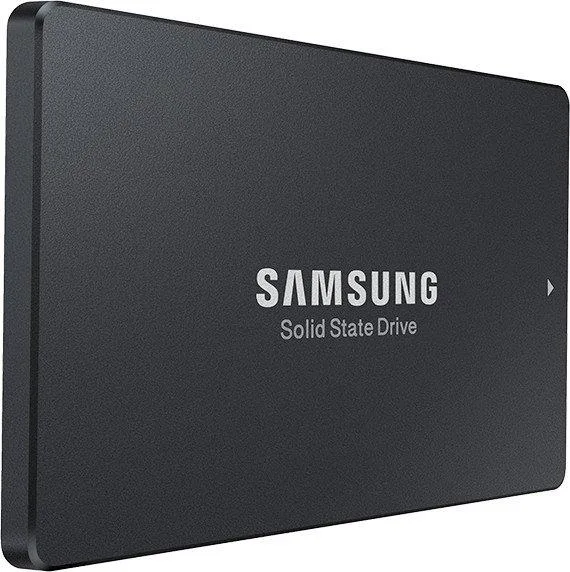
SAMSUNG MZ7L3960HBLT-00A07 960 GB enterprise SSD
A 2.5" SATA enterprise SSD with 960 GB capacity for reliable internal storage
- 960 GB capacity stores large datasets and documents
- SATA 6Gb/s interface enables straightforward server integration
- 5" form factor fits standard drive bays
- Power-efficient operation supports reliable enterprise workloads
- Internal drive design simplifies storage deployment
Samsung PM897 enterprise SSD
This 960 GB SATA drive is built for servers and storage arrays that need consistent endurance and power efficiency. It fits 2.5 inch bays and uses the 6 Gb/s SATA interface for broad platform compatibility. The design targets mixed read and write workloads in always-on environments.
Who should choose this drive
It suits administrators upgrading or expanding SATA-based arrays where 960 GB capacity matches the volume requirement. It is not for systems that lack a 2.5 inch SATA bay or that require a different physical interface. Buyers needing higher capacities or alternative form factors should evaluate other options.
Deciding specification — 960 GB capacity
The 960 GB capacity is the primary figure that determines whether this drive meets the storage budget for the target workload. Confirm the required usable space and the available 2.5 inch SATA slots before purchase.
Pluspunten
- 960 GB capacity stores large datasets and documents
- SATA 6Gb/s interface enables straightforward server integration
- 5" form factor fits standard drive bays
- Power-efficient operation supports reliable enterprise workloads
- Internal drive design simplifies storage deployment
Specificaties
Voor dit artikel zijn nog geen specificaties gepubliceerd.
Vragen over dit artikel
Will this 2.5" SATA SSD fit in a standard 2.5" drive bay or hot-swap tray?
Yes, the 2.5" form factor matches standard 2.5" drive bays and hot-swap trays used in servers and storage arrays.
Is any special tool or bracket needed to install this SATA SSD in a server?
No special tool is required; the drive connects directly via its SATA 6Gb/s interface, but the common mistake is forgetting to secure it with the tray screws after insertion.
How do I know when this enterprise SSD should be replaced?
Monitor the SMART wear-level indicator; when it approaches the rated endurance limit the drive should be swapped to avoid data loss.
Ook in deze afdeling
Klanten vergeleken ook
Dezelfde afdeling, dezelfde kassa — acht munten en een koers die 30 minuten vaststaat.




