

ASUS
ASUS CR1104FTA-YZ84T Chromebook 11.6" Touch N150 8GB 64GB Mineral Gray
- 11.6"
414,99 USD
0.00526992BTC
În stocAcceptăm criptomonede — astfel, criptomonedele pe care le dețineți pot cumpăra echipamente reale.Plătiți în cripto, cheltuiți-o pe echipamente reale. Livrare asigurată gratuită oriunde în lume peste 399 $. Cartoane neutre, fără marcă, expediate din Germania.Livrare asigurată gratuită peste 399 $. Cursul dumneavoastră este blocat timp de 30 de minute de la deschiderea paginii de plată.Curs blocat 30 de minute. Fiecare articol este sigilat, numărul de serie este verificat, iar produsul este acoperit de o garanție de 24 de luni.Sigilat, garantat 24 de luni.


HP
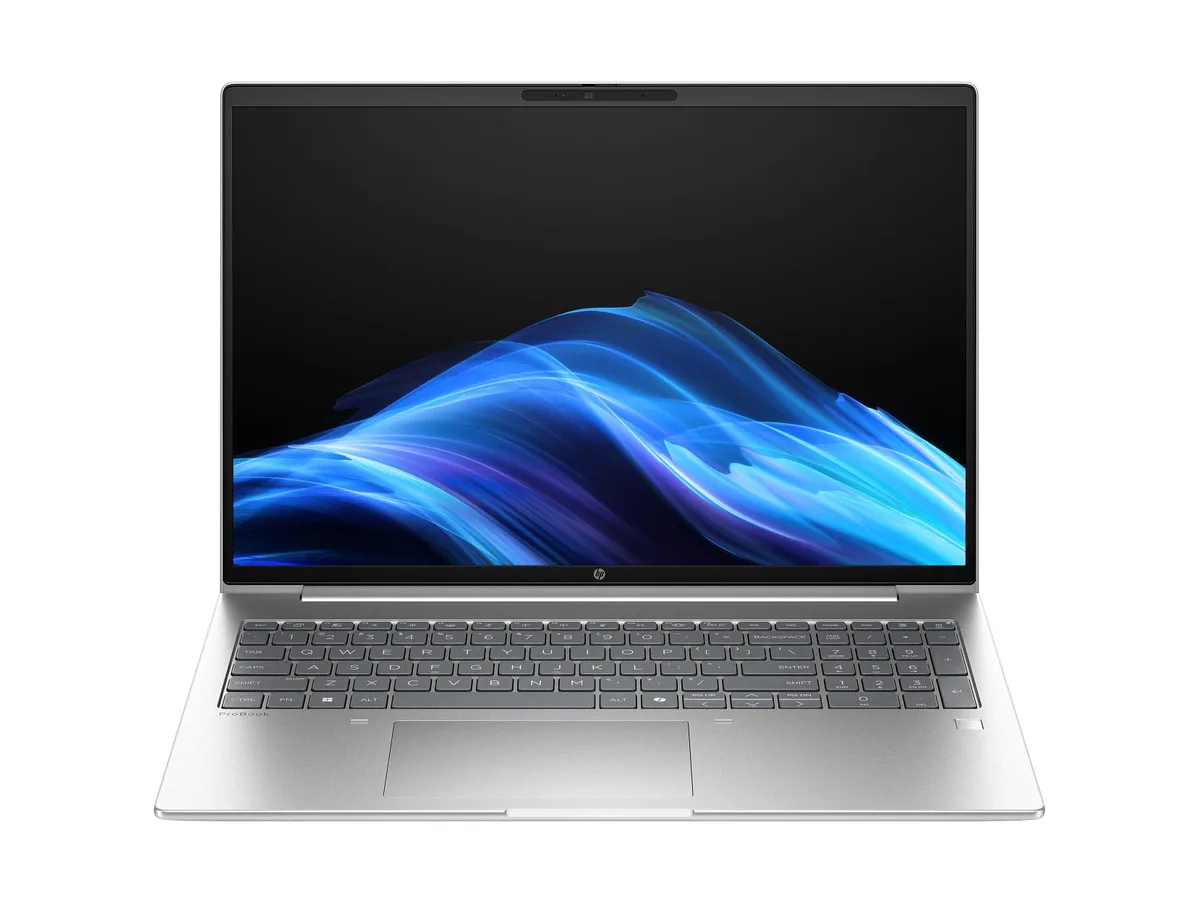
A 16-inch WUXGA touch laptop with an AMD Ryzen 7 250 processor, 24 GB DDR5 memory, and a 1 TB drive running Windows 11 Pro
The HP ProBook 4 G1a is a 16-inch business laptop built around an AMD Ryzen 7 250 processor with 8 cores and a 5.1 GHz boost clock. It ships with Windows 11 Pro, 24 GB of DDR5-5600 memory in a single module, and a 1 TB solid-state drive. Integrated AMD Radeon 780M graphics drive the 1920 x 1200 WUXGA touchscreen, which offers an anti-glare IPS surface rated at 300 nits and 62.5% sRGB coverage. A 5 MP IR webcam and Poly Studio audio with dual speakers and dual microphones support video conferencing.
This configuration suits professionals who need a responsive touchscreen for annotation, presentations, or touch-based workflows in a 16:10 format. The single memory module leaves one slot free for future expansion, and the 56 Whr battery targets all-day mobility. Buyers who require dedicated graphics performance for 3D rendering, video editing, or gaming should look at systems with discrete GPUs. Users needing factory-calibrated wide-gamut colour for creative work will find the 62.5% sRGB panel limiting.
The defining specification is the 16-inch WUXGA touch panel with IPS, anti-glare coating, and 300-nit brightness. If a touchscreen is essential for your daily tasks — signing documents, sketching, or navigating touch-optimised apps — this display delivers that capability in a business chassis. If you never use touch input, a non-touch model with the same processor and memory will offer a similar experience at potentially lower cost or weight.
| Brand | HP |
|---|---|
| Part Number | D6DS5UA#ABA |
| Color | Silver |
| Operating System | Windows 11 Pro |
| CPU Type | AMD Ryzen 7 |
| Screen Size | 16.0" |
| GPU/VPU | AMD Radeon 780M Graphics |
| Graphic Type | Integrated Card |
| WLAN | MediaTek Wi-Fi 7 MT7925 (2x2) and Bluetooth® 5.4 wireless card |
| Bluetooth | Bluetooth® 5.4 |
| Audio Ports | Audio by Poly Studio, dual stereo speakers, dual array microphones |
| Webcam | 5 MP IR camera |
| Type | Work / Business |
| Battery | 3-cell Lithium Ion |
| Battery Life | 56 Whr |
| Dimensions (W x D x H) | 14.15 x 9.88 x 0.43 in (front); 14.15 x 9.88 x 0.67 in (rear) |
| Weight | 3.8600 lb |
The built-in 16-inch IPS panel runs at 1920 x 1200 with touch support and 300 nits brightness.
It measures 14.15 x 9.88 x 0.43 in at the front, 0.67 in at the rear, and weighs 3.8600 lb.
Remove the base cover, insert the new DDR5 stick at 30 degrees until it clicks, then press flat — do not force it straight down.
Tot din acest raion
Același raion, aceeași finalizare a comenzii — opt monede și un curs blocat 30 de minute.
În ce monedă plătiți și în ce monedă citiți prețurile.
Trimis din portofelul dumneavoastră la finalizarea comenzii
Doar pentru afișare — catalogul este exprimat în dolari
Nicio monedă nu corespunde.
Alegeți limba în care vă vorbește site-ul.
Nicio limbă nu corespunde.
Prima vizită?
Aveți deja un cont?
Nu există o resetare automată: acest magazin nu trimite niciun e-mail, deci nu există niciun link de unică folosință de solicitat. Lăsați adresa în cont. Va fi tratată manual.
Cerere înregistrată
Nu veți primi nimic în căsuța de e-mail — acest magazin nu trimite niciun e-mail. Cineva se ocupă de asta manual.
V-ați amintit-o?


