

ASUS
ASUS TM420IA-DB71T 2-in-1 laptop 14" FHD touch AMD Ryzen 7 4700U 8GB 512GB
- Bespoke Black
- Convertible
593,99 $US
0.00743166BTC
En stockNous acceptons la cryptomonnaie — les cryptos que vous détenez peuvent ainsi acheter du matériel réel.Payez en crypto, dépensez-la en matériel réel. Livraison assurée offerte partout dans le monde au-delà de 399 $. Cartons neutres, sans marque, expédiés depuis l’Allemagne.Livraison assurée offerte au-delà de 399 $. Votre taux est bloqué pendant 30 minutes dès l’ouverture de la caisse.Taux bloqué 30 minutes. Chaque article est scellé, son numéro de série est vérifié, et il est couvert par une garantie de 24 mois.Scellé, garanti 24 mois.


HP
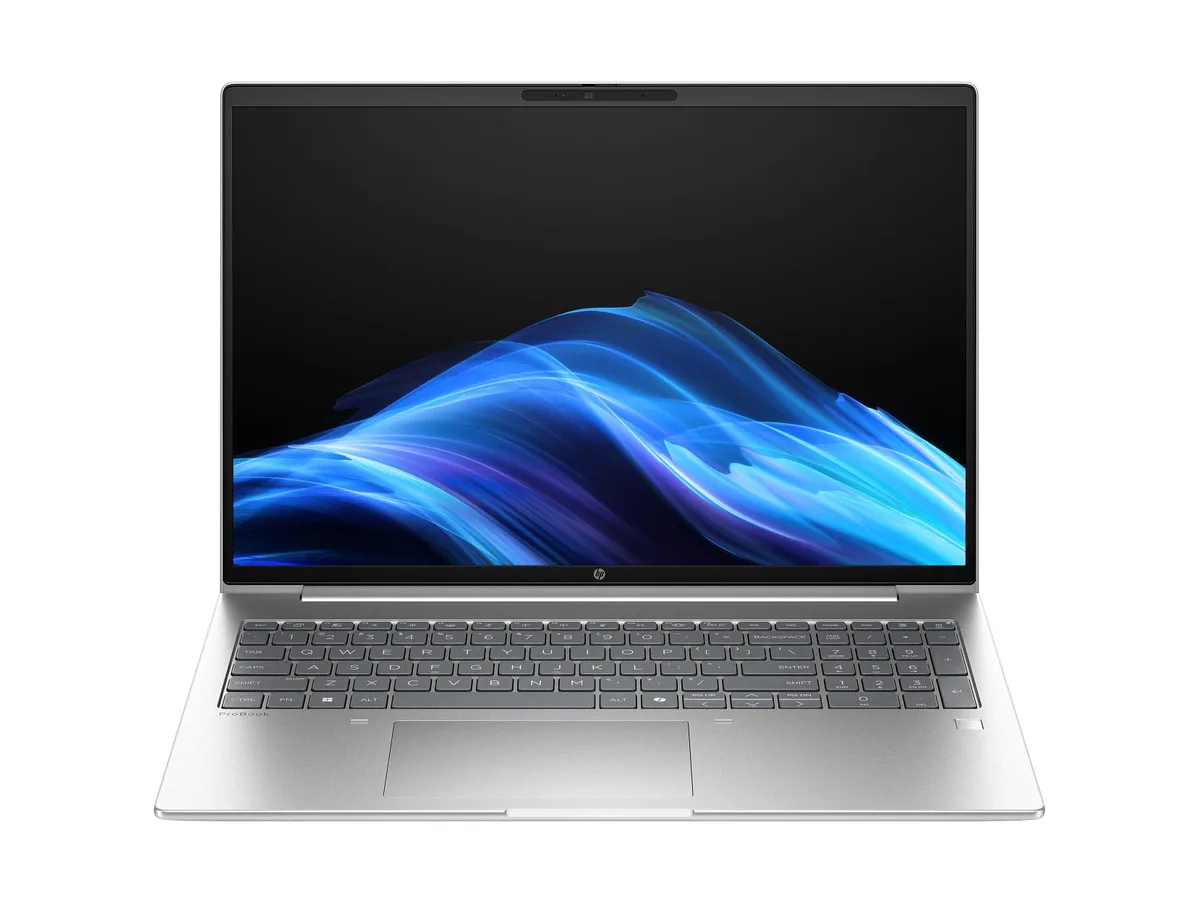
A 16-inch WUXGA touch laptop with an AMD Ryzen 7 250 processor, 24 GB DDR5 memory, and a 1 TB drive running Windows 11 Pro
The HP ProBook 4 G1a is a 16-inch business laptop built around an AMD Ryzen 7 250 processor with 8 cores and a 5.1 GHz boost clock. It ships with Windows 11 Pro, 24 GB of DDR5-5600 memory in a single module, and a 1 TB solid-state drive. Integrated AMD Radeon 780M graphics drive the 1920 x 1200 WUXGA touchscreen, which offers an anti-glare IPS surface rated at 300 nits and 62.5% sRGB coverage. A 5 MP IR webcam and Poly Studio audio with dual speakers and dual microphones support video conferencing.
This configuration suits professionals who need a responsive touchscreen for annotation, presentations, or touch-based workflows in a 16:10 format. The single memory module leaves one slot free for future expansion, and the 56 Whr battery targets all-day mobility. Buyers who require dedicated graphics performance for 3D rendering, video editing, or gaming should look at systems with discrete GPUs. Users needing factory-calibrated wide-gamut colour for creative work will find the 62.5% sRGB panel limiting.
The defining specification is the 16-inch WUXGA touch panel with IPS, anti-glare coating, and 300-nit brightness. If a touchscreen is essential for your daily tasks — signing documents, sketching, or navigating touch-optimised apps — this display delivers that capability in a business chassis. If you never use touch input, a non-touch model with the same processor and memory will offer a similar experience at potentially lower cost or weight.
| Brand | HP |
|---|---|
| Part Number | D6DS5UA#ABA |
| Color | Silver |
| Operating System | Windows 11 Pro |
| CPU Type | AMD Ryzen 7 |
| Screen Size | 16.0" |
| GPU/VPU | AMD Radeon 780M Graphics |
| Graphic Type | Integrated Card |
| WLAN | MediaTek Wi-Fi 7 MT7925 (2x2) and Bluetooth® 5.4 wireless card |
| Bluetooth | Bluetooth® 5.4 |
| Audio Ports | Audio by Poly Studio, dual stereo speakers, dual array microphones |
| Webcam | 5 MP IR camera |
| Type | Work / Business |
| Battery | 3-cell Lithium Ion |
| Battery Life | 56 Whr |
| Dimensions (W x D x H) | 14.15 x 9.88 x 0.43 in (front); 14.15 x 9.88 x 0.67 in (rear) |
| Weight | 3.8600 lb |
The built-in 16-inch IPS panel runs at 1920 x 1200 with touch support and 300 nits brightness.
It measures 14.15 x 9.88 x 0.43 in at the front, 0.67 in at the rear, and weighs 3.8600 lb.
Remove the base cover, insert the new DDR5 stick at 30 degrees until it clicks, then press flat — do not force it straight down.
Également dans ce rayon
Même rayon, même caisse — huit monnaies et un taux bloqué 30 minutes.
Ce que vous envoyez, et ce dans quoi vous lisez les prix.
Envoyé depuis votre portefeuille à la caisse
Affichage seul — le catalogue est libellé en dollars
Aucune monnaie ne correspond.
Choisissez la langue dans laquelle le site vous parle.
Première visite ?
Vous avez déjà un compte ?
Il n’y a pas de réinitialisation automatique : cette boutique n’envoie aucun e-mail, il n’existe donc aucun lien à usage unique à demander. Laissez l’adresse sur le compte, elle sera traitée à la main.
Demande enregistrée
Rien n’arrivera dans votre boîte de réception — cette boutique n’envoie aucun e-mail. Quelqu’un s’en occupe à la main.
Vous l’avez retrouvé ?


