

EVESKY
EVESKY MW4500 Wireless Vertical Ergonomic Mouse 1200 DPI 6 Buttons
157,99 USD
0.00203871BTC
În stocAcceptăm criptomonede — astfel, criptomonedele pe care le dețineți pot cumpăra echipamente reale.Plătiți în cripto, cheltuiți-o pe echipamente reale. Livrare asigurată gratuită oriunde în lume peste 399 $. Cartoane neutre, fără marcă, expediate din Germania.Livrare asigurată gratuită peste 399 $. Cursul dumneavoastră este blocat timp de 30 de minute de la deschiderea paginii de plată.Curs blocat 30 de minute. Fiecare articol este sigilat, numărul de serie este verificat, iar produsul este acoperit de o garanție de 24 de luni.Sigilat, garantat 24 de luni.


IHDAPP
A 65 g optical gaming mouse with a PixArt 3311 sensor up to 25000 DPI, tri-mode connectivity, 1000 Hz polling, 40 G acceleration.
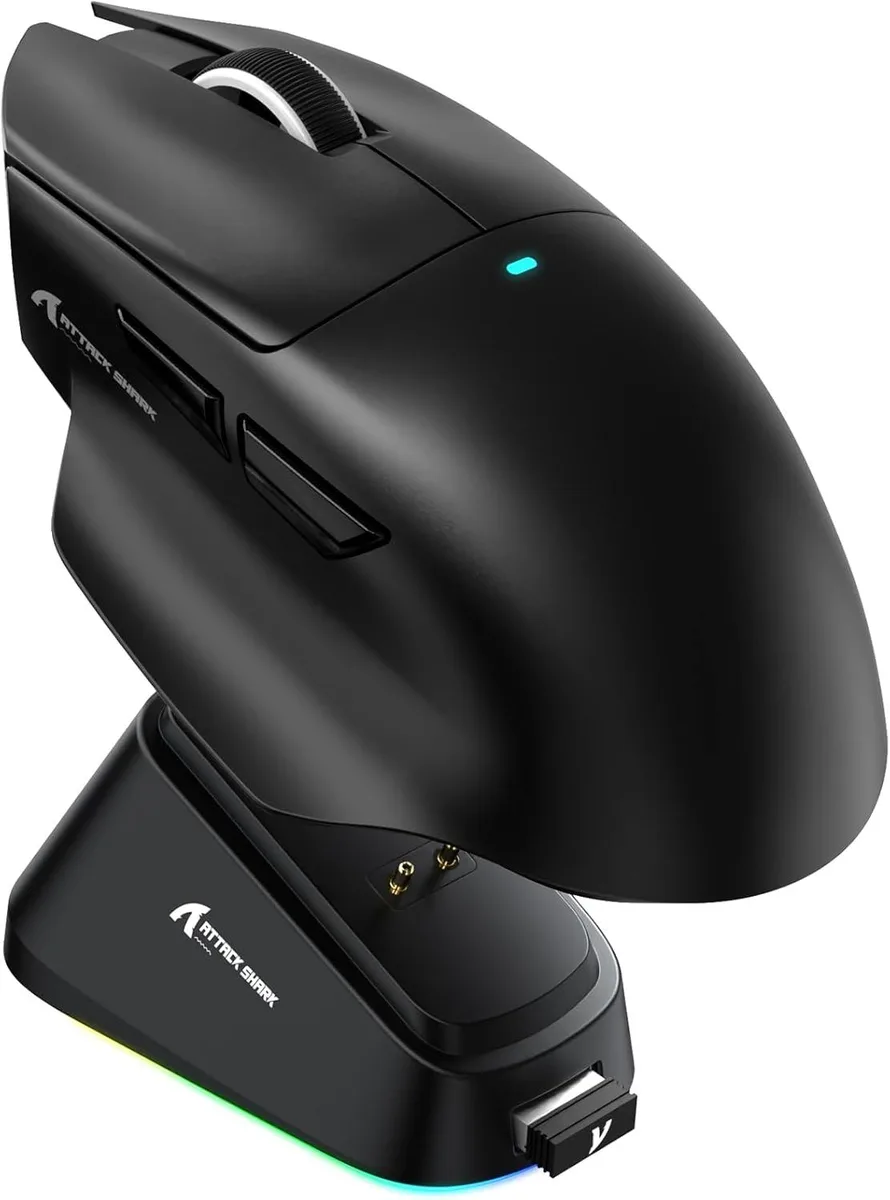
The IHDAPP V6 weighs about 65g and uses a PixArt PAW3311 optical sensor with up to 25000 DPI adjustable in 50 DPI steps. It connects via wired USB, 2.4GHz wireless or Bluetooth and runs on a 500 mAh rechargeable battery. Six buttons and Japanese micro switches rated for over 100 million clicks complete the package.
This mouse replaces single-connection or heavier rodents by adding Bluetooth and 2.4GHz wireless alongside wired operation at a 1000Hz polling rate. The jump is worth it when you need low-latency wireless freedom across Windows 11, macOS 10.12, Android or iOS without carrying multiple devices.
A magnetic charging dock snaps the mouse into place for effortless top-ups while the cloud-based AI driver auto-detects the hardware for button mapping and DPI profiles. The only common snag is forgetting to pair the 2.4GHz dongle before first use or skipping the driver download for full customisation.
| Model | V6 |
|---|---|
| Type | Bluetooth / 2.4GHz / Wired |
| Color | Black |
| Interface | USB & Bluetooth |
| Tracking Method | Optical |
| Resolution (DPI) | 25000 dpi |
| Buttons | 6 |
| Weight | About 65g |
| Operating System Supported | Android, Windows 11, iOS, macOS 10.12 Sierra |
| Features | Ergonomic Design, Lightweight, Portable, Rechargeable, Wireless |
| Package Contents | 1 x Wireless Mouse, 1 x Charging Dock, 1 x User Manual |
The dock sits flat and holds the 65 g mouse magnetically; allow roughly a hand-span of clear surface so the dock and mouse can align without cables pulling.
Plug the USB receiver, switch the mouse to 2.4 GHz, then press the pairing button on the dock until the LED flashes — skipping the dock button leaves the link inactive.
The battery is rated for hundreds of cycles; the Japanese micro-switches are rated for 100 million clicks and will likely outlast the cell.
Tot din acest raion
Același raion, aceeași finalizare a comenzii — opt monede și un curs blocat 30 de minute.
În ce monedă plătiți și în ce monedă citiți prețurile.
Trimis din portofelul dumneavoastră la finalizarea comenzii
Doar pentru afișare — catalogul este exprimat în dolari
Nicio monedă nu corespunde.
Alegeți limba în care vă vorbește site-ul.
Prima vizită?
Aveți deja un cont?
Nu există o resetare automată: acest magazin nu trimite niciun e-mail, deci nu există niciun link de unică folosință de solicitat. Lăsați adresa în cont. Va fi tratată manual.
Cerere înregistrată
Nu veți primi nimic în căsuța de e-mail — acest magazin nu trimite niciun e-mail. Cineva se ocupă de asta manual.
V-ați amintit-o?


