

ebest
ebest Vertical Wireless Gaming Mouse 800/1200/1600 DPI 6 Buttons Black
$37.99
0.00048332BTC
In stockWe take cryptocurrency — so the coins you hold can buy real hardware.Pay in crypto, spend it on real hardware. Free insured shipping worldwide over $399. Plain, unbranded boxes, sent from Germany.Free insured shipping over $399. Your rate is locked for 30 minutes once checkout opens.Rate locked 30 minutes. Every item sealed, serial-checked and covered by a 24-month warranty.Sealed, 24-month warranty.
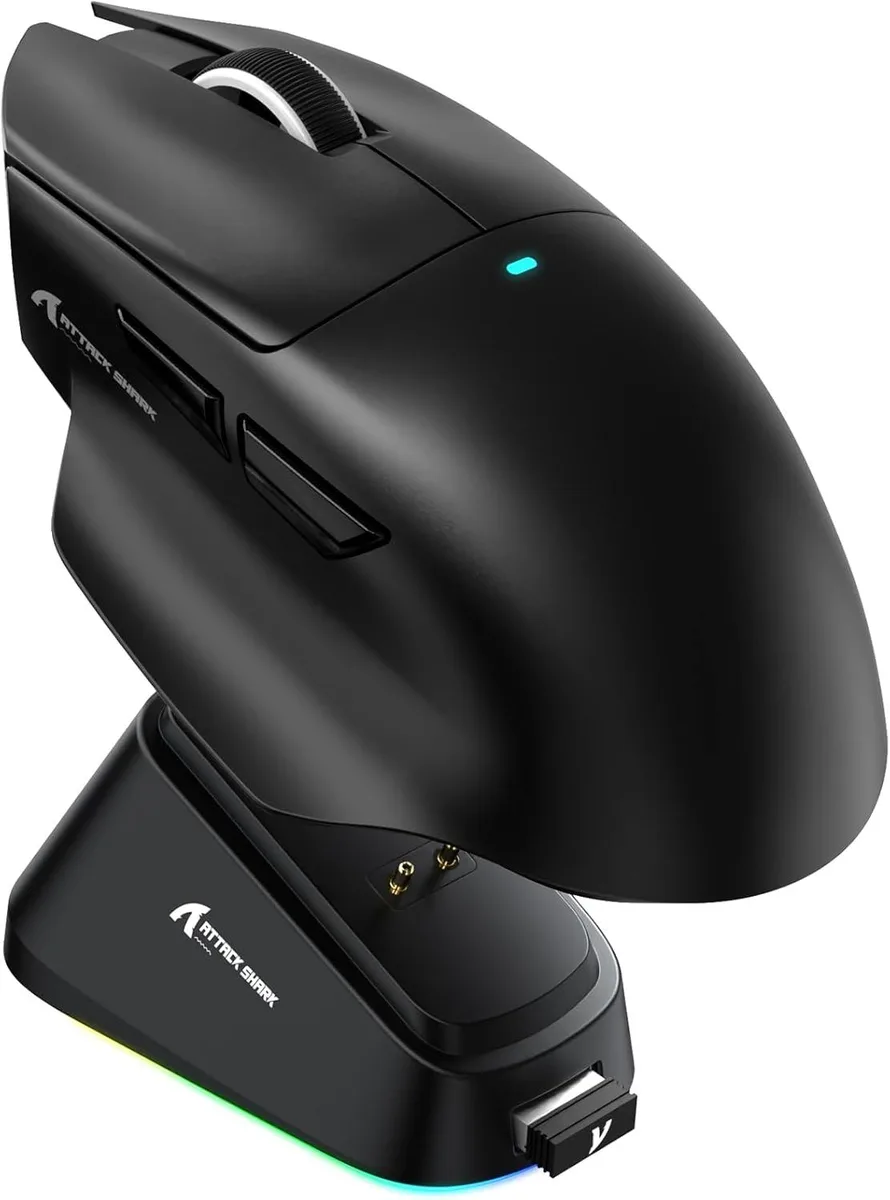


IHDAPP
A 65 g optical gaming mouse with a PixArt 3311 sensor up to 25000 DPI, tri-mode connectivity, 1000 Hz polling, 40 G acceleration.
The IHDAPP V6 weighs about 65g and uses a PixArt PAW3311 optical sensor with up to 25000 DPI adjustable in 50 DPI steps. It connects via wired USB, 2.4GHz wireless or Bluetooth and runs on a 500 mAh rechargeable battery. Six buttons and Japanese micro switches rated for over 100 million clicks complete the package.
This mouse replaces single-connection or heavier rodents by adding Bluetooth and 2.4GHz wireless alongside wired operation at a 1000Hz polling rate. The jump is worth it when you need low-latency wireless freedom across Windows 11, macOS 10.12, Android or iOS without carrying multiple devices.
A magnetic charging dock snaps the mouse into place for effortless top-ups while the cloud-based AI driver auto-detects the hardware for button mapping and DPI profiles. The only common snag is forgetting to pair the 2.4GHz dongle before first use or skipping the driver download for full customisation.
| Model | V6 |
|---|---|
| Type | Bluetooth / 2.4GHz / Wired |
| Color | Black |
| Interface | USB & Bluetooth |
| Tracking Method | Optical |
| Resolution (DPI) | 25000 dpi |
| Buttons | 6 |
| Weight | About 65g |
| Operating System Supported | Android, Windows 11, iOS, macOS 10.12 Sierra |
| Features | Ergonomic Design, Lightweight, Portable, Rechargeable, Wireless |
| Package Contents | 1 x Wireless Mouse, 1 x Charging Dock, 1 x User Manual |
The dock sits flat and holds the 65 g mouse magnetically; allow roughly a hand-span of clear surface so the dock and mouse can align without cables pulling.
Plug the USB receiver, switch the mouse to 2.4 GHz, then press the pairing button on the dock until the LED flashes — skipping the dock button leaves the link inactive.
The battery is rated for hundreds of cycles; the Japanese micro-switches are rated for 100 million clicks and will likely outlast the cell.
Also in this aisle
Same shelf, same checkout — eight coins and a 30-minute rate lock.
What you pay in, and what you read prices in.
Sent from your wallet at checkout
Display only — the catalogue is priced in USD
No currency matches that.
Pick the language the site speaks to you in.
New here?
Already have one?
There is no automatic reset: this shop sends no mail, so there is no one-time link to ask for. Leave the address on the account and it gets picked up by hand.
Request noted
Nothing is on its way to your inbox — this shop sends no mail at all. Someone picks these up by hand.
Remembered it?


