minisforum
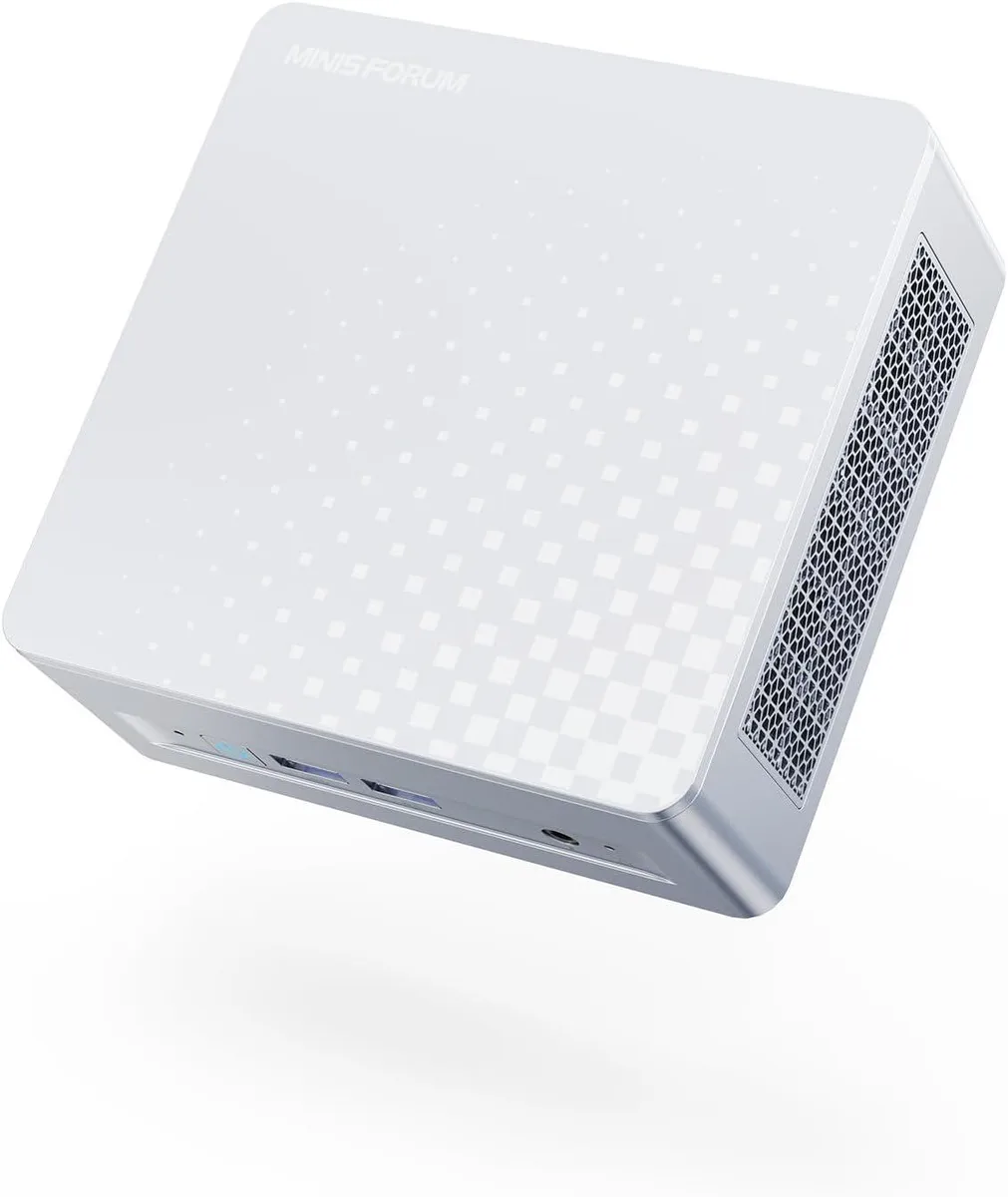
minisforum DeskMini Core Ultra 5 125U barebone mini PC
- Silver
- Intel Core Ultra 5…
208,99 USD
0.00262047BTC
În stocAcceptăm criptomonede — astfel, criptomonedele pe care le dețineți pot cumpăra echipamente reale.Plătiți în cripto, cheltuiți-o pe echipamente reale. Livrare asigurată gratuită oriunde în lume peste 399 $. Cartoane neutre, fără marcă, expediate din Germania.Livrare asigurată gratuită peste 399 $. Cursul dumneavoastră este blocat timp de 30 de minute de la deschiderea paginii de plată.Curs blocat 30 de minute. Fiecare articol este sigilat, numărul de serie este verificat, iar produsul este acoperit de o garanție de 24 de luni.Sigilat, garantat 24 de luni.


minisforum
Barebone mini PC with 16-core Core Ultra 9 285H, dual DDR5-5600 slots up to 64 GB, Arc 140T graphics, quad UHD outputs via HDMI 2.1, DP 1.4 and dual USB4, plus 2.5 GbE.
Option M1 Pro-285H · 0+0
Versiunile tăiate există, dar nu sunt disponibile aici.
The minisforum DeskMini is a barebone mini PC built around the Intel Core Ultra 9 285H processor with 16 cores and 16 threads. It ships without memory, storage or an operating system, so builders choose their own DDR5 SODIMMs and PCIe SSDs. The compact silver chassis targets users who want a small-footprint desktop for multitasking, rendering or light gaming.
The single specification that decides compatibility is the OCuLink port running at PCIe 4.0 x4 speeds. It allows an external GPU enclosure to connect directly to the CPU lanes, bypassing Thunderbolt or USB4 bandwidth limits. Buyers who do not plan to add a discrete graphics card will not use this port and should verify they have a suitable enclosure and cable before purchasing.
The processor operates at a 45 W base power while the integrated Intel Arc 140T GPU reaches 2.35 GHz graphics frequency. Active cooling handles the thermal load in normal workloads such as video editing, 3D rendering or multi-monitor productivity. Fan noise rises under sustained all-core or graphics-heavy tasks but remains typical for a mini PC of this performance class.
| Brand | MINISFORUM |
|---|---|
| Model | DeskMini |
| Color | Silver |
| CPU Type | Intel Core Ultra 9 Processor 285H |
| CPU Socket | FCBGA2049 |
| CPU Cores | 16-Core (6P+8E+2LP) |
| Memory installed | No Memory |
| Memory slot | 2 |
| Memory Type Supported | DDR5 5600 |
| Max Memory Supported | 64GB |
| Dual Channel Memory Supported | Yes |
| Other | 2x PCIe4.0x4 |
| Integrated Graphics | Intel Arc 140T GPU |
| Max LAN Speed | 2.5Gbps |
| Wireless LAN | 802.11ax |
| WiFi Generation | Wi-Fi 7 |
| Bluetooth | Bluetooth 5.4 |
| Front USB | 2 |
| HDMI | 1 |
| DisplayPort | 1 |
| Rear USB | 1 |
| RJ45 | 1 |
| Power Supply | 19V/6.32A 120W |
Alte versiuni ale acestui model
Aceeași familie, memorie, radiator sau frecvență diferite — comparați înainte de a vă decide.
The 16-core processor runs at up to 5.4 GHz with integrated Arc 140T graphics at 2.35 GHz, giving strong multitasking and 3D performance in a barebone mini PC.
The OCuLink port runs at PCIe 4.0 x4, so an external GPU is capped at that bandwidth rather than Thunderbolt or USB4 speeds.
You need to install DDR5 5600 SODIMMs in the two memory slots and add PCIe 4.0 x4 SSDs in the two M.2 slots; the unit ships with no memory or storage.
Tot din acest raion
Același raion, aceeași finalizare a comenzii — opt monede și un curs blocat 30 de minute.
În ce monedă plătiți și în ce monedă citiți prețurile.
Trimis din portofelul dumneavoastră la finalizarea comenzii
Doar pentru afișare — catalogul este exprimat în dolari
Nicio monedă nu corespunde.
Alegeți limba în care vă vorbește site-ul.
Prima vizită?
Aveți deja un cont?
Nu există o resetare automată: acest magazin nu trimite niciun e-mail, deci nu există niciun link de unică folosință de solicitat. Lăsați adresa în cont. Va fi tratată manual.
Cerere înregistrată
Nu veți primi nimic în căsuța de e-mail — acest magazin nu trimite niciun e-mail. Cineva se ocupă de asta manual.
V-ați amintit-o?