

SanDisk
SanDisk Cruzer Blade 8 GB USB 2.0 USB flash drive Black SDCZ50-008G-B35
391,99 USD
0.00503106BTC
În stocAcceptăm criptomonede — astfel, criptomonedele pe care le dețineți pot cumpăra echipamente reale.Plătiți în cripto, cheltuiți-o pe echipamente reale. Livrare asigurată gratuită oriunde în lume peste 399 $. Cartoane neutre, fără marcă, expediate din Germania.Livrare asigurată gratuită peste 399 $. Cursul dumneavoastră este blocat timp de 30 de minute de la deschiderea paginii de plată.Curs blocat 30 de minute. Fiecare articol este sigilat, numărul de serie este verificat, iar produsul este acoperit de o garanție de 24 de luni.Sigilat, garantat 24 de luni.
SAMSUNG
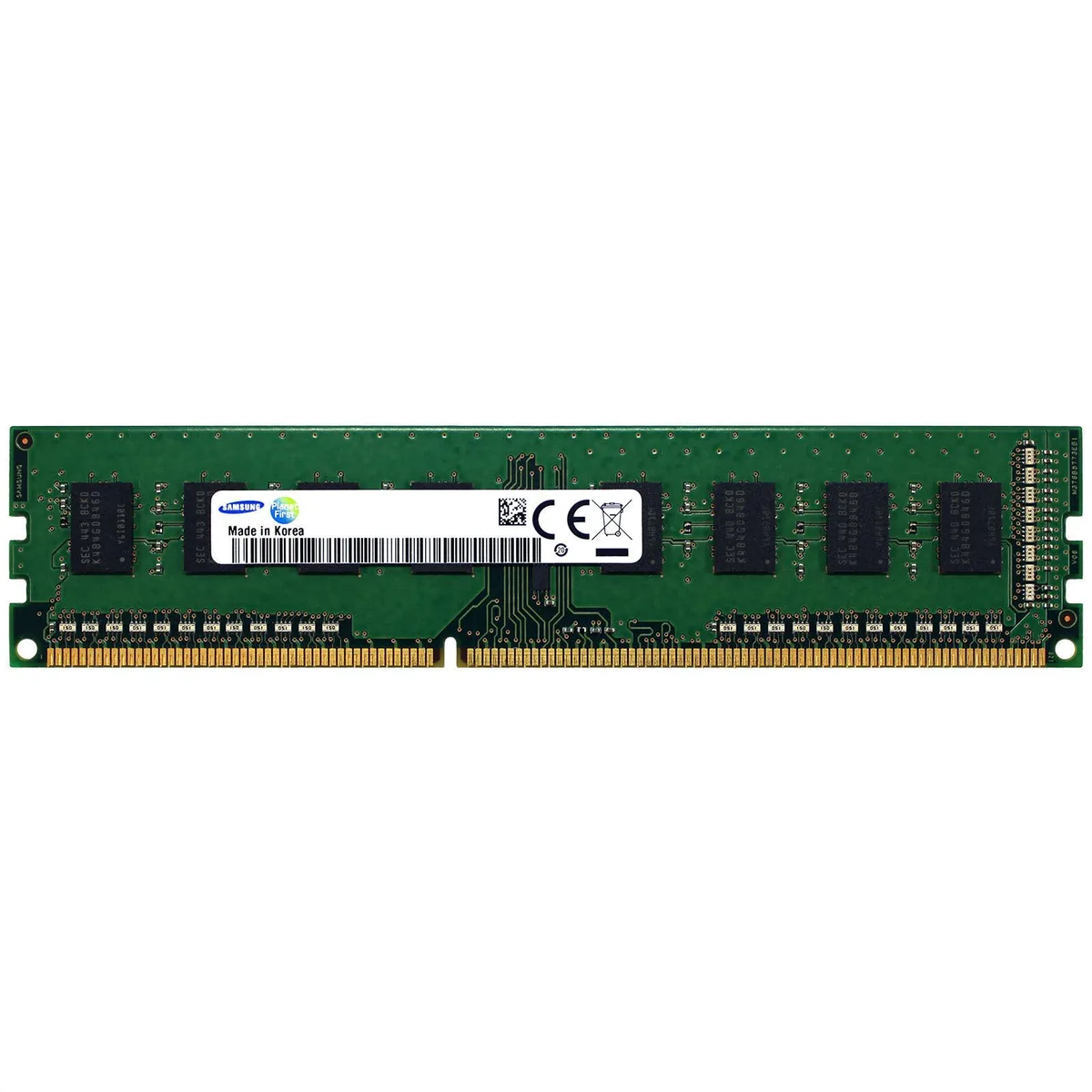
4GB DDR3 desktop memory module running at 1600MHz with PC3-12800 bandwidth
This Samsung module provides 4GB of DDR3 memory rated at 1600MHz with a PC3-12800 bandwidth rating. It is a non-ECC unbuffered DIMM intended for standard desktop motherboards that support DDR3. The M378B5173EB0-CK0 part number identifies this specific 4Gb density configuration.
Four gigabytes suits basic office work, web browsing and light multitasking on older DDR3 platforms. Memory-intensive tasks such as modern gaming, video editing or running multiple virtual machines will exceed this capacity. Systems limited to a single DIMM slot cannot expand beyond this module without replacement.
Nicio specificație publicată pentru acest articol deocamdată.
It operates at 1600MHz with PC3-12800 bandwidth. Most boards clock all installed modules to the speed of the slowest stick, so mixed speeds will run at the lower frequency.
Check the memory speed reported in BIOS or UEFI, or use a tool such as CPU-Z on Windows to confirm the module shows 1600MHz and PC3-12800 timings.
Tot din acest raion
Același raion, aceeași finalizare a comenzii — opt monede și un curs blocat 30 de minute.
În ce monedă plătiți și în ce monedă citiți prețurile.
Trimis din portofelul dumneavoastră la finalizarea comenzii
Doar pentru afișare — catalogul este exprimat în dolari
Nicio monedă nu corespunde.
Alegeți limba în care vă vorbește site-ul.
Nicio limbă nu corespunde.
Prima vizită?
Aveți deja un cont?
Nu există o resetare automată: acest magazin nu trimite niciun e-mail, deci nu există niciun link de unică folosință de solicitat. Lăsați adresa în cont. Va fi tratată manual.
Cerere înregistrată
Nu veți primi nimic în căsuța de e-mail — acest magazin nu trimite niciun e-mail. Cineva se ocupă de asta manual.
V-ați amintit-o?



