

SanDisk
SanDisk Cruzer Blade 8 GB USB 2.0 USB flash drive Black SDCZ50-008G-B35
US$391.99
0.00494419BTC
มีสินค้าเรารับชำระด้วยคริปโต — เหรียญที่คุณถืออยู่จึงนำมาซื้อฮาร์ดแวร์ของจริงได้จ่ายด้วยคริปโต แล้วนำไปซื้อฮาร์ดแวร์ของจริง จัดส่งฟรีพร้อมประกันภัยทั่วโลก เมื่อสั่งซื้อเกิน US$399 กล่องพัสดุเรียบไม่มีตราสินค้า จัดส่งจากประเทศเยอรมนีจัดส่งฟรีพร้อมประกันภัย เมื่อสั่งซื้อเกิน US$399 อัตราแลกเปลี่ยนของคุณจะถูกล็อกไว้ 30 นาที ทันทีที่เปิดหน้าชำระเงินล็อกอัตราแลกเปลี่ยน 30 นาที สินค้าทุกชิ้นปิดผนึกจากโรงงาน ตรวจสอบหมายเลขซีเรียล และรับประกัน 24 เดือนปิดผนึกจากโรงงาน รับประกัน 24 เดือน
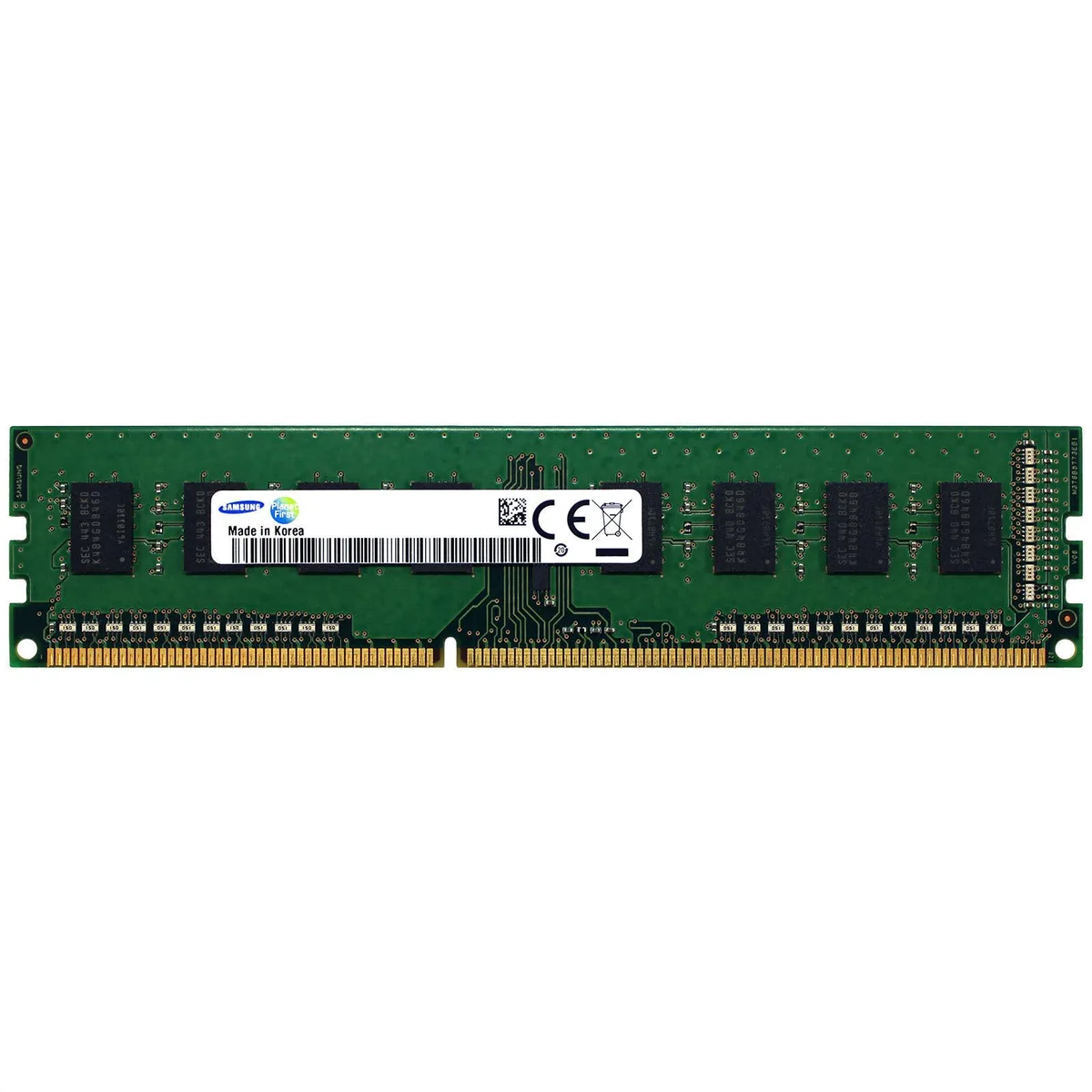
SAMSUNG
4GB DDR3 desktop memory module running at 1600MHz with PC3-12800 bandwidth
This Samsung module provides 4GB of DDR3 memory rated at 1600MHz with a PC3-12800 bandwidth rating. It is a non-ECC unbuffered DIMM intended for standard desktop motherboards that support DDR3. The M378B5173EB0-CK0 part number identifies this specific 4Gb density configuration.
Four gigabytes suits basic office work, web browsing and light multitasking on older DDR3 platforms. Memory-intensive tasks such as modern gaming, video editing or running multiple virtual machines will exceed this capacity. Systems limited to a single DIMM slot cannot expand beyond this module without replacement.
ยังไม่มีข้อมูลจำเพาะที่เผยแพร่สำหรับสินค้านี้
It operates at 1600MHz with PC3-12800 bandwidth. Most boards clock all installed modules to the speed of the slowest stick, so mixed speeds will run at the lower frequency.
Check the memory speed reported in BIOS or UEFI, or use a tool such as CPU-Z on Windows to confirm the module shows 1600MHz and PC3-12800 timings.
อื่น ๆ ในหมวดนี้
หมวดเดียวกัน การชำระเงินแบบเดียวกัน — แปดสกุลเงินคริปโตและอัตราแลกเปลี่ยนที่ล็อกไว้ 30 นาที
สิ่งที่คุณใช้ชำระ และสิ่งที่คุณใช้อ่านราคา
ส่งจากกระเป๋าเงินของคุณเมื่อชำระเงิน
แสดงผลเท่านั้น — แคตตาล็อกสินค้าตั้งราคาเป็นดอลลาร์สหรัฐ
ไม่พบสกุลเงินที่ตรงกัน
เลือกภาษาที่ต้องการให้เว็บไซต์แสดงผล
ไม่พบภาษาที่ตรงกัน
ยังไม่เคยใช้งานใช่ไหม
มีบัญชีอยู่แล้วใช่ไหม
ไม่มีการรีเซ็ตแบบอัตโนมัติ ร้านนี้ไม่ส่งอีเมลใด ๆ จึงไม่มีลิงก์ใช้ครั้งเดียวให้ขอ ปล่อยที่อยู่อีเมลนี้ไว้ในบัญชี แล้วเจ้าหน้าที่จะดำเนินการให้ด้วยตนเอง
รับคำขอแล้ว
ไม่มีอะไรถูกส่งไปยังกล่องจดหมายของคุณ — ร้านนี้ไม่ส่งอีเมลใด ๆ เลย มีคนดำเนินการเรื่องนี้ให้ด้วยมือ
นึกออกแล้วใช่ไหม



