

Elo Touch Solutions
Elo Touch Solutions 1991L 19" Open-Frame Touchscreen Monitor
- 19"
615,99 USD650,99 USD−5%
0.00758263BTC
În stocAcceptăm criptomonede — astfel, criptomonedele pe care le dețineți pot cumpăra echipamente reale.Plătiți în cripto, cheltuiți-o pe echipamente reale. Livrare asigurată gratuită oriunde în lume peste 399 $. Cartoane neutre, fără marcă, expediate din Germania.Livrare asigurată gratuită peste 399 $. Cursul dumneavoastră este blocat timp de 30 de minute de la deschiderea paginii de plată.Curs blocat 30 de minute. Fiecare articol este sigilat, numărul de serie este verificat, iar produsul este acoperit de o garanție de 24 de luni.Sigilat, garantat 24 de luni.


WaveShare
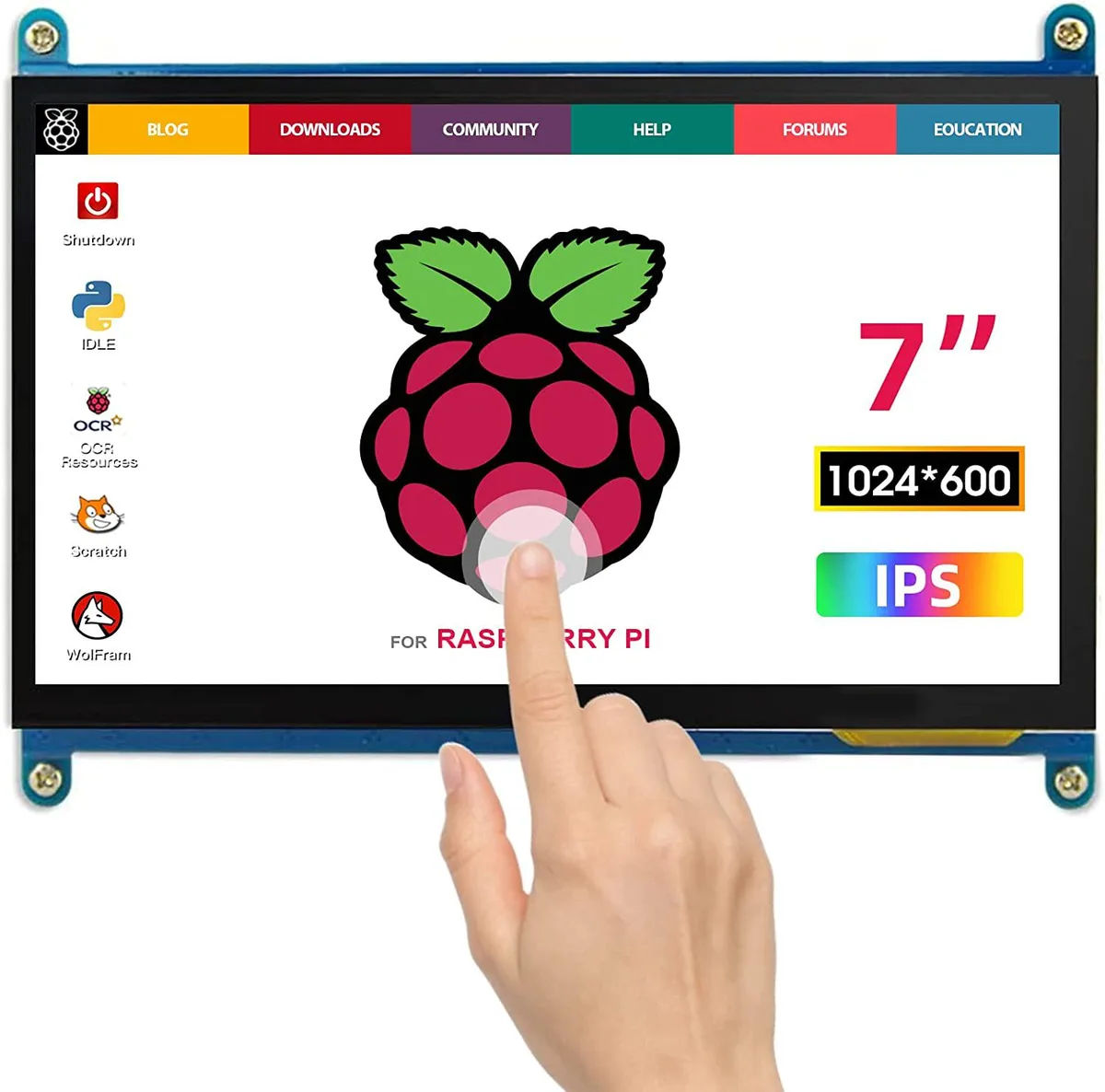
A 7-inch portable IPS touchscreen with 1024×600 resolution, plug-and-play over HDMI and USB for Raspberry Pi or Windows PCs
The WaveShare portable monitor delivers a 1024x600 IPS panel in a seven-inch form factor. Capacitive touch input works driver-free over USB with Windows and Raspberry Pi systems. Both micro-USB for touch and power and an HDMI cable for video are included. Plug-and-play operation makes it a straightforward secondary display.
This unit upgrades from a non-touch HDMI screen by adding capacitive touch and an IPS panel with wider viewing angles. The jump is worth it when you need interactive control on a Raspberry Pi 400, 4, 3B+ or similar mini PC. It also serves as a compact status panel mounted inside a PC case or attached to a TV box or game console.
The 1024x600 resolution handles Raspberry Pi desktop environments, simple monitoring dashboards and basic media playback comfortably. Touch response remains reliable for single-finger navigation and on-screen keyboards. It runs out when an application demands higher pixel density, multi-touch gestures beyond basic taps, or a larger viewing area for extended desktop work.
| CPU Type | Other |
|---|
The package includes a micro USB cable for touch and power and an HDMI cable for video; plug both into the Pi and the monitor works without drivers.
They forget to plug the micro USB cable into the PC's USB port, so the touch controller never receives power and the screen stays display-only.
Power off the monitor, then gently wipe the 7 inch screen with a dry microfibre cloth; avoid liquids or abrasive pads.
Tot din acest raion
Același raion, aceeași finalizare a comenzii — opt monede și un curs blocat 30 de minute.
În ce monedă plătiți și în ce monedă citiți prețurile.
Trimis din portofelul dumneavoastră la finalizarea comenzii
Doar pentru afișare — catalogul este exprimat în dolari
Nicio monedă nu corespunde.
Alegeți limba în care vă vorbește site-ul.
Nicio limbă nu corespunde.
Prima vizită?
Aveți deja un cont?
Nu există o resetare automată: acest magazin nu trimite niciun e-mail, deci nu există niciun link de unică folosință de solicitat. Lăsați adresa în cont. Va fi tratată manual.
Cerere înregistrată
Nu veți primi nimic în căsuța de e-mail — acest magazin nu trimite niciun e-mail. Cineva se ocupă de asta manual.
V-ați amintit-o?



