

Elo Touch Solutions
Elo Touch Solutions 1991L 19" Open-Frame Touchscreen Monitor
- 19"
$615.99$650.99−5%
0.00758263BTC
在庫あり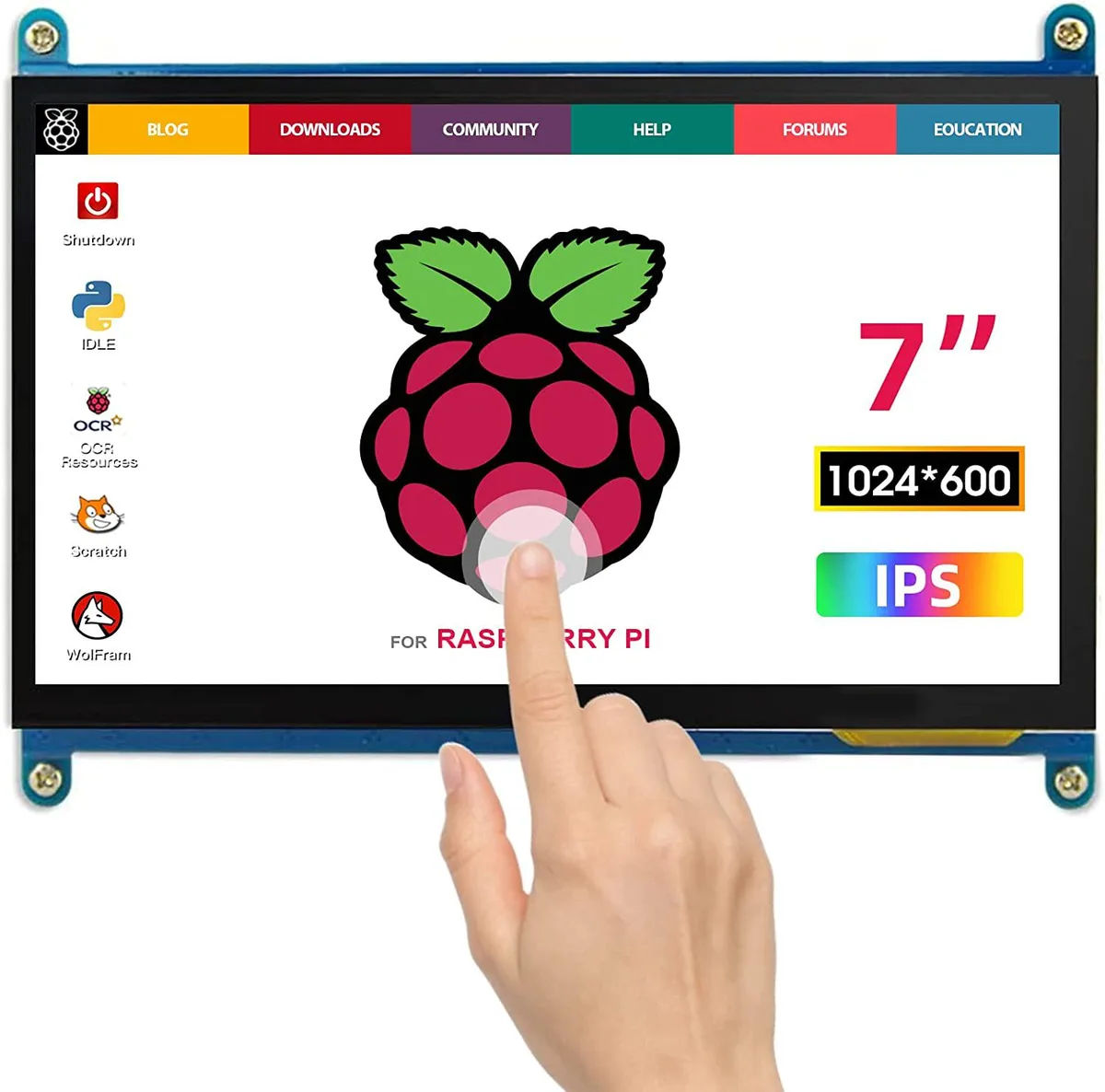


WaveShare
A 7-inch portable IPS touchscreen with 1024×600 resolution, plug-and-play over HDMI and USB for Raspberry Pi or Windows PCs
The WaveShare portable monitor delivers a 1024x600 IPS panel in a seven-inch form factor. Capacitive touch input works driver-free over USB with Windows and Raspberry Pi systems. Both micro-USB for touch and power and an HDMI cable for video are included. Plug-and-play operation makes it a straightforward secondary display.
This unit upgrades from a non-touch HDMI screen by adding capacitive touch and an IPS panel with wider viewing angles. The jump is worth it when you need interactive control on a Raspberry Pi 400, 4, 3B+ or similar mini PC. It also serves as a compact status panel mounted inside a PC case or attached to a TV box or game console.
The 1024x600 resolution handles Raspberry Pi desktop environments, simple monitoring dashboards and basic media playback comfortably. Touch response remains reliable for single-finger navigation and on-screen keyboards. It runs out when an application demands higher pixel density, multi-touch gestures beyond basic taps, or a larger viewing area for extended desktop work.
| CPU Type | Other |
|---|
The package includes a micro USB cable for touch and power and an HDMI cable for video; plug both into the Pi and the monitor works without drivers.
They forget to plug the micro USB cable into the PC's USB port, so the touch controller never receives power and the screen stays display-only.
Power off the monitor, then gently wipe the 7 inch screen with a dry microfibre cloth; avoid liquids or abrasive pads.
同じ売り場の商品
同じ売り場、同じレジ — 8種類のコインと30分間のレートロック。
お支払いに使うコインと、価格表示に使う通貨です。
チェックアウト時にウォレットから送信されます。
表示のみ—カタログの価格は米ドル建てです。
該当する通貨がありません。
サイトの表示言語を選択してください。
一致する言語がありません。
初めてのご利用ですか?
すでにお持ちですか?
自動的な再設定はありません。当店はメールを送信しないため、ワンタイムリンクをお送りすることもできません。アカウントにメールアドレスを残しておいていただければ、担当者が手作業で確認いたします。
リクエストを受け付けました
受信箱に何かが届くことはありません — 当店はメールを一切送信していません。担当者が手作業で確認いたします。
思い出しましたか?



