

Corsair
Corsair K55 Core TKL Gaming Keyboard CH-9216065-NA
- K55 CORE TKL
- Gaming
36,99 US$44,24 US$−16%
0.00046175BTC
I lagerVi tar emot kryptovaluta — så att kryptot du äger kan köpa riktig hårdvara.Betala med krypto, använd det till riktig hårdvara. Fri, försäkrad frakt över hela världen vid köp över 399 $. Neutrala, omärkta ytterkartonger, skickade från Tyskland.Fri, försäkrad frakt över 399 $. Din kurs låses i 30 minuter så snart kassan öppnas.Kursen låst i 30 minuter. Varje artikel är förseglad, har kontrollerat serienummer och täcks av 24 månaders garanti.Förseglad, 24 månaders garanti.


Corsair
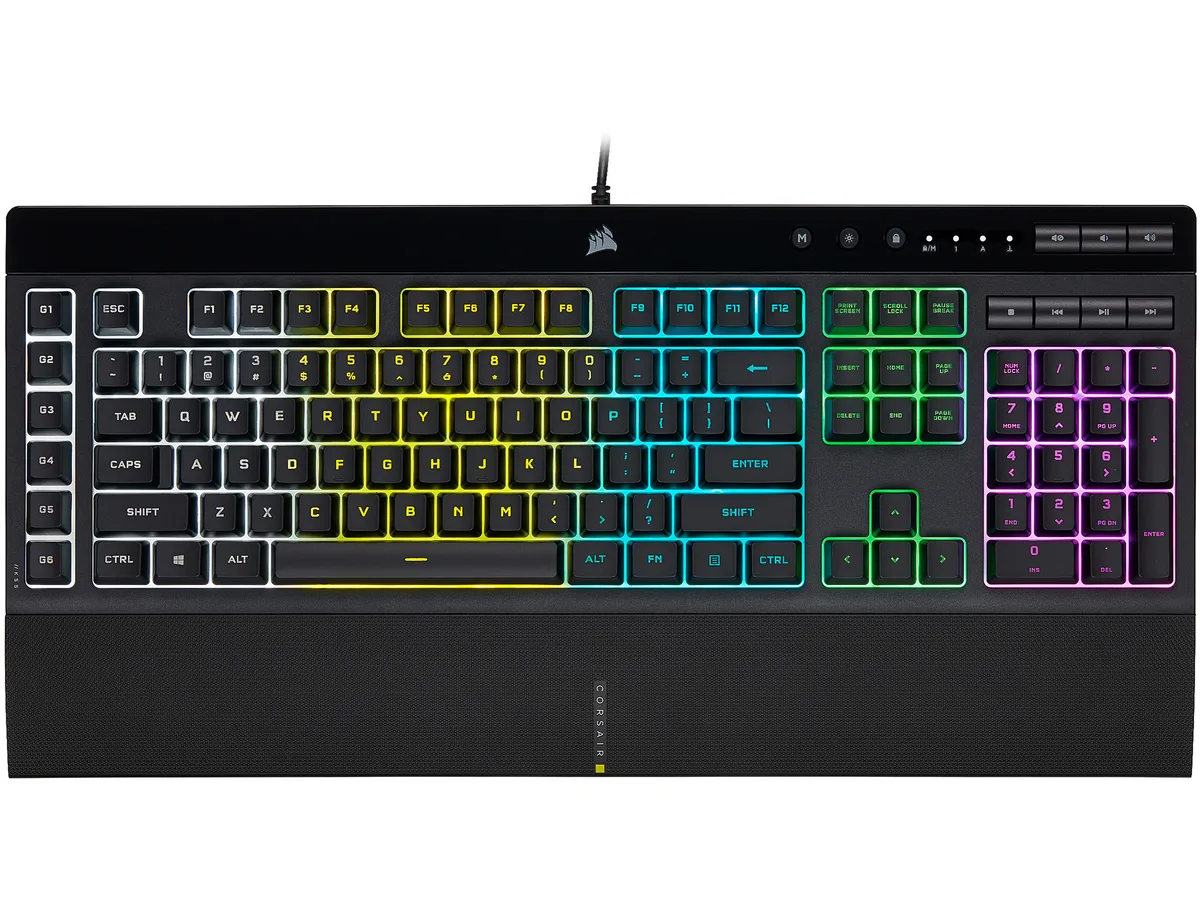
A membrane gaming keyboard with five-zone RGB lighting, six dedicated macro keys, IP42 spill resistance and a detachable palm rest
Options K55 PRO
The Corsair K55 RGB PRO is a membrane gaming keyboard built for players who want macro control and RGB lighting without a mechanical price tag. Its tactile rubber-dome switches suit both gaming sessions and everyday typing.
A wired USB 2.0 Type-A cable provides a direct link to the PC, while IP42-rated dust and spill resistance protects the internals from accidents. The detachable soft-touch palm rest adds wrist support and can be removed for a compact footprint.
This keyboard replaces basic office boards that lack dedicated macro keys, per-zone RGB control or media shortcuts. The jump is worth it when you need six programmable macro keys with Elgato Stream Deck integration and iCUE synchronisation across other Corsair gear.
| Brand | Corsair |
|---|---|
| Name | K55 RGB PRO |
| Model | CH-9226765-NA |
| Keyboard Interface | USB 2.0 Type-A |
| Design Style | Gaming |
| Palm Rest | Detachable |
| Key Switch | Rubber Dome |
| Key Switch Type | Tactile |
| Keyboard Color | Black |
| Backlit | RGB, 16.8 million colors |
| Dimensions | 1.42" x 19.00" x 6.58" |
| Type | Membrane |
| Mouse Included | No |
| Features | Dynamic RGB Backlighting: Light up your desktop with six onboard lighting effects, assign a color to each lighting zone, or program your own vibrant lighting effects across five RGB lighting zones with CORSAIR iCUE software. Six Dedicated Macro Keys: Activate functions, shortcuts, or keypresses in just one stroke with six dedicated macro keys, easily set up through CORSAIR iCUE software, or use instant streaming commands through Elgato Stream Deck software. Dust and Spill-Resistant Design: IP42-rated protection guards against accidents so your gameplay never has to stop. Detachable P |
| Package Contents | CORSAIR K55 RGB PRO gaming keyboard Detachable soft touch palm rest Quick start guide Safety information Warranty card |
| Fraktvikt | 1.27 kg |
| Paketstorlek | 502 × 197 × 53 mm |
Andra versioner av den här modellen
Samma familj, men olika minne, kylning eller klockfrekvens — jämför innan du bestämmer dig.
The USB 2.0 Type-A interface provides standard wired connectivity; polling rate is handled by the keyboard's internal controller and iCUE software settings.
The keyboard measures 6.58 inches deep without the palm rest; adding the rest increases the total depth, so a 6-inch desk would be too shallow.
Install CORSAIR iCUE software, select the K55 RGB PRO, choose the macro keys, and create or edit macros in the Actions tab before saving to the board.
Även i den här avdelningen
Samma hylla, samma kassa — åtta mynt och ett 30-minuters kurslås.
Det du betalar med, och det du ser priserna i.
Skickas från din plånbok i kassan
Endast visning — katalogen är prissatt i US-dollar
Ingen valuta matchar.
Välj det språk du vill att webbplatsen ska visas på.
Ny här?
Har du redan ett konto?
Det finns ingen automatisk återställning: den här butiken skickar inga e-postmeddelanden, så det finns ingen engångslänk att begära. Lämna adressen kopplad till kontot, så hanteras den för hand.
Förfrågan noterad
Inget är på väg till din inkorg — den här butiken skickar aldrig e-post. Någon tar hand om detta manuellt.
Kom du på det?


