

SanDisk
SanDisk Cruzer Blade 8 GB USB 2.0 USB flash drive Black SDCZ50-008G-B35
US$391.99
0.00501112BTC
มีสินค้าเรารับชำระด้วยคริปโต — เหรียญที่คุณถืออยู่จึงนำมาซื้อฮาร์ดแวร์ของจริงได้จ่ายด้วยคริปโต แล้วนำไปซื้อฮาร์ดแวร์ของจริง จัดส่งฟรีพร้อมประกันภัยทั่วโลก เมื่อสั่งซื้อเกิน US$399 กล่องพัสดุเรียบไม่มีตราสินค้า จัดส่งจากประเทศเยอรมนีจัดส่งฟรีพร้อมประกันภัย เมื่อสั่งซื้อเกิน US$399 อัตราแลกเปลี่ยนของคุณจะถูกล็อกไว้ 30 นาที ทันทีที่เปิดหน้าชำระเงินล็อกอัตราแลกเปลี่ยน 30 นาที สินค้าทุกชิ้นปิดผนึกจากโรงงาน ตรวจสอบหมายเลขซีเรียล และรับประกัน 24 เดือนปิดผนึกจากโรงงาน รับประกัน 24 เดือน


A-Tech
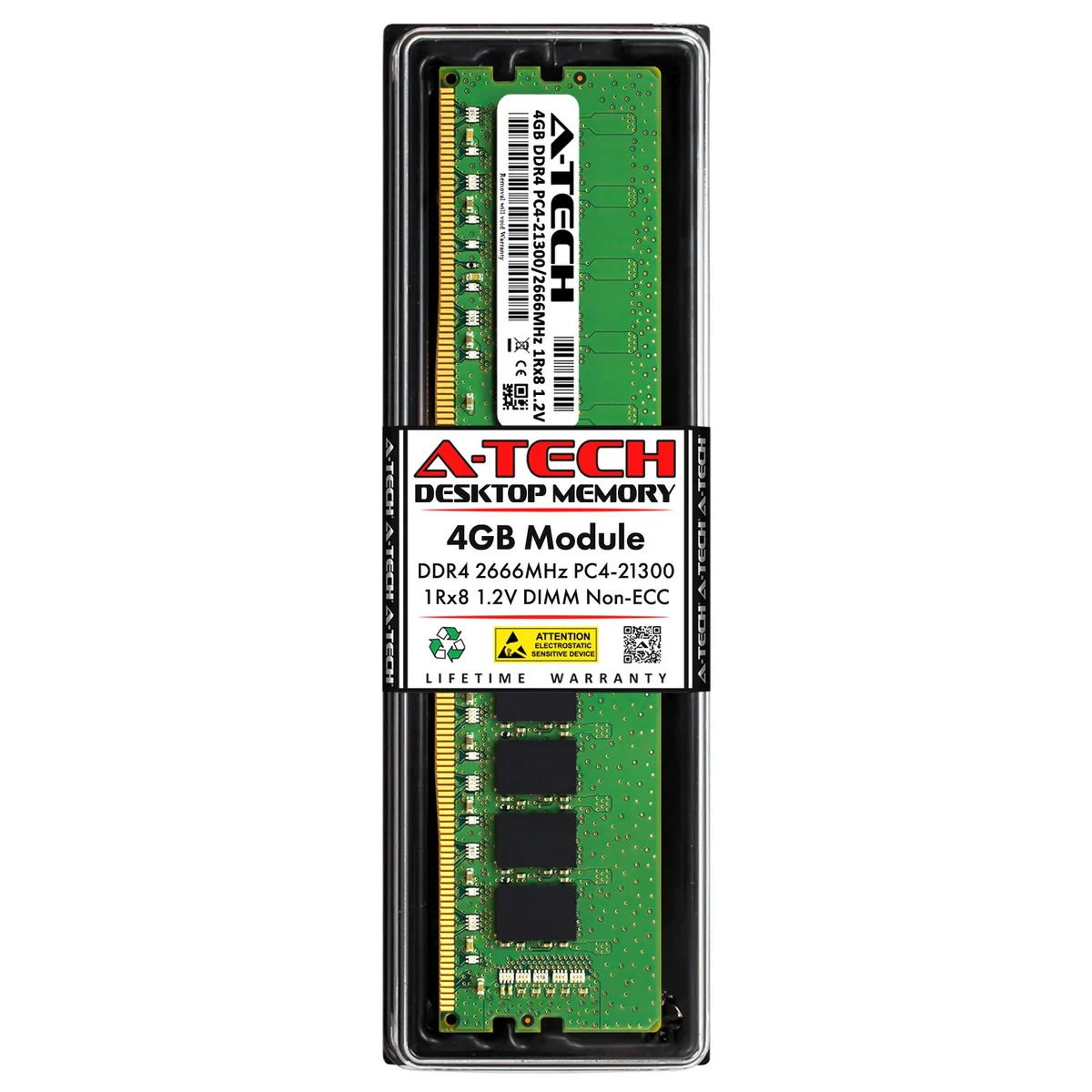
A 4GB DDR4 2666MHz desktop DIMM that installs in a 288-pin slot and runs at 1.2V
This A-Tech module delivers 4GB of DDR4 memory at 2666MHz for desktop computers. It operates at the standard 1.2V voltage and uses an unbuffered, non-ECC design. The 288-pin DIMM fits standard desktop slots and is tested for reliable performance.
This module suits owners of compatible desktops needing a direct replacement for Micron MTA8ATF51264AZ-2G6 or MTA8ATF51264AZ-2G6B1 parts. Builders requiring error-correcting code memory or registered modules must choose a different product line.
The memory is organised as a single-rank 1Rx8 configuration running at PC4-21300 speed. This specific layout determines compatibility with the memory controller and slot population rules of the target desktop system.
| Brand | A-Tech |
|---|---|
| Capacity | 4GB |
| Speed | DDR4 2666 (PC4 21300) |
| Tested Frequency | 2666 |
| Voltage | 1.20V |
| ECC | No |
| Buffered/Registered | Unbuffered |
| Recommend Use | AMD & Intel Compatible |
Yes, this is a 288-pin DDR4 DIMM that requires a standard desktop DDR4 slot.
The module operates at 2666 MHz; the system will run all installed DDR4 at the lowest common speed.
Check the memory frequency in BIOS or a system information tool; it should show 2666 MHz for this DIMM.
อื่น ๆ ในหมวดนี้
หมวดเดียวกัน การชำระเงินแบบเดียวกัน — แปดสกุลเงินคริปโตและอัตราแลกเปลี่ยนที่ล็อกไว้ 30 นาที
สิ่งที่คุณใช้ชำระ และสิ่งที่คุณใช้อ่านราคา
ส่งจากกระเป๋าเงินของคุณเมื่อชำระเงิน
แสดงผลเท่านั้น — แคตตาล็อกสินค้าตั้งราคาเป็นดอลลาร์สหรัฐ
ไม่พบสกุลเงินที่ตรงกัน
เลือกภาษาที่ต้องการให้เว็บไซต์แสดงผล
ไม่พบภาษาที่ตรงกัน
ยังไม่เคยใช้งานใช่ไหม
มีบัญชีอยู่แล้วใช่ไหม
ไม่มีการรีเซ็ตแบบอัตโนมัติ ร้านนี้ไม่ส่งอีเมลใด ๆ จึงไม่มีลิงก์ใช้ครั้งเดียวให้ขอ ปล่อยที่อยู่อีเมลนี้ไว้ในบัญชี แล้วเจ้าหน้าที่จะดำเนินการให้ด้วยตนเอง
รับคำขอแล้ว
ไม่มีอะไรถูกส่งไปยังกล่องจดหมายของคุณ — ร้านนี้ไม่ส่งอีเมลใด ๆ เลย มีคนดำเนินการเรื่องนี้ให้ด้วยมือ
นึกออกแล้วใช่ไหม



