


ASUS
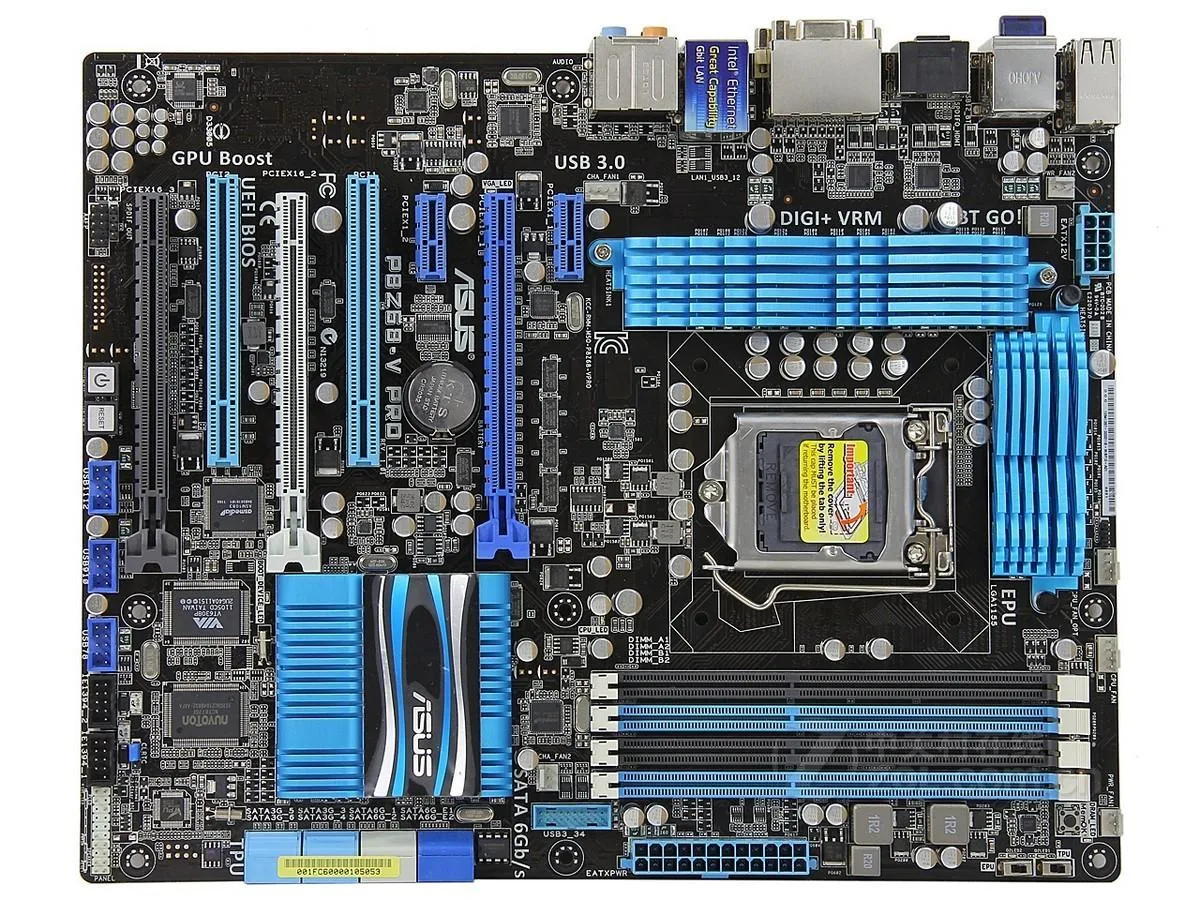
ASUS P8Z68-V PRO Intel Z68 motherboard DDR3 32GB LGA 1155 ATX
Intel Z68 ATX motherboard for LGA 1155 CPUs supporting up to 32 GB DDR3 and SATA storage
- CPU Socket TypeLGA 1155
- ChipsetIntel Z68
- Maximum Memory Supported32GB
- Supports up to 32GB DDR3 for multitasking headroom
- Intel Z68 chipset enables CPU and integrated graphics switching
- LGA 1155 socket fits second- and third-generation Core processors
- ATX form factor fits standard desktop cases
- Includes I/O shield and one SATA cable for quick setup
Socket LGA 1155 ATX motherboard
The ASUS P8Z68-V PRO is an Intel Z68 board built for the LGA 1155 platform. It supports DDR3 memory up to 32 GB and fits standard ATX cases. The unit is supplied new with a chassis I/O back panel and one SATA cable included.
Buyers needing a current-generation platform
This motherboard suits builders who are assembling or repairing an LGA 1155 system and want the Z68 feature set. It will not serve buyers who need a modern socket, a different chipset, or memory types other than DDR3.
Maximum memory capacity 32 GB
The board accepts up to 32 GB of DDR3, which is the limiting figure for total system RAM on this platform. Ensure your planned memory kit stays within this ceiling before ordering.
จุดเด่น
- Supports up to 32GB DDR3 for multitasking headroom
- Intel Z68 chipset enables CPU and integrated graphics switching
- LGA 1155 socket fits second- and third-generation Core processors
- ATX form factor fits standard desktop cases
- Includes I/O shield and one SATA cable for quick setup
ข้อมูลจำเพาะ
| Brand | ASUS |
|---|---|
| Model | ASUS P8Z68-V PRO |
| CPU Socket Type | LGA 1155 |
| Chipset | Intel Z68 |
| Maximum Memory Supported | 32GB |
คำถามเกี่ยวกับสินค้านี้
What chipset does the P8Z68-V PRO use and what CPU socket does it cap at?
The board uses the Intel Z68 chipset and supports processors in the LGA 1155 socket.
What physical size and mounting standard does this ATX motherboard follow?
It follows the ATX form factor with standard mounting holes for ATX cases.
How do you install the board and which step is often missed?
Fit the I/O shield, align the board with standoffs, secure it with screws, then connect the 24-pin and CPU power cables — the CPU power connector is the step most often forgotten.
อื่น ๆ ในหมวดนี้
ลูกค้ามักเปรียบเทียบสินค้าเหล่านี้
หมวดเดียวกัน การชำระเงินแบบเดียวกัน — แปดสกุลเงินคริปโตและอัตราแลกเปลี่ยนที่ล็อกไว้ 30 นาที


Mushkin Enhanced
Mushkin Enhanced 4GB DDR2-800 CL6 SoDIMM Apple 971741A memory upgrade
US$104.99
0.0013477BTC
มีสินค้า

SK hynix
SK hynix HYMD232M646C6-J 256MB DDR 333MHz PC2700 CL2.5 SODIMM laptop RAM
- 4GB (2 x 2GB)
US$7.99
0.00010256BTC
มีสินค้า