

SanDisk
SanDisk Cruzer Blade 8 GB USB 2.0 USB flash drive Black SDCZ50-008G-B35
US$391.99
0.00501407BTC
มีสินค้าเรารับชำระด้วยคริปโต — เหรียญที่คุณถืออยู่จึงนำมาซื้อฮาร์ดแวร์ของจริงได้จ่ายด้วยคริปโต แล้วนำไปซื้อฮาร์ดแวร์ของจริง จัดส่งฟรีพร้อมประกันภัยทั่วโลก เมื่อสั่งซื้อเกิน US$399 กล่องพัสดุเรียบไม่มีตราสินค้า จัดส่งจากประเทศเยอรมนีจัดส่งฟรีพร้อมประกันภัย เมื่อสั่งซื้อเกิน US$399 อัตราแลกเปลี่ยนของคุณจะถูกล็อกไว้ 30 นาที ทันทีที่เปิดหน้าชำระเงินล็อกอัตราแลกเปลี่ยน 30 นาที สินค้าทุกชิ้นปิดผนึกจากโรงงาน ตรวจสอบหมายเลขซีเรียล และรับประกัน 24 เดือนปิดผนึกจากโรงงาน รับประกัน 24 เดือน
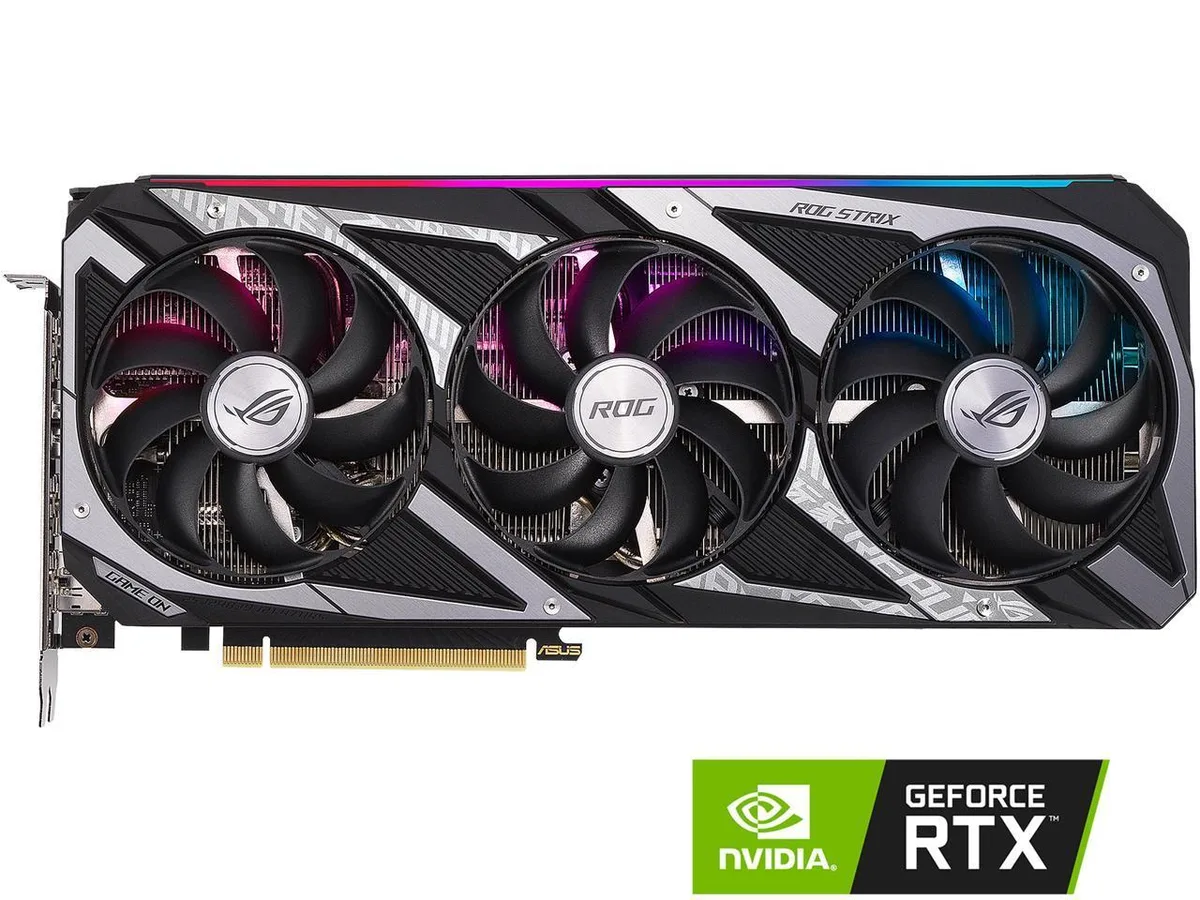


ASUS
8GB GDDR6 graphics card with 2560 CUDA cores, PCIe 4.0, HDMI 2.1 and DisplayPort 1.4a for four-monitor setups
The ASUS ROG Strix GeForce RTX 3050 is a graphics card designed for smooth 1080p gameplay. It uses the NVIDIA Ampere architecture with 2560 CUDA cores and 8GB of GDDR6 memory on a 128-bit interface. The card connects via a PCI Express 4.0 slot and offers factory overclocking profiles.
This model fits builders who want ROG Strix cooling and quiet operation in a mid-range card. It drives up to four displays through two HDMI 2.1 and three DisplayPort 1.4a outputs. Users targeting high-refresh 1440p or 4K gaming should consider a higher-tier GPU with more memory bandwidth.
The 128-bit memory bus determines the effective throughput for texture-heavy scenes. At 1080p the 8GB GDDR6 buffer is adequate for current titles. If your workload needs wider bandwidth for 1440p or professional apps, look for a card with a larger bus width.
| Brand | ASUS |
|---|---|
| Series | ROG Strix |
| Model | ROG-STRIX-RTX3050-O8G-GAMING |
| Interface | PCI Express 4.0 |
| Chipset Manufacturer | NVIDIA |
| GPU Series | NVIDIA GeForce RTX 30 Series |
| GPU | GeForce RTX 3050 |
| Architecture | Ampere |
| Boost Clock | OC mode: 1890 MHz Gaming mode: 1860 MHz |
| CUDA Cores | 2560 |
| Memory Size | 8GB |
| Memory Interface | 128-Bit |
| Memory Type | GDDR6 |
| DirectX | DirectX 12 Ultimate |
| OpenGL | OpenGL 4.6 |
| Multi-Monitor Support | 4 |
| HDMI | 2 x HDMI 2.1 |
| DisplayPort | 3 x DisplayPort 1.4a |
| Max Resolution | 7680 x 4320 |
| SLI Support | No |
| Cooler | Triple Fans |
| Thermal Design Power | 130W |
| Recommended PSU Wattage | 550W |
| Power Connector | 8-Pin |
| HDCP Ready | 2.3 |
| Max GPU Length | 300 mm |
| Card Dimensions (L x H) | 11.81" x 5.26" |
| Slot Width | 2.7 Slot |
| Package Contents | Accessories 1 x ROG Velcro Hook & Loop 1 x Collection Card 1 x Speedsetup Manual |
The card includes only the graphics board and documentation. Power cables, HDMI 2.1 cables and DisplayPort 1.4a cables are not supplied and must be bought separately if your power supply or monitors lack the required connectors.
OC mode runs the boost clock at 1890 MHz for higher frame rates in lighter titles, while Gaming mode runs at 1860 MHz with lower fan noise and power draw. Switch between them with the ASUS GPU Tweak utility after installation.
The 1890 MHz boost clock is the peak frequency the 2560 CUDA cores can reach in OC mode under load. Actual sustained speeds depend on case airflow, power limit and driver settings, so typical gaming clocks may sit below this peak.
อื่น ๆ ในหมวดนี้
หมวดเดียวกัน การชำระเงินแบบเดียวกัน — แปดสกุลเงินคริปโตและอัตราแลกเปลี่ยนที่ล็อกไว้ 30 นาที
สิ่งที่คุณใช้ชำระ และสิ่งที่คุณใช้อ่านราคา
ส่งจากกระเป๋าเงินของคุณเมื่อชำระเงิน
แสดงผลเท่านั้น — แคตตาล็อกสินค้าตั้งราคาเป็นดอลลาร์สหรัฐ
ไม่พบสกุลเงินที่ตรงกัน
เลือกภาษาที่ต้องการให้เว็บไซต์แสดงผล
ไม่พบภาษาที่ตรงกัน
ยังไม่เคยใช้งานใช่ไหม
มีบัญชีอยู่แล้วใช่ไหม
ไม่มีการรีเซ็ตแบบอัตโนมัติ ร้านนี้ไม่ส่งอีเมลใด ๆ จึงไม่มีลิงก์ใช้ครั้งเดียวให้ขอ ปล่อยที่อยู่อีเมลนี้ไว้ในบัญชี แล้วเจ้าหน้าที่จะดำเนินการให้ด้วยตนเอง
รับคำขอแล้ว
ไม่มีอะไรถูกส่งไปยังกล่องจดหมายของคุณ — ร้านนี้ไม่ส่งอีเมลใด ๆ เลย มีคนดำเนินการเรื่องนี้ให้ด้วยมือ
นึกออกแล้วใช่ไหม



