

SanDisk
SanDisk Cruzer Blade 8 GB USB 2.0 USB flash drive Black SDCZ50-008G-B35
US$391.99
0.00501272BTC
มีสินค้าเรารับชำระด้วยคริปโต — เหรียญที่คุณถืออยู่จึงนำมาซื้อฮาร์ดแวร์ของจริงได้จ่ายด้วยคริปโต แล้วนำไปซื้อฮาร์ดแวร์ของจริง จัดส่งฟรีพร้อมประกันภัยทั่วโลก เมื่อสั่งซื้อเกิน US$399 กล่องพัสดุเรียบไม่มีตราสินค้า จัดส่งจากประเทศเยอรมนีจัดส่งฟรีพร้อมประกันภัย เมื่อสั่งซื้อเกิน US$399 อัตราแลกเปลี่ยนของคุณจะถูกล็อกไว้ 30 นาที ทันทีที่เปิดหน้าชำระเงินล็อกอัตราแลกเปลี่ยน 30 นาที สินค้าทุกชิ้นปิดผนึกจากโรงงาน ตรวจสอบหมายเลขซีเรียล และรับประกัน 24 เดือนปิดผนึกจากโรงงาน รับประกัน 24 เดือน
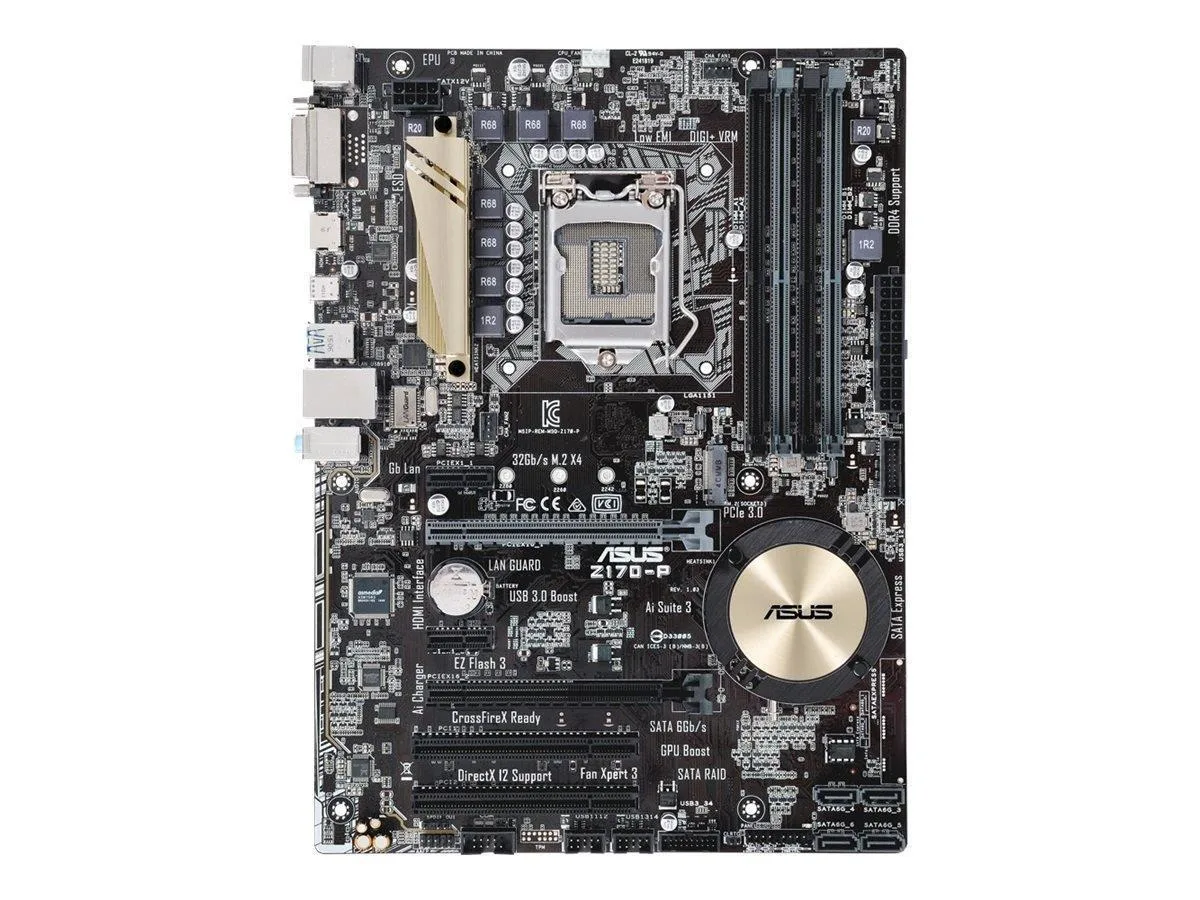


ASUS
ATX motherboard for LGA 1151 CPUs with SATA, USB 3.0 and 3.1, M.2 slot, 5X Protection II and DTS Studio Sound
The ASUS Z170-P fits the LGA 1151 socket and accepts Core i7, i5, i3, Pentium and Celeron processors. It targets builders assembling a mainstream desktop for office work, home media or light creative tasks. The ATX layout provides standard expansion room without demanding an oversized case.
5X Protection II adds overvoltage safeguards, stainless-steel rear I/O and laneguard on the primary PCIe slot. Dual Intelligent Processors 5 handles automatic tuning through 5-Way Optimization. Rear panel includes HDMI, SATA 6 Gb/s and USB 3.0 connectors. M.2 support is present for a single solid-state drive.
DTS Studio Sound handles onboard audio without a discrete card. USB 3.1 Boost improves throughput on compatible peripherals. The board draws modest power during everyday use and runs quietly with standard case airflow. No exotic cooling is required for normal workloads.
| Brand | ASUS |
|---|---|
| Model | Z170-P |
| CPU Type | Core i7 / i5 / i3 / Pentium / Celeron (LGA1151) |
The USB 3.1 Boost feature accelerates transfer rates, though actual throughput depends on the connected device and cable quality.
The ATX layout requires a case with nine mounting holes and sufficient rear-panel cutout space for the HDMI and USB 3.0 ports.
Insert the M.2 drive at an angle into the slot, then secure it with the small retention screw; the step most often missed is fitting that screw.
อื่น ๆ ในหมวดนี้
หมวดเดียวกัน การชำระเงินแบบเดียวกัน — แปดสกุลเงินคริปโตและอัตราแลกเปลี่ยนที่ล็อกไว้ 30 นาที
สิ่งที่คุณใช้ชำระ และสิ่งที่คุณใช้อ่านราคา
ส่งจากกระเป๋าเงินของคุณเมื่อชำระเงิน
แสดงผลเท่านั้น — แคตตาล็อกสินค้าตั้งราคาเป็นดอลลาร์สหรัฐ
ไม่พบสกุลเงินที่ตรงกัน
เลือกภาษาที่ต้องการให้เว็บไซต์แสดงผล
ไม่พบภาษาที่ตรงกัน
ยังไม่เคยใช้งานใช่ไหม
มีบัญชีอยู่แล้วใช่ไหม
ไม่มีการรีเซ็ตแบบอัตโนมัติ ร้านนี้ไม่ส่งอีเมลใด ๆ จึงไม่มีลิงก์ใช้ครั้งเดียวให้ขอ ปล่อยที่อยู่อีเมลนี้ไว้ในบัญชี แล้วเจ้าหน้าที่จะดำเนินการให้ด้วยตนเอง
รับคำขอแล้ว
ไม่มีอะไรถูกส่งไปยังกล่องจดหมายของคุณ — ร้านนี้ไม่ส่งอีเมลใด ๆ เลย มีคนดำเนินการเรื่องนี้ให้ด้วยมือ
นึกออกแล้วใช่ไหม



