Attack Shark
Attack Shark R1 Tri-Mode Wireless Gaming Mouse White 55g PAW3311 18000 DPI 20M Clicks
- Bluetooth / 2.4GHz…
- White
US$25.99
0.00033056BTC
มีสินค้าเรารับชำระด้วยคริปโต — เหรียญที่คุณถืออยู่จึงนำมาซื้อฮาร์ดแวร์ของจริงได้จ่ายด้วยคริปโต แล้วนำไปซื้อฮาร์ดแวร์ของจริง จัดส่งฟรีพร้อมประกันภัยทั่วโลก เมื่อสั่งซื้อเกิน US$399 กล่องพัสดุเรียบไม่มีตราสินค้า จัดส่งจากประเทศเยอรมนีจัดส่งฟรีพร้อมประกันภัย เมื่อสั่งซื้อเกิน US$399 อัตราแลกเปลี่ยนของคุณจะถูกล็อกไว้ 30 นาที ทันทีที่เปิดหน้าชำระเงินล็อกอัตราแลกเปลี่ยน 30 นาที สินค้าทุกชิ้นปิดผนึกจากโรงงาน ตรวจสอบหมายเลขซีเรียล และรับประกัน 24 เดือนปิดผนึกจากโรงงาน รับประกัน 24 เดือน


Attack Shark
Lightweight 62 g gaming mouse with PAW3311 sensor up to 22000 DPI, tri-mode connectivity and RGB charging dock
The Attack Shark X11 gaming mouse uses a PixArt PAW 3311 optical sensor that reaches 22000 DPI across six preset levels. It tracks at 300 IPS with 35G acceleration and a polling rate up to 1000 Hz. The 62g lightweight shell suits palm, claw and fingertip grips for long sessions.
This mouse adds Bluetooth 5.2 and USB-C wired operation to the standard 2.4 GHz wireless link. The jump is worth it when you switch between a desktop, laptop, tablet or Mac and want one device that pairs to all of them without swapping receivers.
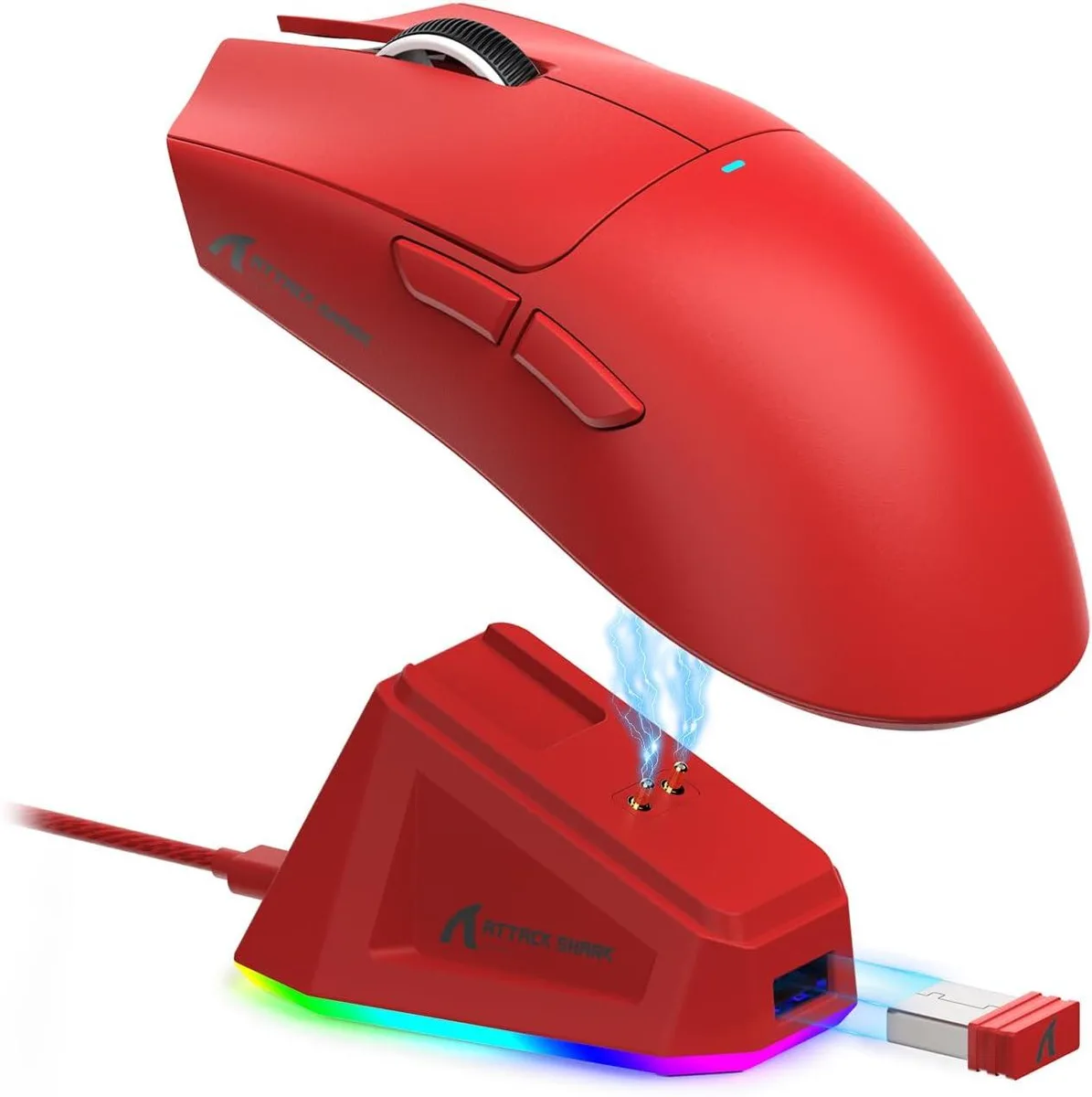
The included RGB dock charges the mouse and holds the USB dongle inside, keeping the desk tidy and the link ready. Five programmable buttons with Huanyu switches rated for 20 million clicks and a TTC encoder are configured through driver software on Windows 7 through 11 or Mac OS.
| Brand | ATTACK SHARK |
|---|---|
| Series | X11 |
| Model | X11 |
| Color | Black |
| Interface | Wireless, LED Lights, Rechargeable |
| Dimension | 12.8 × 6.4 × 4.05 cm/5.04 × 2.52 × 1.59 in |
| Operating System Supported | PC |
| System Requirement | PC |
| Package Contents | X11 Mouse *1,Charing Base*1,2.4G Receiver *1, USB-C Cable *1, Manual *1 |
รุ่นอื่นในตระกูลเดียวกัน
ตระกูลเดียวกัน แต่หน่วยความจำ คูลเลอร์ หรือสัญญาณนาฬิกาต่างกัน — เปรียบเทียบก่อนตัดสินใจ
The mouse measures 12.8 × 6.4 × 4.05 cm. The dock holds the mouse vertically and stores the 2.4 GHz receiver internally, keeping the footprint compact on your desk.
Hold the pairing button until the LED flashes, then select the X11 in your device's Bluetooth menu. A common miss is forgetting to switch the mouse from 2.4 GHz mode before starting pairing.
The Huanyu switches are rated for 20 million clicks. Under typical daily use this lasts several years; heavy competitive gaming may reach the limit sooner. No user-replaceable switch sockets are provided.
อื่น ๆ ในหมวดนี้
หมวดเดียวกัน การชำระเงินแบบเดียวกัน — แปดสกุลเงินคริปโตและอัตราแลกเปลี่ยนที่ล็อกไว้ 30 นาที
สิ่งที่คุณใช้ชำระ และสิ่งที่คุณใช้อ่านราคา
ส่งจากกระเป๋าเงินของคุณเมื่อชำระเงิน
แสดงผลเท่านั้น — แคตตาล็อกสินค้าตั้งราคาเป็นดอลลาร์สหรัฐ
ไม่พบสกุลเงินที่ตรงกัน
เลือกภาษาที่ต้องการให้เว็บไซต์แสดงผล
ไม่พบภาษาที่ตรงกัน
ยังไม่เคยใช้งานใช่ไหม
มีบัญชีอยู่แล้วใช่ไหม
ไม่มีการรีเซ็ตแบบอัตโนมัติ ร้านนี้ไม่ส่งอีเมลใด ๆ จึงไม่มีลิงก์ใช้ครั้งเดียวให้ขอ ปล่อยที่อยู่อีเมลนี้ไว้ในบัญชี แล้วเจ้าหน้าที่จะดำเนินการให้ด้วยตนเอง
รับคำขอแล้ว
ไม่มีอะไรถูกส่งไปยังกล่องจดหมายของคุณ — ร้านนี้ไม่ส่งอีเมลใด ๆ เลย มีคนดำเนินการเรื่องนี้ให้ด้วยมือ
นึกออกแล้วใช่ไหม