


DELL
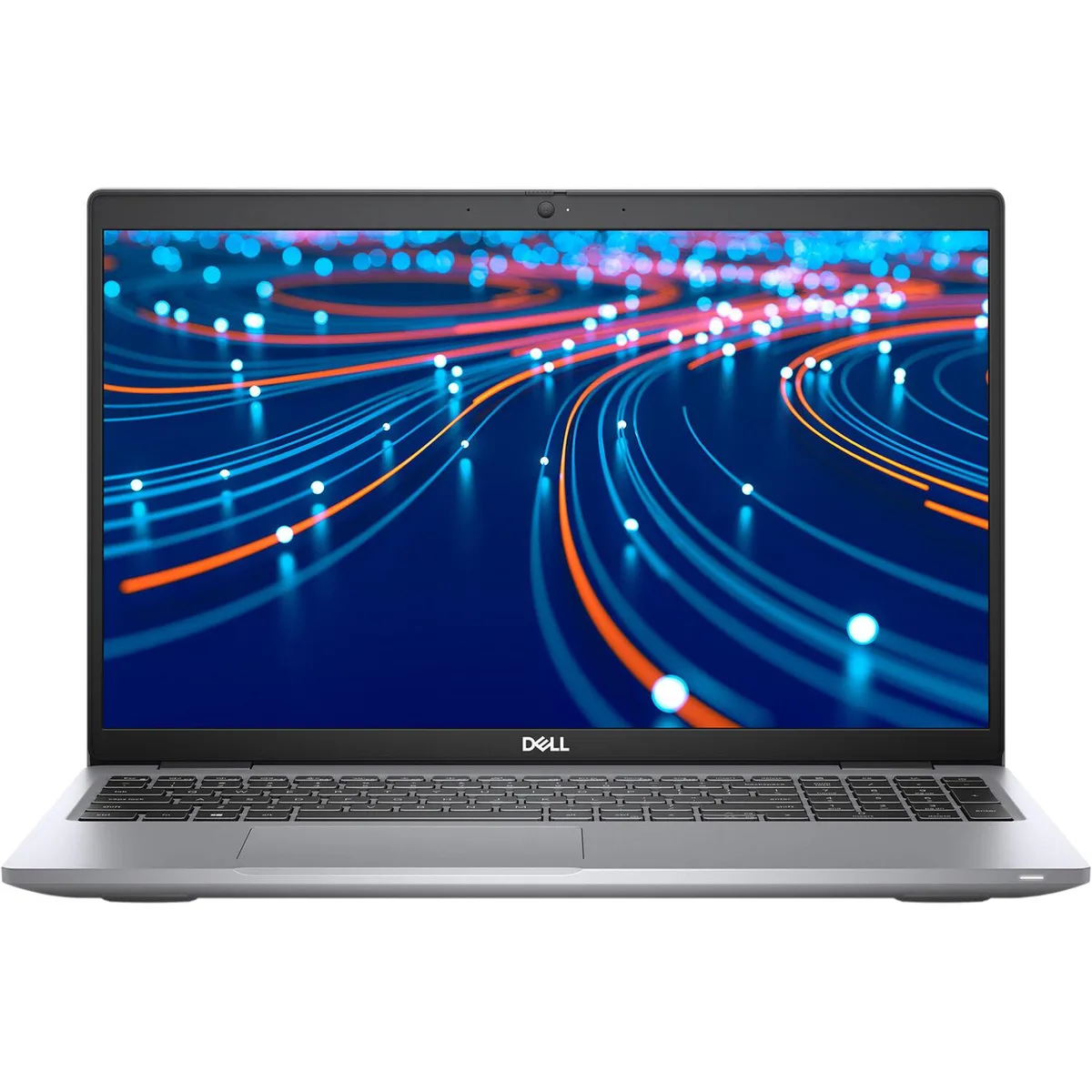
DELL Latitude 5520 laptop i7 1185G7 3.0GHz 32GB DDR4 512GB NVMe 15.6" FHD
15.6-inch Full HD business laptop with Intel Core i7 1185G7, 32GB DDR4 memory, 512GB NVMe storage, Thunderbolt and HDMI outputs, running Windows 11 Pro
- ColorGrey
- Cosmetic ConditionGrade A (Excellent)
- Operating SystemWindows 11 Pro
- CPU TypeIntel Core i7 11th Gen
- Core NameTiger Lake
- Number of CoresQuad-core Processor
- Quad-core i7 1185G7 reaches 3.0 GHz for responsive multitasking
- 32 GB DDR4 memory handles heavy workloads without slowdown
- 512 GB NVMe storage loads apps and files quickly
- 6 inch 1920 x 1080 FHD panel gives sharp visuals
- Thunderbolt 3 and HDMI ports connect dual external displays
Business laptop for mobile professionals
The Dell Latitude 5520 is a 15.6 inch business laptop powered by an Intel Core i7 1185G7 processor with four cores and eight threads. It ships with 32GB DDR4 memory and a 512GB NVMe solid-state drive. Windows 11 Pro is pre-installed on the 1920 x 1080 FHD non-touch display.
Suits office and remote workflows.
This configuration suits professionals who need reliable performance for productivity applications, video calls and multi-monitor setups via HDMI or Thunderbolt 3. Buyers who want discrete graphics for rendering, gaming or GPU-accelerated workloads should look elsewhere. The integrated Intel Iris Xe graphics handle everyday visual tasks only.
32 GB memory ceiling and 512 GB storage headroom
The 32GB DDR4 matches the maximum supported memory, so no further RAM upgrades are possible. The 512GB NVMe drive provides fast boot and application loading with room for typical business datasets. Users working with large media libraries or virtual machines may need external storage expansion.
จุดเด่น
- Quad-core i7 1185G7 reaches 3.0 GHz for responsive multitasking
- 32 GB DDR4 memory handles heavy workloads without slowdown
- 512 GB NVMe storage loads apps and files quickly
- 6 inch 1920 x 1080 FHD panel gives sharp visuals
- Thunderbolt 3 and HDMI ports connect dual external displays
ข้อมูลจำเพาะ
| Brand | DELL |
|---|---|
| Series | Latitude |
| Model | 5520 |
| Color | Grey |
| Cosmetic Condition | Grade A (Excellent) |
| Operating System | Windows 11 Pro |
| CPU Type | Intel Core i7 11th Gen |
| Core Name | Tiger Lake |
| Number of Cores | Quad-core Processor |
| CPU L2 Cache | 8MB |
| Screen Size | 15.6" |
| Touchscreen | Non-Touch Screen |
| Wide Screen Support | Yes |
| Display Type | FHD |
| Resolution | 1920 x 1080 |
| GPU/VPU | Intel Iris Xe Graphics |
| Graphic Type | Integrated Card |
| SSD | 512GB PCIe |
| Memory | 32GB |
| Max Memory Supported | 32GB |
| Optical Drive Type | No |
| LAN | 10/100/1000Mbps |
| WLAN | 802.11a/b/g/n Wireless LAN |
| WiFi Generation | Wi-Fi 6 |
| Bluetooth | Bluetooth 5.1 |
| USB | 3 |
| HDMI | 1 x HDMI |
| Ethernet | 1 x RJ-45 |
| Audio | Integrated Sound card |
| Touchpad | Yes |
| Webcam | Yes |
| Style | Standard |
| Type | Mainstream |
| Usage | Business |
| AC Adapter/Charger | 90-watt AC Adapter |
| Software Included | Fresh install and activated Windows 11 with zero bloatware. Windows 11 will be activated via your unit's unique digital license and ready to go right out of the box. |
| Consumer Alert | Previously Used, Seller Refurbished, Grade A - Laptop will be in good condition. May show minor signs of previous use but will still be in overall perfect working order. Vinyl skin cover may be applied. |
คำถามเกี่ยวกับสินค้านี้
Does the 5520 need a separate power brick to run the Intel Core i7 1185G7?
The package includes a charger that powers the laptop and charges the battery, so no additional power brick is required.
Can I keep using my existing USB 3.2 Gen 1 peripherals with the two Thunderbolt 3 USB-C ports?
Yes, the Thunderbolt 3 USB-C ports are backward compatible with USB 3.2 Gen 1 devices, so your current peripherals will work.
How can I confirm the 32 GB DDR4 memory is recognised after first boot?
Open Task Manager, select the Performance tab and choose Memory; it should show 32 GB DDR4 running at the system speed.
อื่น ๆ ในหมวดนี้
ลูกค้ามักเปรียบเทียบสินค้าเหล่านี้
หมวดเดียวกัน การชำระเงินแบบเดียวกัน — แปดสกุลเงินคริปโตและอัตราแลกเปลี่ยนที่ล็อกไว้ 30 นาที


Microsoft
Microsoft Surface 3 1657 128GB CRB 2-in-1 laptop
- Silver
- Windows 10 Pro
US$244.99
0.0030304BTC
มีสินค้า
Microsoft
Microsoft Surface Pro FGG-2D-00001-RFB 2-in-1 laptop 16 GB 512 GB 12.0" touchscreen 2736 x 1824 refurbished
- 12.0"
- Touch Screen
US$687.99
0.00851009BTC
มีสินค้า
Lenovo
Lenovo Chromebook 500e Gen 5 M89 83TA0004US 12.2" MediaTek 8GB 64GB
- 12.2"
US$392.99US$420.99−7%
0.00486109BTC
มีสินค้า