

SanDisk
SanDisk Cruzer Blade 8 GB USB 2.0 USB flash drive Black SDCZ50-008G-B35
US$391.99
0.00501696BTC
มีสินค้าเรารับชำระด้วยคริปโต — เหรียญที่คุณถืออยู่จึงนำมาซื้อฮาร์ดแวร์ของจริงได้จ่ายด้วยคริปโต แล้วนำไปซื้อฮาร์ดแวร์ของจริง จัดส่งฟรีพร้อมประกันภัยทั่วโลก เมื่อสั่งซื้อเกิน US$399 กล่องพัสดุเรียบไม่มีตราสินค้า จัดส่งจากประเทศเยอรมนีจัดส่งฟรีพร้อมประกันภัย เมื่อสั่งซื้อเกิน US$399 อัตราแลกเปลี่ยนของคุณจะถูกล็อกไว้ 30 นาที ทันทีที่เปิดหน้าชำระเงินล็อกอัตราแลกเปลี่ยน 30 นาที สินค้าทุกชิ้นปิดผนึกจากโรงงาน ตรวจสอบหมายเลขซีเรียล และรับประกัน 24 เดือนปิดผนึกจากโรงงาน รับประกัน 24 เดือน
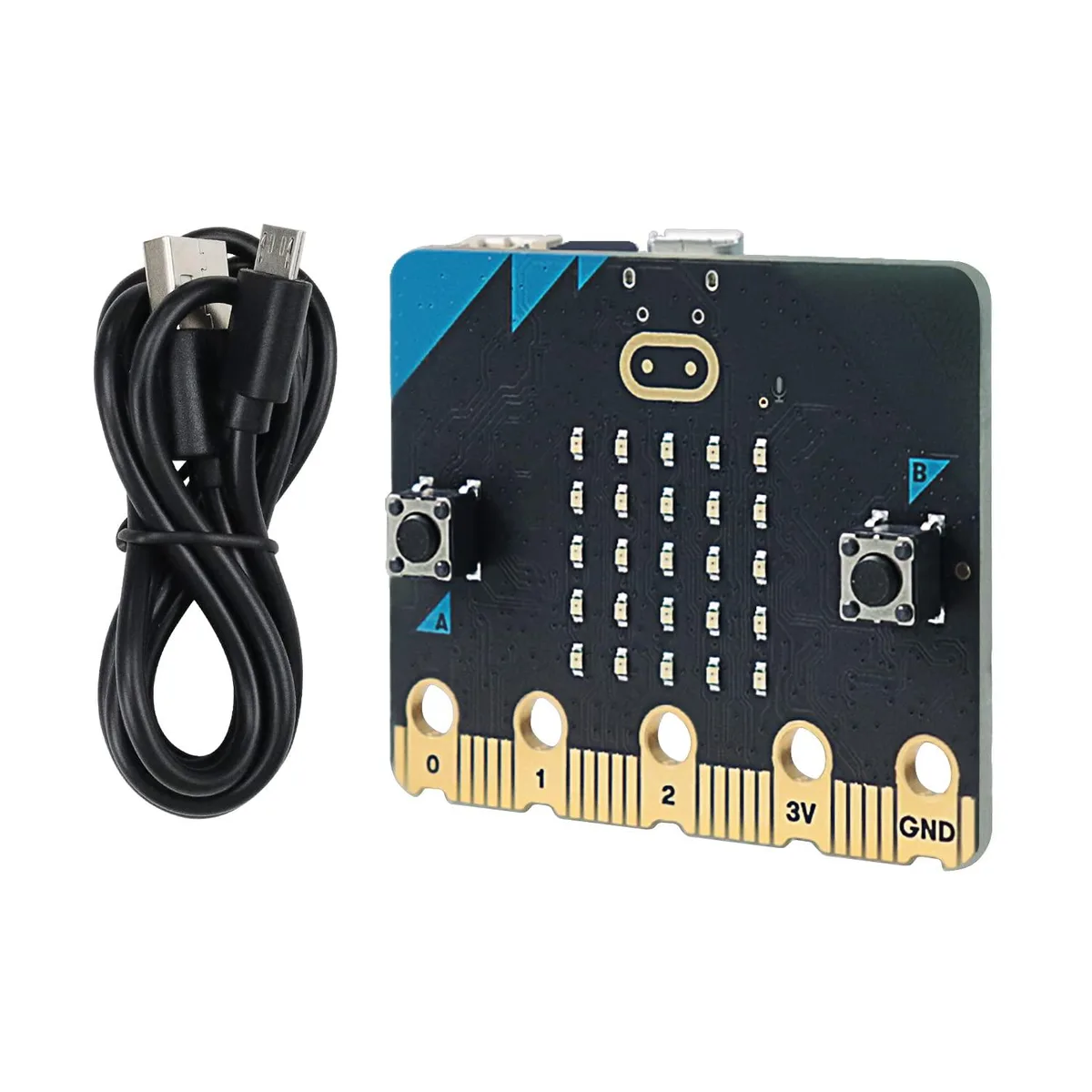


KEHIPI
Pocket-sized computer with Arm Cortex-M4 processor, 512KB flash, 128KB RAM, 64MHz speed, includes USB cable and downloadable Blocks and Python tutorials
The KEHIPI BBC micro:bit V2 is a pocket-sized computer that lets you explore how software and hardware work together. It ships with a 100cm USB cable so you can connect the board to your computer and start programming immediately.
The kit includes a downloadable tutorial with step-by-step guides and example projects written in both block-based visual code and text-based Python. Buyers who need a printed manual in the box should look elsewhere because the tutorial is only provided as a digital download.
Ensure your computer has a free USB port and can run the programming IDE required for the board. The board uses an Arm Cortex-M4 processor with 512KB flash ROM and 128KB RAM running at 64MHz, so verify that your development environment supports this architecture.
| Brand | FREENOVE |
|---|---|
| Model | FNK0070 |
| Part Number | FNK0070 |
Yes, the 100 cm USB cable powers the micro:bit V2 directly from a computer or USB charger.
Many MakeCode projects will run, but the V2 adds a faster 64 MHz Cortex-M4, 512 KB flash and 128 KB RAM, so V2-only features such as the onboard speaker and microphone will not work on V1.
The board appears as a USB drive named MICROBIT; dragging a .hex file onto it flashes the firmware, and the yellow status LED blinks during transfer then stays solid when the program starts.
อื่น ๆ ในหมวดนี้
หมวดเดียวกัน การชำระเงินแบบเดียวกัน — แปดสกุลเงินคริปโตและอัตราแลกเปลี่ยนที่ล็อกไว้ 30 นาที
สิ่งที่คุณใช้ชำระ และสิ่งที่คุณใช้อ่านราคา
ส่งจากกระเป๋าเงินของคุณเมื่อชำระเงิน
แสดงผลเท่านั้น — แคตตาล็อกสินค้าตั้งราคาเป็นดอลลาร์สหรัฐ
ไม่พบสกุลเงินที่ตรงกัน
เลือกภาษาที่ต้องการให้เว็บไซต์แสดงผล
ไม่พบภาษาที่ตรงกัน
ยังไม่เคยใช้งานใช่ไหม
มีบัญชีอยู่แล้วใช่ไหม
ไม่มีการรีเซ็ตแบบอัตโนมัติ ร้านนี้ไม่ส่งอีเมลใด ๆ จึงไม่มีลิงก์ใช้ครั้งเดียวให้ขอ ปล่อยที่อยู่อีเมลนี้ไว้ในบัญชี แล้วเจ้าหน้าที่จะดำเนินการให้ด้วยตนเอง
รับคำขอแล้ว
ไม่มีอะไรถูกส่งไปยังกล่องจดหมายของคุณ — ร้านนี้ไม่ส่งอีเมลใด ๆ เลย มีคนดำเนินการเรื่องนี้ให้ด้วยมือ
นึกออกแล้วใช่ไหม



