

SanDisk
SanDisk Cruzer Blade 8 GB USB 2.0 USB flash drive Black SDCZ50-008G-B35
US$391.99
0.00501112BTC
มีสินค้าเรารับชำระด้วยคริปโต — เหรียญที่คุณถืออยู่จึงนำมาซื้อฮาร์ดแวร์ของจริงได้จ่ายด้วยคริปโต แล้วนำไปซื้อฮาร์ดแวร์ของจริง จัดส่งฟรีพร้อมประกันภัยทั่วโลก เมื่อสั่งซื้อเกิน US$399 กล่องพัสดุเรียบไม่มีตราสินค้า จัดส่งจากประเทศเยอรมนีจัดส่งฟรีพร้อมประกันภัย เมื่อสั่งซื้อเกิน US$399 อัตราแลกเปลี่ยนของคุณจะถูกล็อกไว้ 30 นาที ทันทีที่เปิดหน้าชำระเงินล็อกอัตราแลกเปลี่ยน 30 นาที สินค้าทุกชิ้นปิดผนึกจากโรงงาน ตรวจสอบหมายเลขซีเรียล และรับประกัน 24 เดือนปิดผนึกจากโรงงาน รับประกัน 24 เดือน
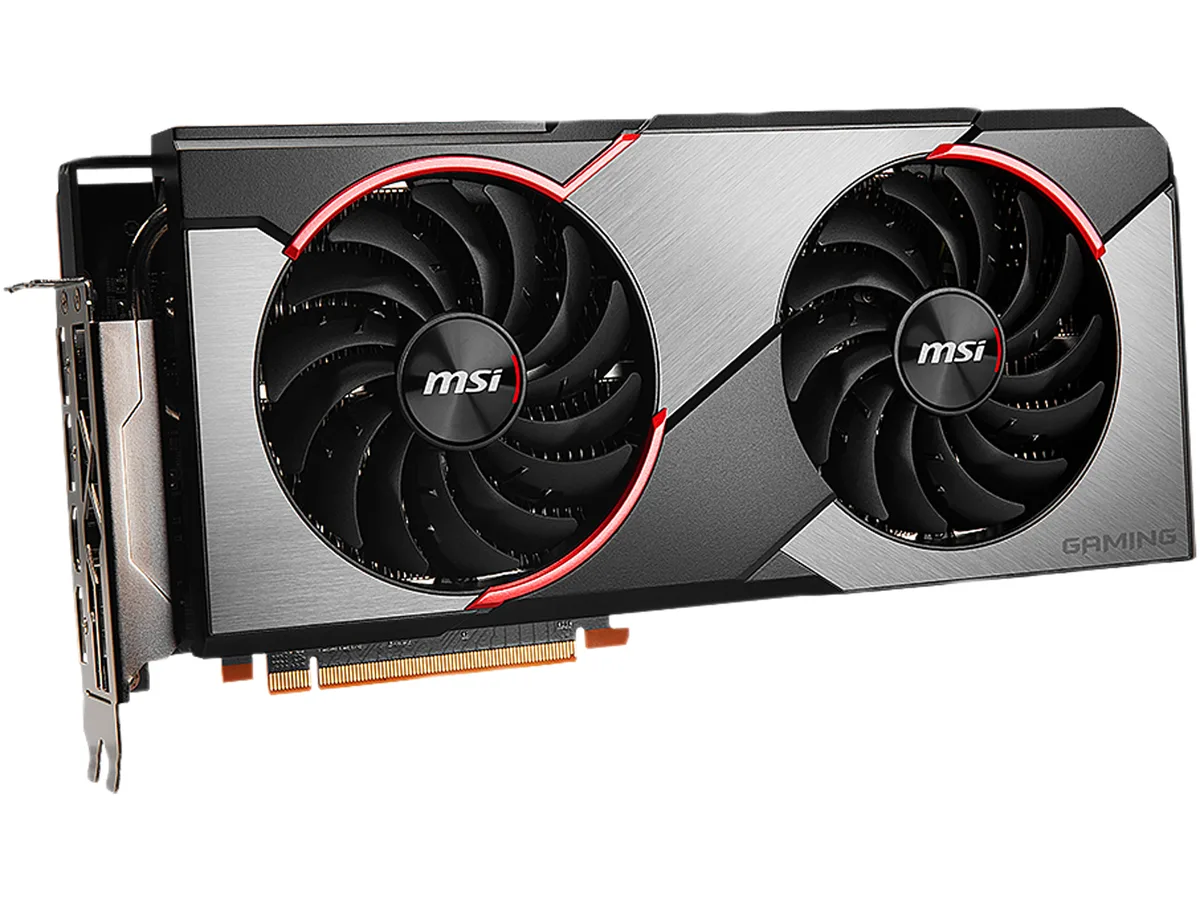


MSI
Refurbished Radeon GPU with 6GB GDDR6, 2304 stream processors, 1750 MHz boost clock and triple DisplayPort 1.4 outputs
The MSI RX 5600 XT GAMING X is a refurbished graphics card built on the AMD Radeon RX 5600 XT GPU. It delivers 2304 stream processors with a 1420 MHz core clock and a 1750 MHz boost clock. The 6GB GDDR6 memory runs at 14 Gbps across a 192-bit interface. It targets 1080p and 1440p gaming on a PCI Express 4.0 platform.
Moving from a 4GB frame buffer or a 12 Gbps memory subsystem adds headroom for modern texture packs and higher resolution assets. The 14 Gbps effective clock and 6GB capacity reduce stutter in memory-bound titles. The jump is worth it when your current card hits VRAM limits before GPU utilisation peaks.
The card draws 150W and requires two 8-pin power connectors from a 450W PSU. Its dual-fan cooler occupies two slots and exhausts heat into the chassis. Three DisplayPort 1.4 and one HDMI 2.0b ports drive up to four displays at 7680 x 4320. Mystic Light RGB syncs with other MSI components via software.
| Brand | MSI |
|---|---|
| Model | RX 5600 XT GAMING X |
| Interface | PCI Express 4.0 |
| Chipset Manufacturer | AMD |
| GPU Series | AMD Radeon RX 5600 Series |
| GPU | Radeon RX 5600 XT |
| Core Clock | 1420 MHz |
| Boost Clock | 1750 MHz |
| Stream Processors | 2304 |
| Effective Memory Clock | 14 Gbps |
| Memory Size | 6GB |
| Memory Interface | 192-Bit |
| Memory Type | GDDR6 |
| DirectX | DirectX 12 |
| OpenGL | OpenGL 4.6 |
| Multi-Monitor Support | 4 |
| HDMI | 1 x HDMI 2.0b |
| DisplayPort | 3 x DisplayPort 1.4 |
| Color | Black |
| Max Resolution | 7680 x 4320 |
| Virtual Reality Ready | Yes |
| Cooler | Double Fans |
| Thermal Design Power | 150W |
| System Requirements | Recommended PSU: 450W |
| Recommended PSU Wattage | 450W |
| Power Connector | 2 x 8-Pin |
| HDCP Ready | Yes |
| Features | TORX FAN 3.0: Supremely silent Dispersion fan blade: Steeper curved blade accelerating the airflow. Traditional fan blade: Provides steady airflow to massive heat sink below. RGB Mystic Light Customize colors and LED effects with exclusive MSI software and synchronize the look & feel with other components. Afterburner Overclocking Utility Wireless control through Android/iOS devices. Predator: In-game video recording. Dragon Center A consolidated platform that offers all software including MYSTIC LIGHT functionality for your MSI Gaming product. |
| Max GPU Length | 297 mm |
| Card Dimensions (L x H) | 11.69" x 5.51" |
| น้ำหนักในการจัดส่ง | 2.04 kg |
| ขนาดบรรจุภัณฑ์ | 406 × 287 × 86 mm |
The card uses a dual-slot cooler with two fans, so it needs two adjacent expansion slots and enough case clearance for a standard dual-fan graphics card.
Connect both 8-pin power connectors from the PSU; the frequent error is plugging in only one, which prevents the card from starting.
Refresh the thermal interface material if temperatures rise noticeably after several years of use, or when the card is disassembled for cleaning.
อื่น ๆ ในหมวดนี้
หมวดเดียวกัน การชำระเงินแบบเดียวกัน — แปดสกุลเงินคริปโตและอัตราแลกเปลี่ยนที่ล็อกไว้ 30 นาที
สิ่งที่คุณใช้ชำระ และสิ่งที่คุณใช้อ่านราคา
ส่งจากกระเป๋าเงินของคุณเมื่อชำระเงิน
แสดงผลเท่านั้น — แคตตาล็อกสินค้าตั้งราคาเป็นดอลลาร์สหรัฐ
ไม่พบสกุลเงินที่ตรงกัน
เลือกภาษาที่ต้องการให้เว็บไซต์แสดงผล
ไม่พบภาษาที่ตรงกัน
ยังไม่เคยใช้งานใช่ไหม
มีบัญชีอยู่แล้วใช่ไหม
ไม่มีการรีเซ็ตแบบอัตโนมัติ ร้านนี้ไม่ส่งอีเมลใด ๆ จึงไม่มีลิงก์ใช้ครั้งเดียวให้ขอ ปล่อยที่อยู่อีเมลนี้ไว้ในบัญชี แล้วเจ้าหน้าที่จะดำเนินการให้ด้วยตนเอง
รับคำขอแล้ว
ไม่มีอะไรถูกส่งไปยังกล่องจดหมายของคุณ — ร้านนี้ไม่ส่งอีเมลใด ๆ เลย มีคนดำเนินการเรื่องนี้ให้ด้วยมือ
นึกออกแล้วใช่ไหม



